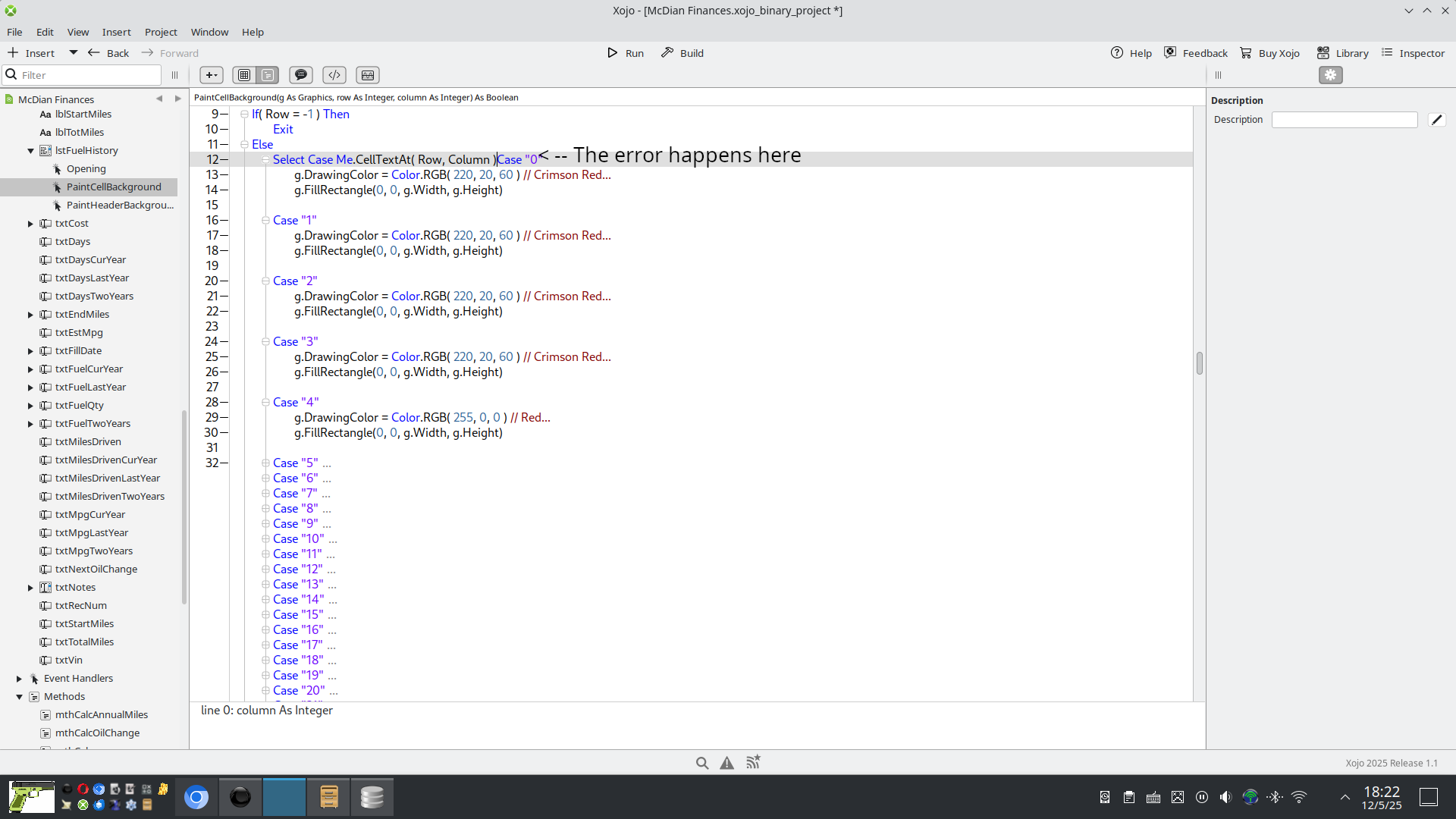
So I have a ListBox that will color in a specific column/row based on the value. Thing is if I scroll to the first record at the bottom of the ListBox I get an OutOfBounds Exception.
I don’t know how to catch this…
So I have a ListBox that will color in a specific column/row based on the value. Thing is if I scroll to the first record at the bottom of the ListBox I get an OutOfBounds Exception.
I don’t know how to catch this…
This event occurs for rows that don’t exist so that alternating row styling can draw to the end. You’re getting OutOfBounds because it’s drawing a row that doesn’t have a cell value.
is there a way to stop it?
Your first line should say:
If Row > -1 and Row <= LastRowIndex
… to guarantee that the code bails if there isn’t a real row to draw.
Thank you, but I still get the OOBE.
Try:
If Me.RowCount < 1 Then
  Exit
Else
No more OOBE…
Sorry, I misread your code. Do this:
If Row < 0 or Row > LastRowIndex
This worked. Thank you!
This didn’t work. Thank you though!
It worked here without any Row.
BTW: I added Return True after the Select …/… End Select block (also to avoid confllict with my code there).
You have a solution: good !
Here’s the whole code as I get from your screenshot (LiveCode/OCS):
If Me.RowCount < 1 Then
  Exit
Else
  Var myStr As String

  myStr = mLB.CellTextAt(Row, Column)

  Select Case myStr

  Case "0" // The error happens here
    g.DrawingColor = Color.RGB( 220, 20, 60 ) // Crimson Red...
    g.FillRectangle(0, 0, g.Width, g.Height)

  Case "1"
    g.DrawingColor = Color.RGB( 220, 20, 60 ) // Crimson Red....
    g.FillRectangle(0, 0, g.Width, g.Height)

  Case "2"
    g.DrawingColor = Color.RGB( 220, 20, 60) // Crimson Red....
    g.FillRectangle(0, 0, g.Width, g.Height)

  Case "3"
    g.DrawingColor = Color.RGB( 220, 20, 60 ) // Crimson Red...
    g.FillRectangle(0, 0, g.Width,g.Height)

  Case "4"
    g.DrawingColor = Color.RGB(255,0,0) // Red....
    g.FillRectangle(0, 0, g.Width, g.Height)
  End Select
End If

Return True
In case of trouble(s), I always go back to one instruction/line to be sure where the error stands.
mLB is a DesktopListBox subclass that implemented the PaintCellBackground Event.
I fired the project again (with Rows and Cells) and do not get OOOE. I do not know if the background colors appears since I do not have Cell (or Row) with numbers (0, 1, 2, 3, or 4 / I stopped there)
macOS Tahoe 26.1 / Xojo 2025r1 / MacBook Pro 13" m1 (in case that matters. I just noticed you use Windows (I think).
Did you test adding Rows?
Do you scroll down all the way?
The OOBE is not because of RowCount < 1, the problem is that the ListBox PaintCellBackground will try to access one row after the last available.
Sample project:
ForEmile.xojo_binary_project.zip (5.3 KB)
GIF:
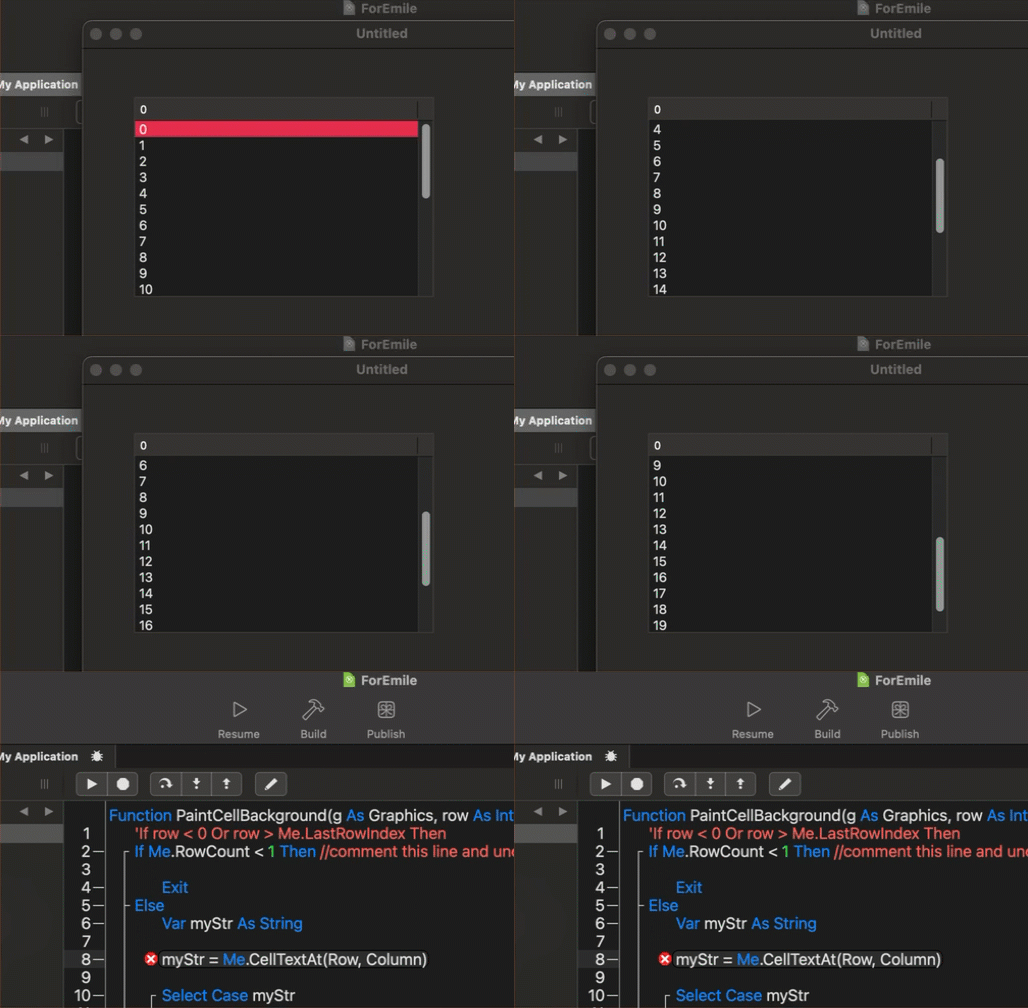
I hope this is clear.
The shared code had OOOE, my code do not have.
Beyond that, I cannot tell anything because I do not have the context (Oil, Miles, Years, and so on can be read on the screen shot, but how they articulate with the ListBox ?).
At last, OP have a solution (and I do not checked it, I was not in a state to do that (tired at least).
Regards
PS: I have my own OOOE (with Arrays / TextArea) to resolve.
So, would it fix things to just toss in an exception handler?
Emile, you need to stop offering this as a solution. In PainCellBackground, row can be greater than rowcount-1.
What the poster needs is to wrap any code that needs data from the row in the following code to avoid the OOBE.
If row <= me.LastRowIndex then

End if