I didn’t find a recent topic about that.
Since 2026r2 when I build a Mac application, I’ve a built application as usual in the folder but I have too a DMG containing the built application. I didn’t change any setting and I didn’t see a new setting I have to change.
I’m under Mac Sequoia.
Could you explain what you mean?
Heu… what??
I click the button to Build my application, I obtained that:
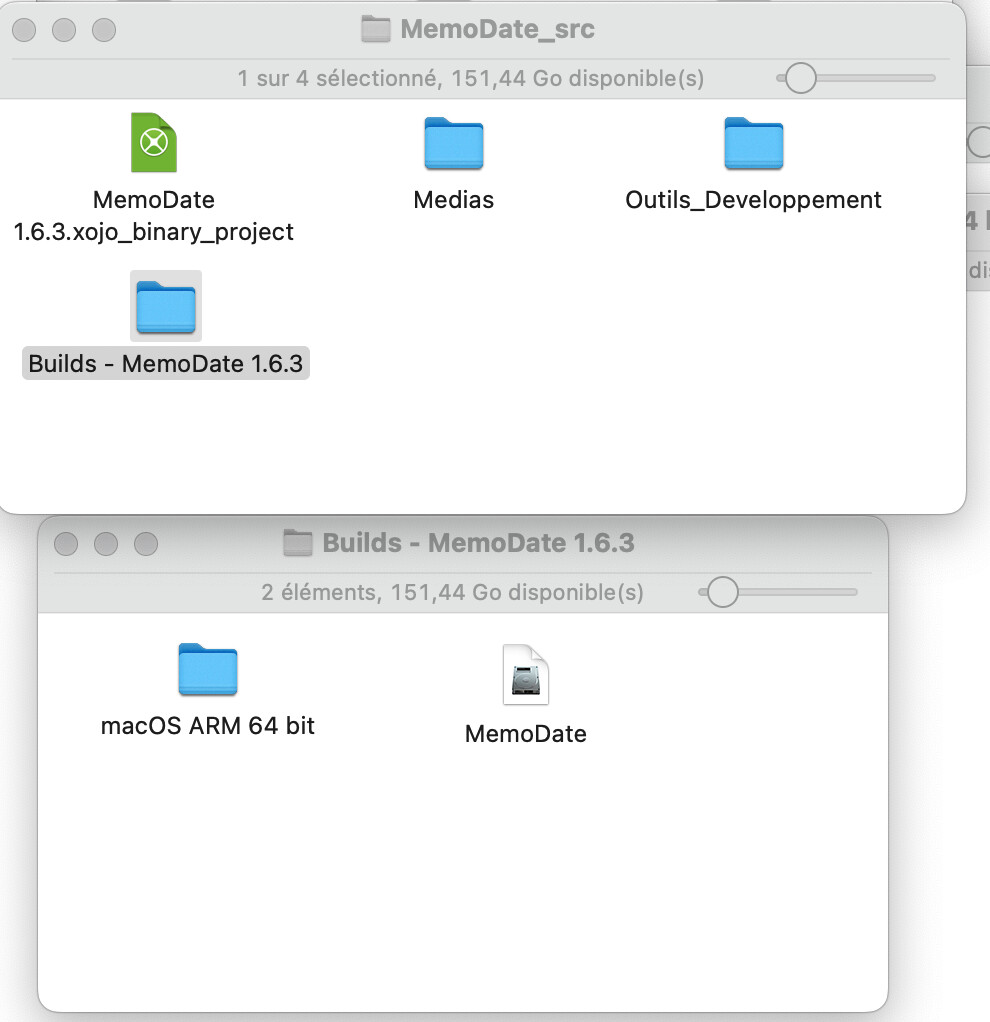
The Builds folder contains my application in the folder “macOS ARM 64 bit” and there is another one in the DMG “MemoDate”.
I opened Xojo settings on “Building” tab and I clicked “Clear Caches” and now I have the error below:
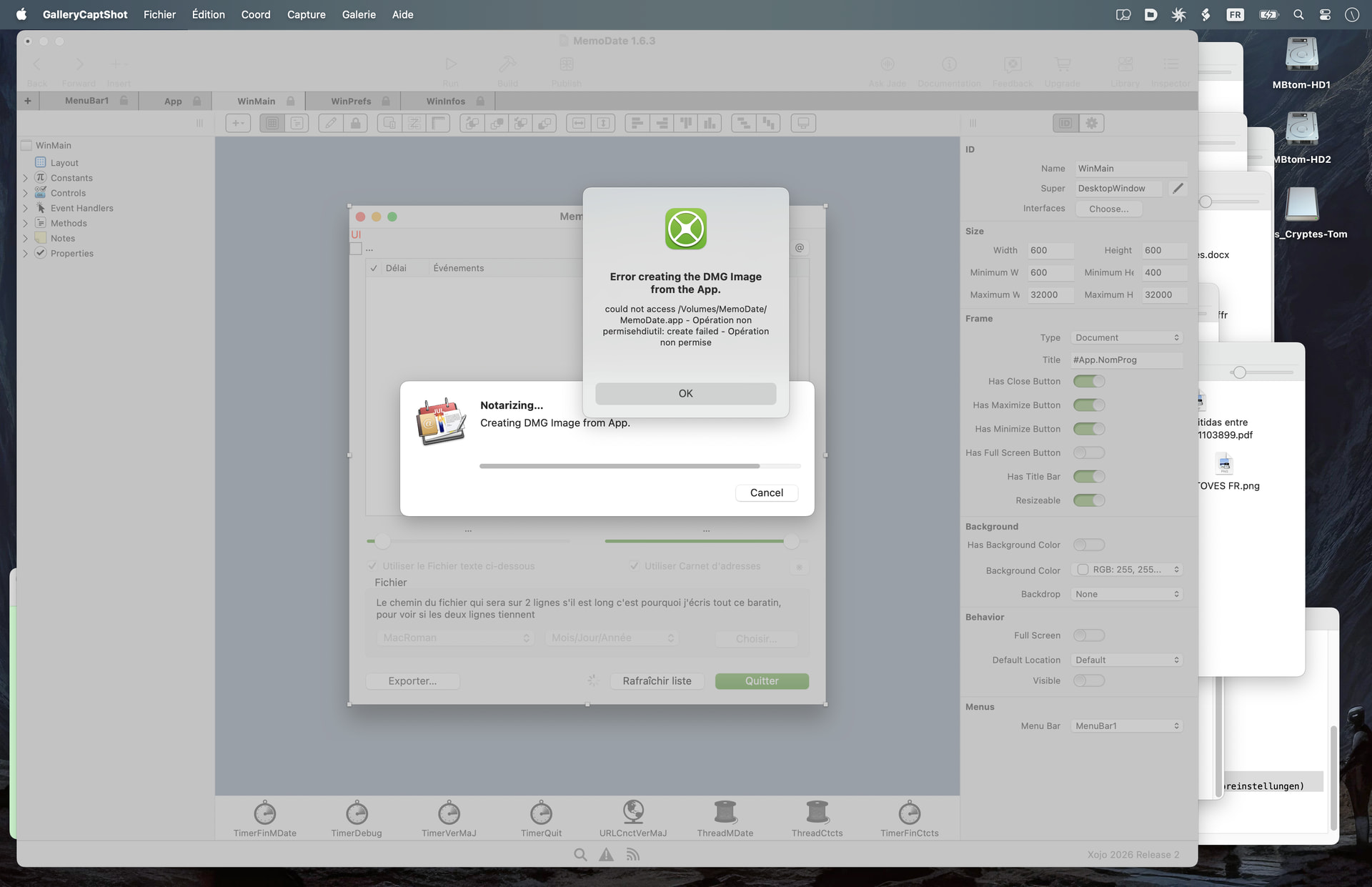
It’s ok, I have my built application in the folder “macOS ARM 64 bit” but not the DMG. I don’t want to but Xojo is still trying to make the dmg. It can’t create the Dmg as the path is not good, the path of my project’s folder is “/Volumes/MBtom-HD2/MesDocuments/5 Programmes/Xojo Perso/MemoDate_src/”.
Edit: If I uncheck “Notarization” in “Sign” Xojo do not try to make the Dmg.
EDit2: My Sign setting is “Build For” “Direct Distribution”.
release_notes 2026r2, the (81072) is protected so we can’t read. And yes I always read but they speak about Console. And even if Xojo send a DMG to sign, I shouldn’t get this trouble.
Maybe you opened the previous DMG from the previous build and not ejected it yet.
I ejected it, removed the dmg. I launched Onyx (which I launch some time to time), then restarted my Mac but the problem is still there.
When you build application with Sign setting = “Build For” “Direct Distribution”. Do you get the built application in a folder or do you you get a Dmg? Or both?
Instead of speculation and guesses, why don’t you show us all of the build steps you have under macOS.
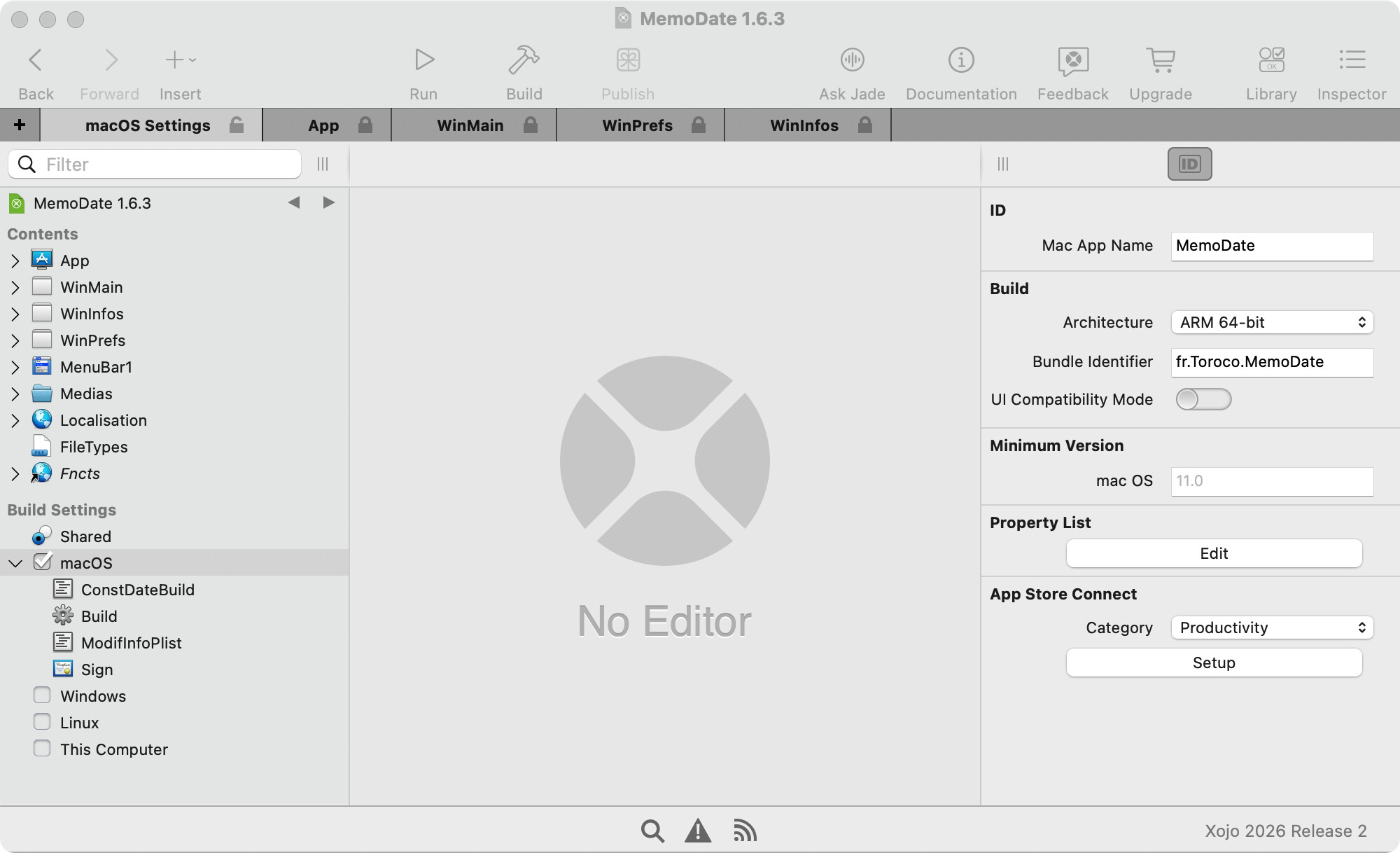
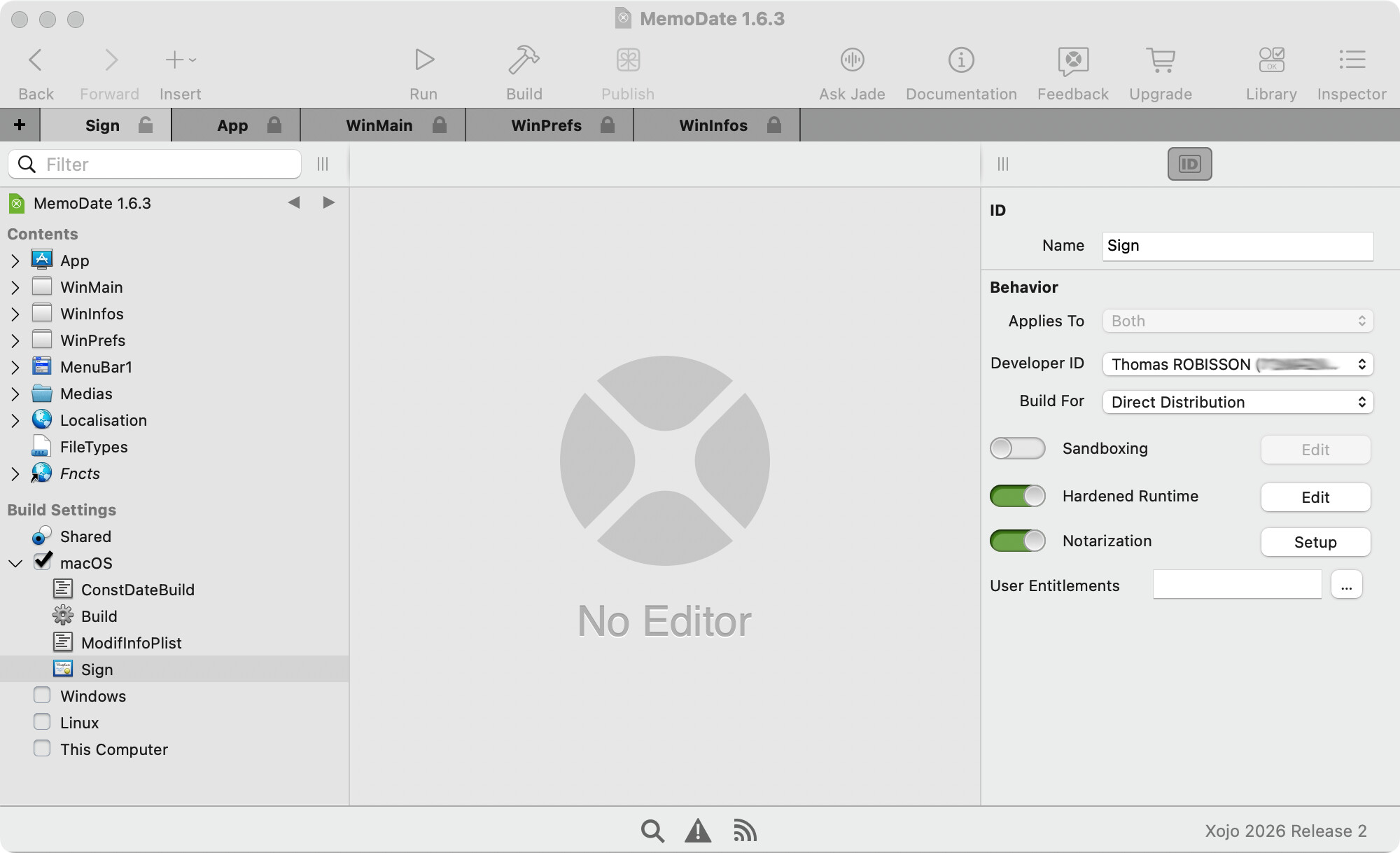
If you select notarization in your macOS build settings “Sign” step, it now creates a DMG. I was caught off guard by this at first, but for this project I’ve been working on, it actually helps. I suspect that you could delete the DMG and your application as distributed the way you normally do would still be notarized, but maybe @Javier_Menendez can shed some more light on the process.
The second screenshot is what I was asking for. There was a pretty popular build script that would pack disk images.
The setting on the second screen for ‘Build For : Direct distribution’ is what is producing the DMG. If you just want the application you can change it to 'Build For : Development".
Thank you, I will try. But I didn’t change this setting, it is like that for many months.
I think it is new
I set like that but Xojo still display an error, here is the log:
15 Jul 2026 at 10:53:20 - Error creating the DMG Image from the App.

could not access /Volumes/MemoDate/MemoDate.app - Opération non permisehdiutil: create failed - Opération non permise

15 Jul 2026 at 10:53:22 - Error creating the DMG Image from the App.

could not access /Volumes/MemoDate/MemoDate.app - Opération non permisehdiutil: create failed - Opération non permise
And now my built application are not notarized, if I do “spctl -a -v” the result is rejected.
I relaunch Xojo 2026r1.2 and I can build Notarized application.
I built with Xojo 2026r2 a beta version of one of my application to a user who asked a new feature and it is notarized. At the time, as I explained in my first message, I had 2 built applications, one in the folder and another one in a Dmg. I can’t notarize my application with Xojo 2026r2 since I clicked “Clear cache”.
I sent a message to Javier.
I found a workarround.
In my Xojo Settings, I set “Build unsaved apps in:” and it is set to a folder “Xojo Perso” which is in a folder in a second partition of my hard drive.
I selected the PopupMenu and set to “Documents”. I created a new project, I built it and it was notarized (no problem).
I built my application → Ok, notarized.
I set the setting “Build unsaved apps in:” back to my folder “Xojo” on the second partition → Ok, notarized.
If @Javier_Menendez ask me, I can’t clear my cache again to see if the problem is back. I will have to repeat what I did hoping it will resolve the problem again.
I’m interested to know if you were able to reproduce this behaviour again… or if it is working fine for you now. I’m not sure if the Finder goes in the middle of something and would like to check that.
I clear my Cache again. I’m trying for half an hour to resolve my problem as I did but I can’t 
 .
.
I can build and notarize new not saved project. I can build my normal projects (which are saved) but notarize fail.
I have to go now, I will try again tomorrow morning.
I think we are going to revert this by now (Notarising as .DMG) until we can see a clear pattern on why it is failing under certain circumstances … so Notarising the old way is safer by now.
I launch Onyx to clean the Mac (system, apps, internet and others) but I still couldn’t notarize my application.
I finally success, here the step by step:
1- Select “Documents” in Xojo settings “build unsaved app in”.
2- Create a new simple empty application without save it. Fill the sign (DevID: Me, Direct distribution) and build it. It is notarized.
3- One of my 12 applications is not notarized because it is for my own use (this is the app I use to generate the serials of my sharewares). I built it.
4- Open and build one of my sign application. It is notarized.
Maybe one of those steps isn’t necessary, but I spent one hour doing many attempt then I prefer to not brake it again. I’m not sure that repeat those steps will work as maybe in my multiple attempts I made something I have to do.
But I made all those steps without step 3 (build my saved application which is not notarized) and it didn’t work. And I’m nearly sure I built this not signed app when I resolved this problem some days ago. Then I think you may search here.