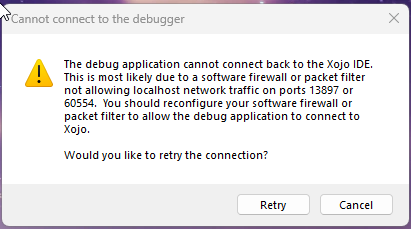
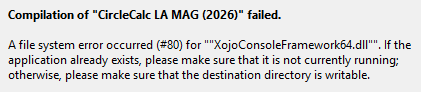
I’m screwed. I can’t debug either desktop or web. I’m dead in the water at a time when clients are starting to use the software for the athletic season. Any ideas?
I use windows and Norton security. Despite shutting down every security thing I can find whether Norton or windows, debug still won’t run . . . and of course instructions on the internet are horrible.
Why don’t you try running Xojo in a Virtual Machine and see if you can get things running over there. That could potentially isolate things a bit especially if you set things up with bridged networking.
Otherwise if time is tight and things are super critical like they sound, why not try uninstalling Norton and see if that does the trick. If not, you can always simply reinstall it.
I occasionally get all these errors at times on Windows. The only solution I’ve found is to reboot. But it’s only a matter of time before it happens again, sometimes as short a time as 10-20 minutes or 2-3 debug runs. I have no firewall or anti-malware enabled whatsoever.
I have no advice unfortunately, just commiseration.
for norton try
Settings ➔ Administrative Settings ➔ Product Tamper Protection
or add build output to Exclusions
for firewall rules
you can add a exe, the protocol and port for incoming or outgoing direction.
restrict by IP or PC Name
and if there is a router between it have a Web UI.
It looks like Christian has the winning answer. It appears that my reboot yesterday was quirky and Norton never loaded correctly, triggering Windows security to replace it.
As the reboot was finishing (after half an hour of updating), I notice that Norton appeared to be about the last thing to load. In today’s reboot, it was about the first thing to load.