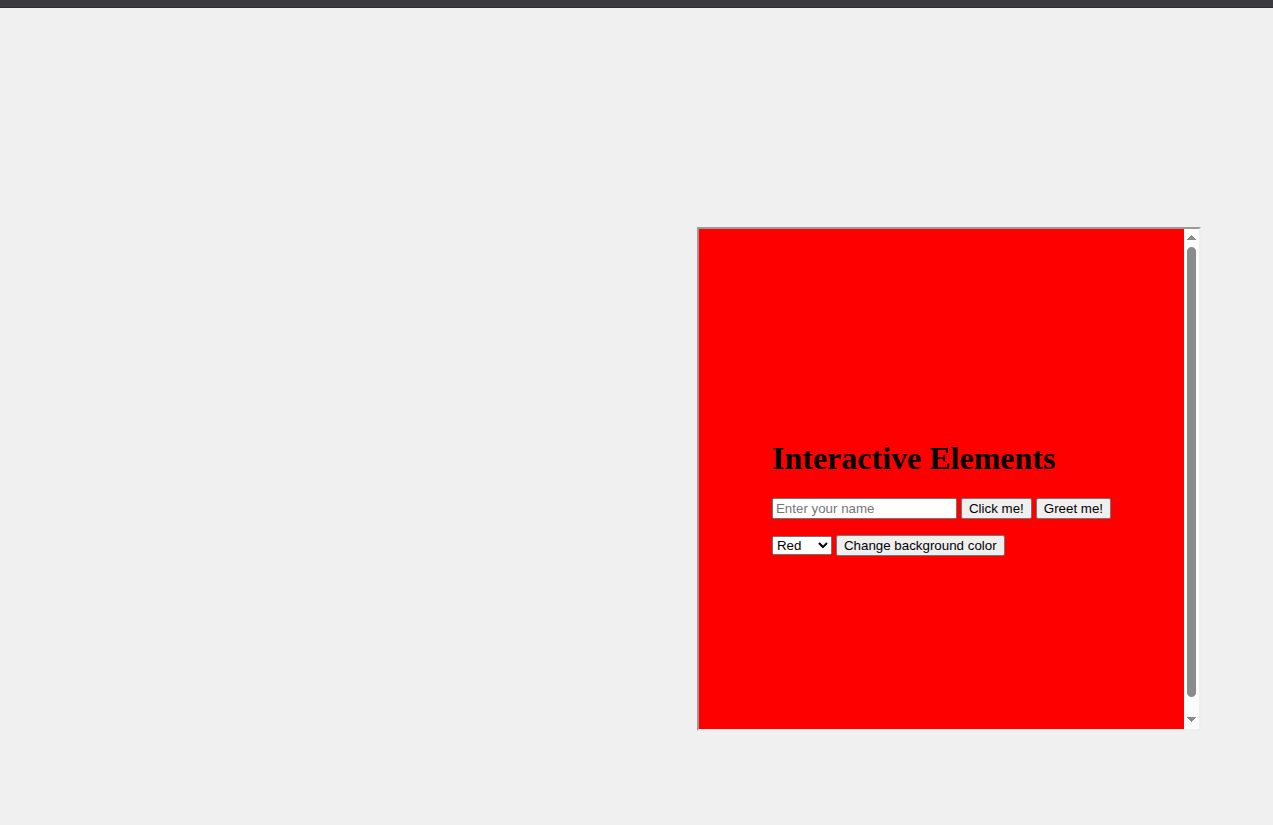
Why does this HTML code in an HTML viewer affect the entire web app? Even if I change to a different page in the web app the color persists… shouldn’t this color ONLY effect inside the viewer? I turned sandbox on and that doesn’t fix anything, I want to view local web pages without breaking the web app UI.
You’re changing the background color of the whole document. A Web App runs entirely on the same “physical” web page using JavaScript to dynamically show and hide the Xojo-side WebPages.
If you wanted to affect just the WebPage that’s open, you could probably find the <div> that represents just that page through the ControlID.
Do you know how to use web browser developer tools to inspect the page at runtime to figure things like this out? You’ll have a whole new level of control over your web app if you know how to use these tools. As a community we’re happy to help guide you, but we’ve got to know where we’re starting
By the way, this feature can be done entirely within the framework. No HTMLViewer or JavaScript is necessary to change the background color of a page with a PopupMenu.
That’s a good reminder, I do know of that, I’ll use it in the future to help debug. Thank you.
Is there a simple way I could separate the viewer HTML from the web app? If it would take a lot of work that’s fine I’ll figure it out but just want to make Sure there’s not a simple Xojo solution.
The color is unimportant, I’m more wanting the viewed HTML page to not have side effects on the rest of the web app. Regardless of what the side effect is. I still am wrapping my head around what exactly a Xojo web app is… I initially thought it was like how Java used to do web with JSP.
HTMLViewer runs in two modes. If you provide a link to a page, you get the sandbox effect that you’re talking about. If you provide just a fragment and use LoadHTML, it just uses a div.
Put your html into a webfile and then use LoadPage passing in the URL property of the webfile and you’ll be all set.
Note: keep an instance of the webfile around long enough for it to be requested by the page or you’ll get an error.
Oh and set the mime type of the webfile to text/html for best results.
Thank you Greg!! I feel like this div feature should be a flag you can set and not a default, since the behavior is inconsistent and not obvious but that is just my opinion though