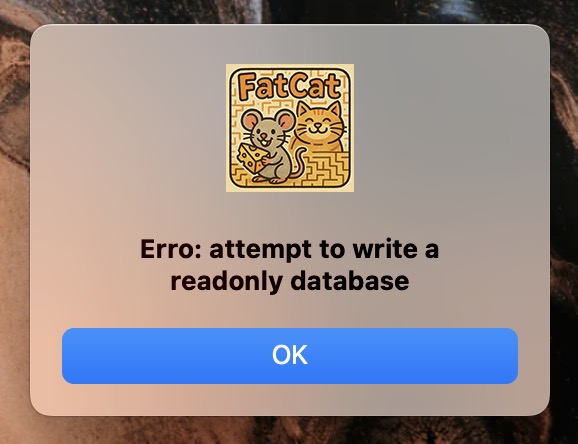
The app can work with readonly database, it can query no problem, but as you realized it can’t insert or update. Is there any code in you app that could set the db to readonly ? If that’s not the case it could be that something external to your app changed the enclosing directory to readonly or the db file to readonly.
this is the full code where i open the database connection:
Var source As FolderItem = SpecialFolder.Resource(databaseName)
Var name As String = app.ExecutableFile.name.NthField(".", 1)
// Check if there is a folder with the App name in special Application Data
// if not, create it and copy the database file from Resources bundle/directory
If Not (SpecialFolder.ApplicationData.Child(name).Exists And SpecialFolder.ApplicationData.Child(name).IsFolder) Then
  SpecialFolder.ApplicationData.Child(name).CreateFolder
End If

If Not SpecialFolder.ApplicationData.Child(name).Child(Source.name).Exists Then
  source.CopyTo(SpecialFolder.ApplicationData.Child(name))
End If

Try
  // Create a SQLiteDatabase instance and
  // try to open database file from the path
  mySQLiteDB.DatabaseFile = SpecialFolder.ApplicationData.Child(name).Child(databaseName)
  mySQLiteDB.Connect

Catch e As DatabaseException
  MessageBox(e.Message)
End Try
If the database is originally in the “resources” folder, I make a copy to “applicationData.”
Then I open the connection.
That’s not the problem. I can read the file.
The problem is when I try to insert or update the table. it shows the error above.
Copying a writeproteced databasefile to another location does not remove the write protection - so I would suggest to check the file after copying if it is writeprotected or not.
You can put the database in zipped format into the resource folder, copy the zip and unzip it at the destination folder.
Or - if there is not much content in the database - create it in code at the destination.
Your app has a bundle identifier, something like com.domain.application-name. That’s the name you need to use for the folder that sits inside SpecialFolder.ApplicationData instead of any old name you made up.