I’ve been following the really helpful blog post on how to publish macOS apps. But now I’ve got a question that I’ve been stuck on since Saturday morning.
How do I get more information about what caused the error when I do the Publish? The post refers me to the log file if there’s a problem with any of the steps but my log file doesn’t have as much detail as his log file error. This is all I’ve got in the log file:
2026-03-22 00:12:37 - Starting the process.
2026-03-22 00:12:37 - Creating .pkg file from App bundle.
2026-03-22 00:12:37 - Signing the .pkg file.
2026-03-22 00:12:38 - Error Creating .pkg File
Does this mean that the step that comes after the signing caused the error, or the error happened while it was trying to sign the file? I’m able to get the app signed when I Build it, so I’m guessing that whatever step comes next is causing the problem. What goes into the pkg file along with the actual app? Can I just create a pkg from my app and whatever other file is needed and import it into the app record I created on my developer account?
Chuck
That’s very probably because the “3rd Party Mac Developer Installer” certificate is not installed in your Mac Keychain, so the package (.pkg) can’t be signed appropriately to being sent to App Store Connect.
You’re probably right. I thought I was follow the instructions, but I have lots of certificates in the keychain. Maybe I copied the wrong one to the Xojo Developer ID field.
What I copied to the Developer ID is
Apple Distribution: CLH WAREs, LLC (xxxxxxxxxx)
And the User ID and the Organizational Unit in the keychain match what I put into the Developer ID.
Nop! The signing of the .pkg file doesn’t have anything to do with the value entered into the “Developer ID” field.
The “3rd Party Mac Developer Installer” just needs to be stored in your Mac keychain. That’s all.
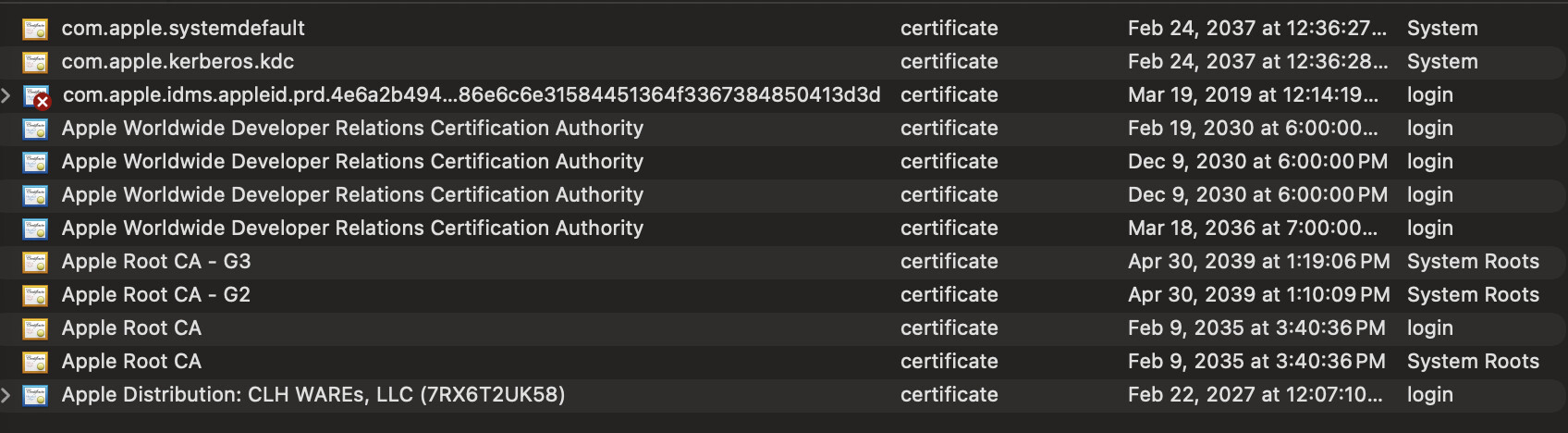
These are all the Apple certificates in my keychain
Good to know… but you have to find YOUR developer certificates, including “3rd Party Mac Developer Installer”
From my screenshot, you can see all the developer certificates for MY team (including an already expired one). You should have a similar thing for your own certificates…
Sorry, I don’t know how to read your screenshot — I don’t really know what certificates are used for.
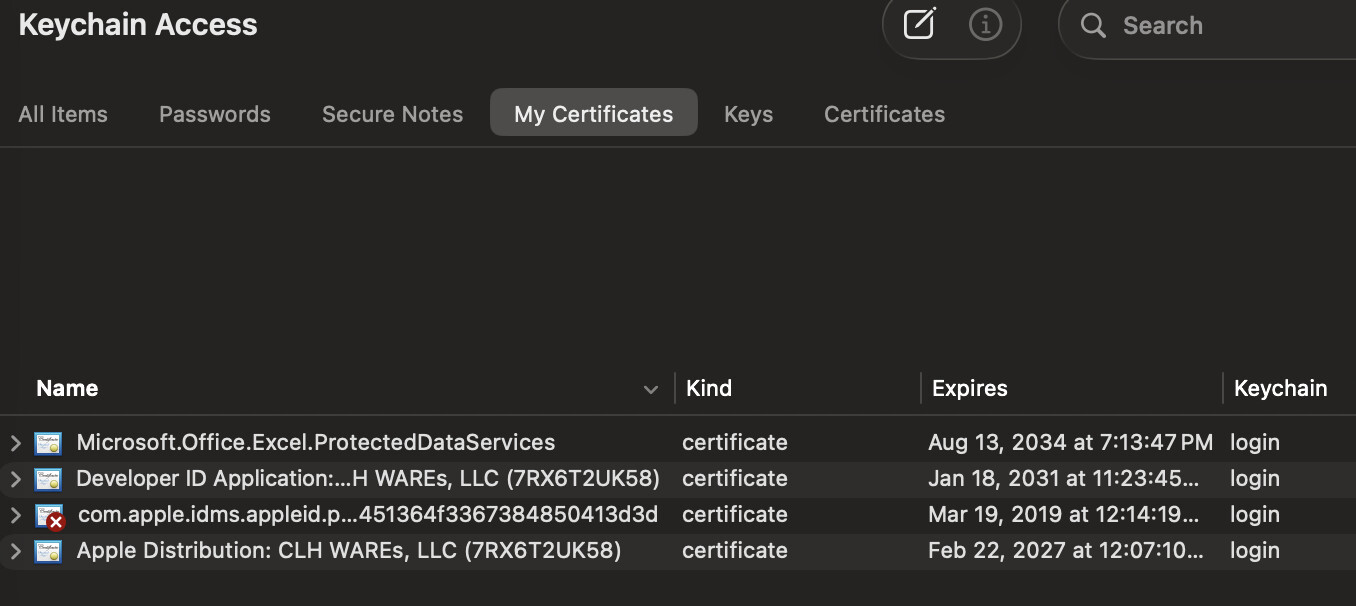
Here are my certificates. Between certificates and identifiers and profiles … there’s so many pieces of signing and publishing that I don’t understand at all.
And that screenshot from you is answering my first answer: the “3rd Party Mac Developer Installer” is missing. 
You need to install the missing certificate… from Xcode 
The easiest you can do is going to Xcode and install all the remaining certificates you didn’t installed already from there (i.e: anyone except the ones already installed “Developer ID Application” & “Apple Distribution”)
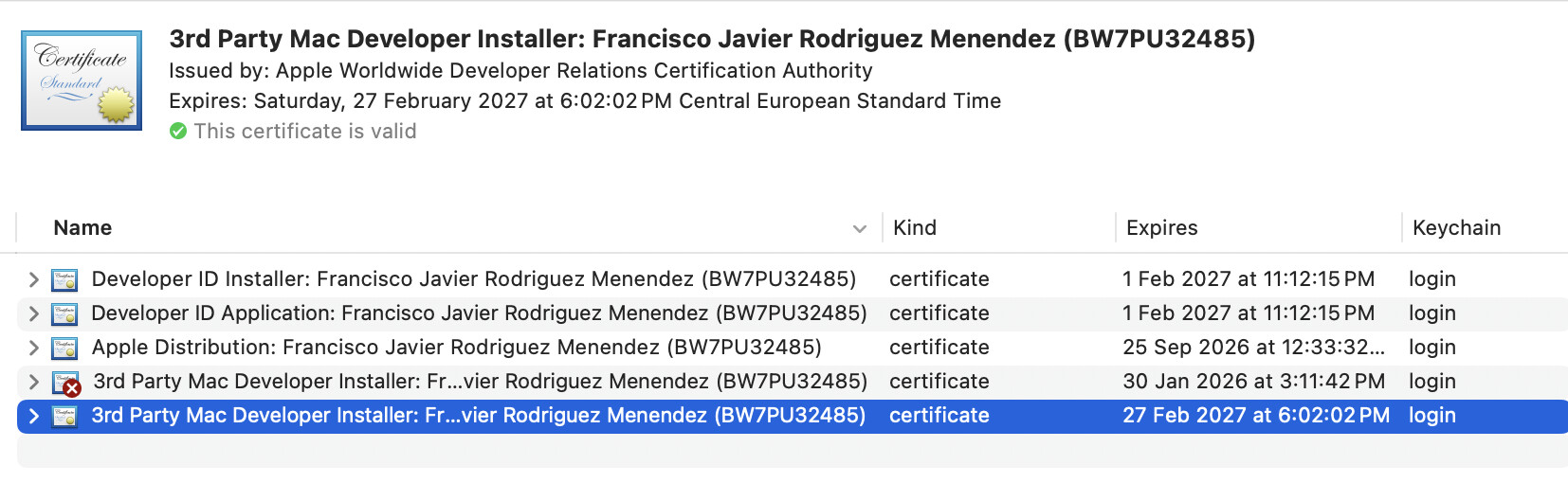
From my screenshot you can see that I have installed in the keychain:
- Developer ID Installer: Francisco Javier Rodriguez Menendez (BW7PU32485)
- Developer ID Application: Francisco Javier Rodriguez Menendez (BW7PU32485)
- Apple Distribution: Francisco Javier Rodriguez Menendez (BW7PU32485)
- 3rd Party Mac Developer Installer: Francisco Javier Rodriguez Menendez (BW7PU32485)
From the documentation page (I posted already in another of your threads): Publishing macOS and iOS Apps to the App Store from Xojo — Xojo documentation
First things, First!
But before we look into how to use the new Publish feature from the Xojo IDE itself, let’s see some requirements and previous processes to better understand how everything this works and fits together.
First of all, the requirements. Very probably you already meet these, but is always a good idea to review them:
-
A paid Apple Developer membership (around US $99/yr).
-
Xcode needs to be installed on your Mac, preferably the latest one (as of this writing, Xcode 16.2, what means running macOS Sequoia 15.2 on your computer); but it also will work if you are running Xcode 13 or later on, for example, macOS Ventura.
-
You have, at least, the Developer ID Application, Apple Distribution and 3rd Party Mac Developer Installercertificates installed on your Mac Keychain.
-
An explicit App ID (Identifier) has been created for your app at developer.apple.com website
-
A Provisioning Profile has been created at developer.apple.com website, so the uploaded build can be available for users to test under TestFlight.
-
Verify you don’t have any pending agreement waiting for you to be “agreed” both at developer.apple.com and appstoreconnect.apple.com website.
1 Like
Then I didn’t understand the steps … and I don’t even know the questions to ask.
Yes, I’ve been trying to follow the steps from your blog post, which looks like it’s the same as the Xojo documentation.
• Xcode says it’s version 26.3 so maybe I’m looking at the wrong place.
• And Tahoe 26.3.
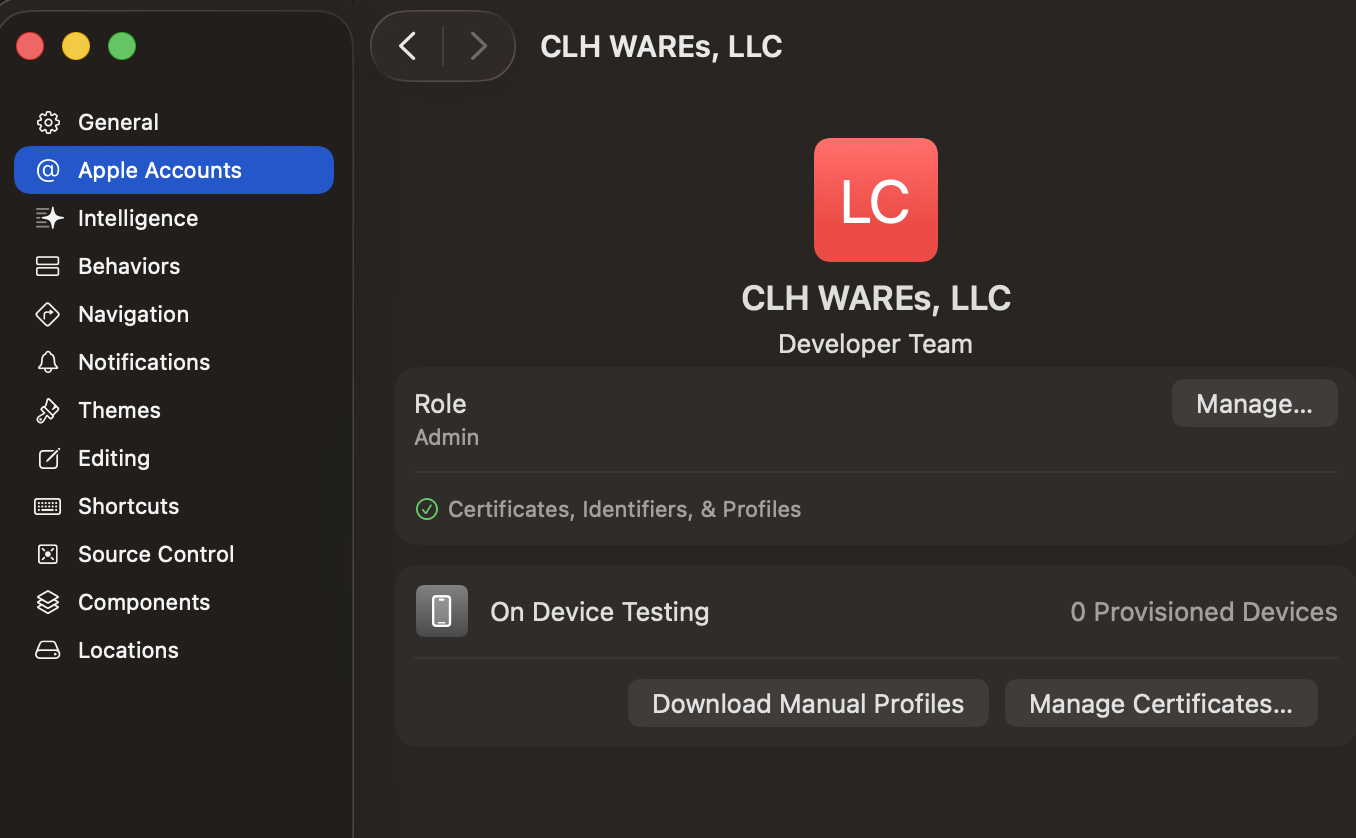
Here’s the account I have.
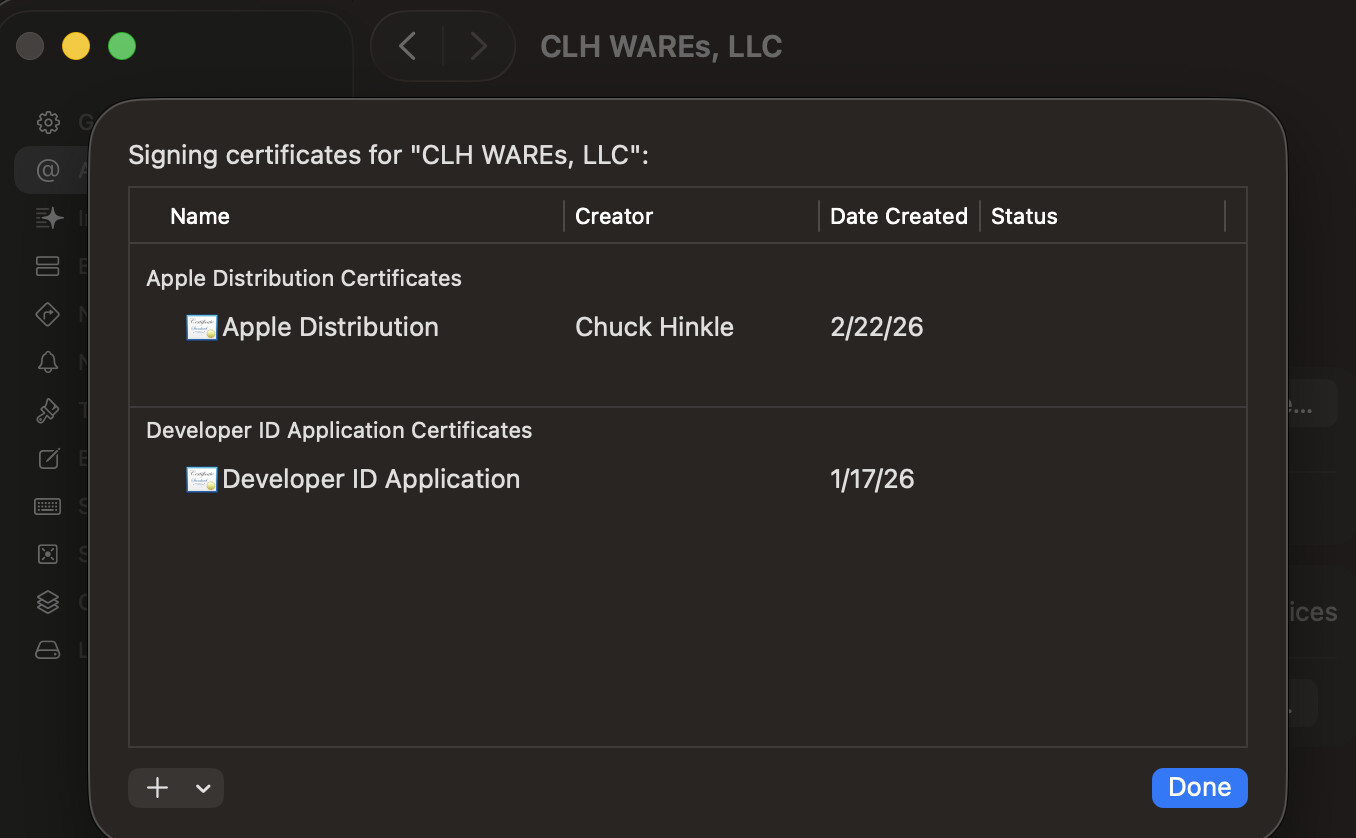
And this is what I get when I Manage Certificates.
I’m sorry. I’m lost. Maybe because it’s past midnight.
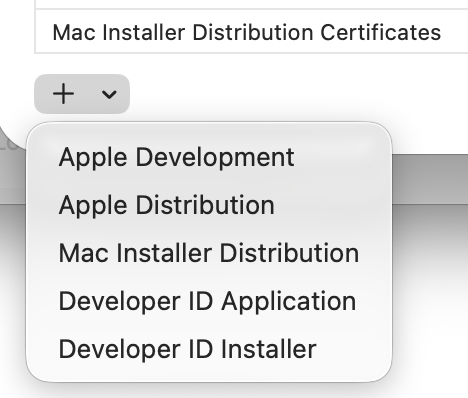
And from that Xcode screenshot… you can see the “+” icon in the lower-left corner. Very probably the same one you used already to install the two certificates that are displayed in the main area of the screenshot…
so, go ahead… click on the “+” icon and install the remaining certificates
I missed the step last time to add the certificates with the Add button.
Yes, I missed that step on Saturday.
• Does that mean it’s ready to try to publish again?
• I was going to ask the AI when I finished … is there a source you recommend that gives a high level of description of certificates, identifiers, teams, apps, provisioning profiles, private keys, bundle IDs, and app records? … How they all work together and their parts?
is there a source you recommend that gives a high level of description of certificates, identifiers, teams, apps, provisioning profiles, private keys, bundle IDs, and app records? … How they all work together and their parts?
Hmmm… Internet is so broad… but I found these nearby: 
(Third part of the serie will be available later today)
Also, for those attending the MBS Conference… stay tuned
1 Like
Yeah, I found those on Saturday (at least, I found the first one).
That’s why I asked if there’s a version for Dummies like me.
But it feels like miracles still happen.
It says I can select the New Build; is that a step I do back in the developer’s site? Or have I done my part & now I wait to hear back from Apple?
Thank you very much. You have been way more helpful than I deserve. This shows me that it’s true, old dogs like me really can’t learn new tricks. But sometimes we can someone else who knows the answers.
I hope you find these serie of posts clear enough… even if you haven’t previous exposition to the subject (that was my intention, at least)
It should be selectable from the available Builds at Apple’s website (appstoreconnect.com)… once Apple finishes the reviewing process. If it is your first time sending stuff to appstoreconnect, then probably it will take longer.
If something went wrong with the app… you’ll hear from Apple, for sure.
I tried to bring all the helpful you deserve.
But sometimes we can someone else who knows the answers.
And that’s where the Xojo Forums are so bright: full of kind people with a lot of expertise and glad to help other people.
And Xojo itself, trying to make complex things as easier as we can for all of you… on every release 
This shows me that it’s true, old dogs like me really can’t learn new tricks.
Sure old dogs CAN LEARN new tricks.
I felt that your article “How to Publish macOS and iOS Apps to the App Store Directly from Xojo” was the most useful thing I found all weekend — the only thing that even helped me get close. (Even though I missed a step or two along the way.) But it felt so murky going back and forth between the developer site and the Xojo panes and the Keychain and lost in the terminology and not sure I was on the right path. But, then, I’m a Business Analyst so I’m used to making process diagrams and swim lanes and drawing flowcharts for training. I kept feeling that I’ll just take one more step and see how close I can get, and how much more confident I’d be if I understood how the identifiers and certificates and keys and profiles fit together. I’ll go back and read the articles again. I had the feeling that after I got through the process once, I might have learned enough to understand.
When you finish your series, it may be that I learn it better going in reverse. Sometimes when I teach a difficult concept, I like to start by showing the end-state. And they can understand that because it’s their destination. Then I’ll work back; what gets you to that state. Then keep working back. Not sure it makes this topic any easier though.