How to execute external shell script

Hi!

I’m trying to execute a shell script:

#!/bin/bash
cd "/Users/alemac/Controle Online/api-community"
lsof -t -i :8080

# mata o processo na porta 8080
echo "Matando processos anteriores"
lsof -t -i :8080 | xargs kill -9 2>/dev/null

# abre o diretório correto
echo "Mudando de diretório"
cd /Users/alemac/Controle\ Online/api-community/

# inicia o servidor PHP
echo "Iniciando servidor"
nohup php -S 0.0.0.0:8080 -t public > /dev/null 2>&1 &

# abre o Safari
echo "Abrindo safari"
open -a Safari "http://localhost:8080"

if i run on terminal line by line, it works
if i run the shell file above, from terminal ( ./startAPI.sh ), it works

but if i call it from xojo, it only shows the echo messages

Var sh As New Shell
Var c, r as string

c = "/bin/bash '/Users/alemac/startAPI.sh'"
sh.Execute(c)
r = sh.Result

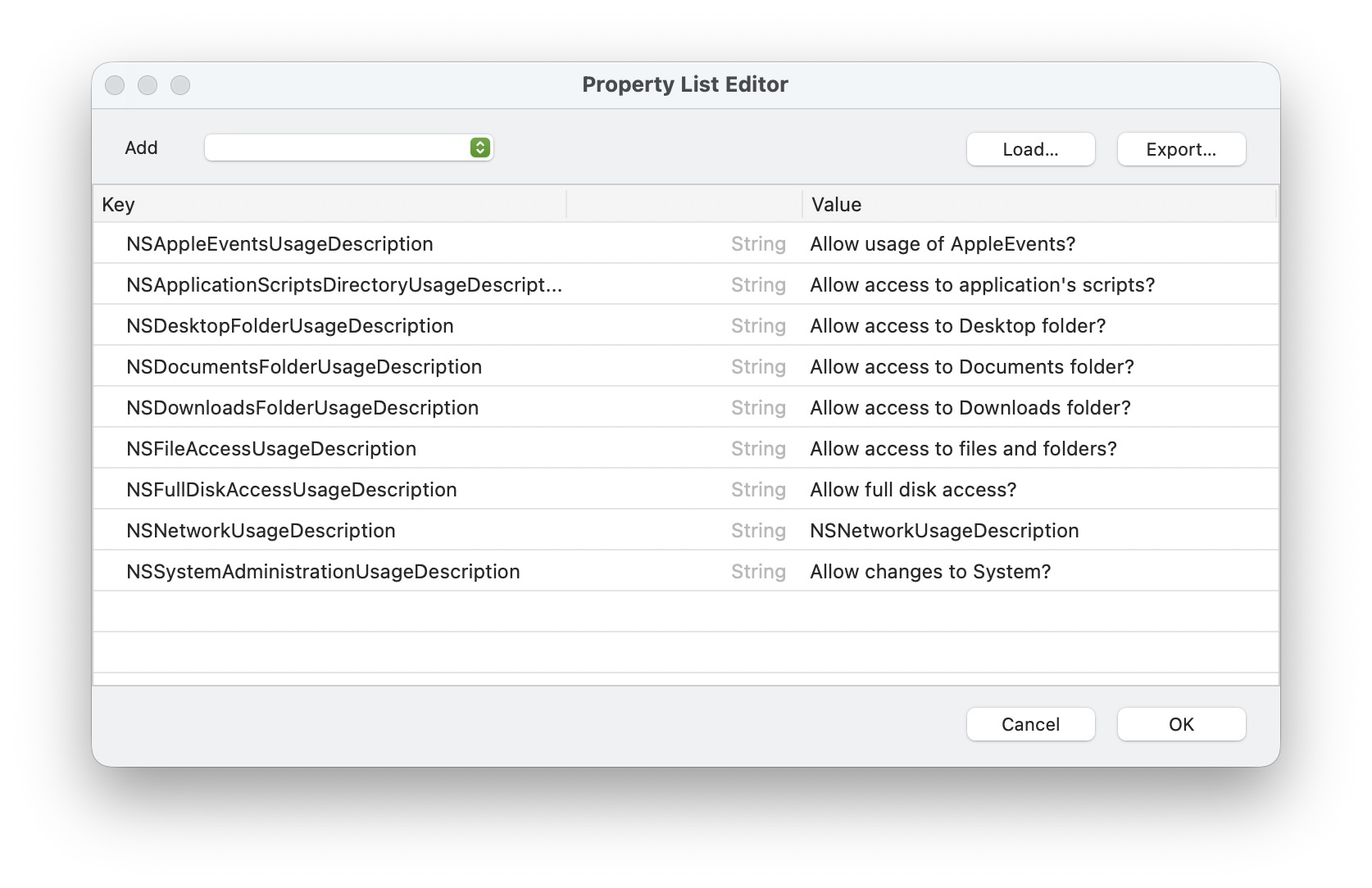
my property list:

why?

Because Shell is not a terminal. For instance, if you type env in a terminal and send it to a Shell, they’re vastly different. None of the startup scripts have run. You’ll either need to use full paths for things or you’ll need to execute the user’s startup scripts.

1 Like

sorry, didn’t get…

you say this way on my shell file?

#!/bin/bash

/usr/sbin/lsof -t -i :8080

# mata o processo na porta 8080
/bin/echo "Matando processos anteriores"
/usr/sbin/lsof -t -i :8080 | /usr/bin/xargs /bin/kill -9 2>/dev/null

# abre o diretório correto
/bin/echo "Mudando de diretório"
cd /Users/alemac/Controle\ Online/api-community/
pwd

# inicia o servidor PHP
/bin/echo "Iniciando servidor"
/usr/bin/nohup /opt/homebrew/opt/php@8.4/bin/php -S 0.0.0.0:8080 -t public > /dev/null 2>&1 &

# abre o Safari
/bin/echo "Abrindo safari"
/usr/bin/open -a Safari "http://localhost:8080"

Might help explain :grin:

1 Like

the cd does not work with full path, /usr/bin/cd, why?

this worked!

#!/bin/bash

id=$(/usr/sbin/lsof -t -i :8080)
/bin/echo "Previous:$id"

# mata o processo na porta 8080
/bin/echo "Matando processos anteriores"
/usr/sbin/lsof -t -i :8080 | /usr/bin/xargs /bin/kill -9 2>/dev/null

# abre o diretório correto
/bin/echo "Mudando de diretório"
cd /Users/alemac/Controle\ Online/api-community/
pwd

# inicia o servidor PHP
/bin/echo "Iniciando servidor"
/usr/bin/nohup /opt/homebrew/opt/php@8.4/bin/php -S 0.0.0.0:8080 -t public > /dev/null 2>&1 &

# abre o Safari
/bin/echo "Abrindo safari"
/usr/bin/open -a Safari "http://localhost:8080"

/bin/sleep 2

# confirma se iniciou o serviço
id=$(/usr/sbin/lsof -t -i :8080)
/bin/echo "Process:$id"
1 Like

why only this line does not work?

/usr/bin/nohup /opt/homebrew/bin/npx quasar dev --port 3003 > /dev/null 2>&1 &

running directly on terminal, it works.

calling from xojo this command, inside a shell file does not…

why?…

Path for quasar missing?

i put path for node and quasar too.

did not work

Strip this and > /dev/null 2>&1 & off the command and see if you get any errors back. All of those things are possibly preventing you from knowing if there’s an issue.