How to close a window in 2026r2 without crashing

I’m still working on the crashes in 2026r2. One remaining crash happens when closing windows. I had some rather old window menu which I took out. The new code for closing is much more simple:

Function WindowCloseWindow() As Boolean
  // Closes the frontmost document window from the Window menu.
  Dim FrontWindow As Window = App.FirstDocumentWindow
  If FrontWindow <> Nil Then FrontWindow.Close
  Return True
  
  exception exc
    theException = new ErrorException(exc, currentMethodName)
End Function

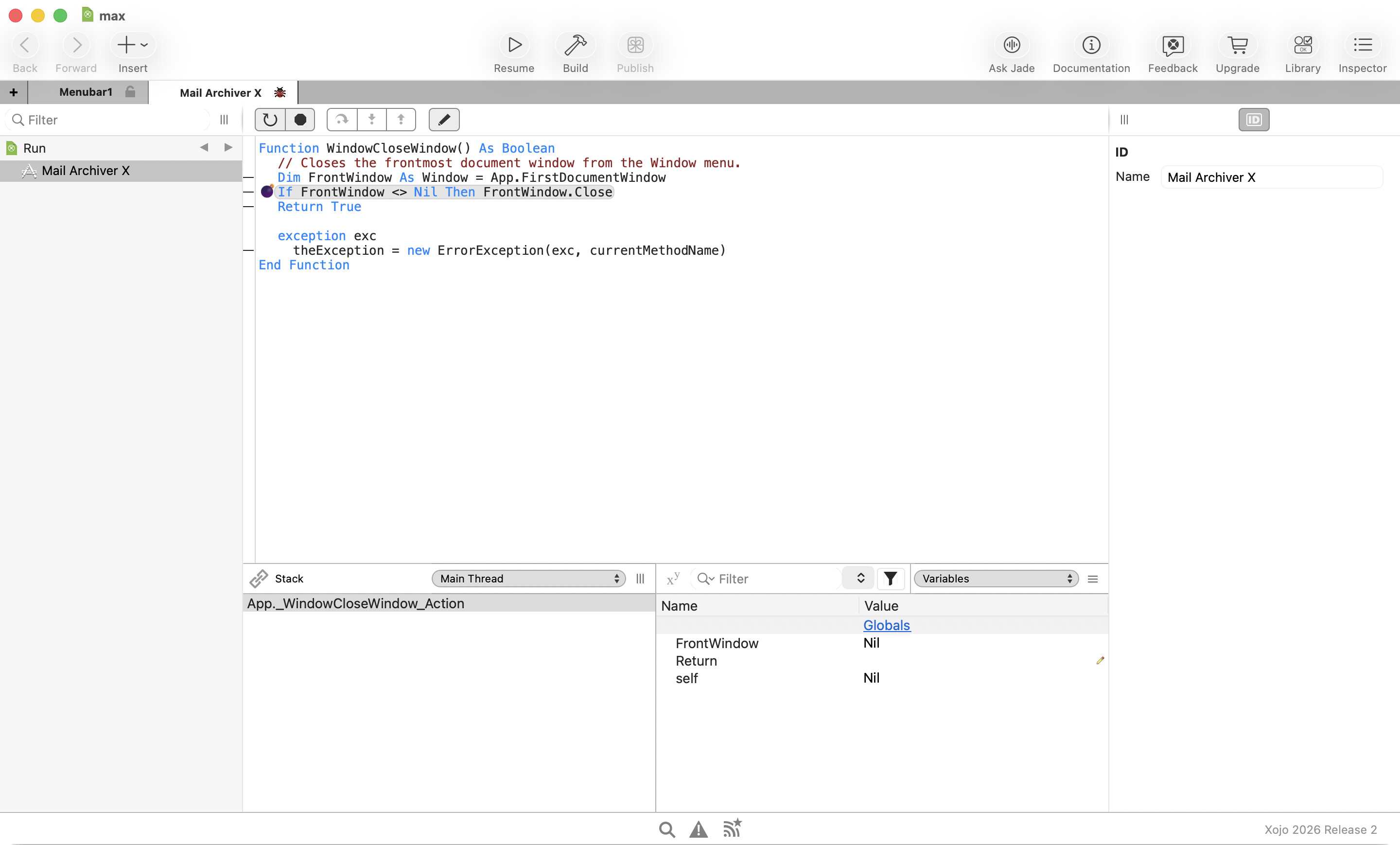
But I already got a crash for my most complex window:


The debugger shows that FrontWindow is nil and accessing that makes a hard crash. Any ideas for a workaround?

Keep in mind what Xojo tells: the values shown in the debugger may be unreliable in such crashes (access violation, etc). When I get one, I usually turn off “Break on fatal error” in the “Project” menu to get the usual behaviour (the OS crash dialog), which, IMO, is more helpful, as it contains more information. Have you tried seeing there?

1 Like

Bare in mind that catching global exceptions like this you should check for “normal” exceptions for closing applications and threads.

Exception err As RuntimeException ' Will catch any exception without discrimination

  If err IsA EndException Or err IsA ThreadEndException Then
    Raise err // Re-raise the exception
  End If

  // Continue your code here

See EndException and ThreadEndException

2 Likes

Oh, that’s the problem with using apps too long. Never seen that before. Will turn this off.

The exception handler already handles the special cases:

if theError isA EndException or theError isA ThreadEndException then
  'nothing to do
  Raise theError
else

What does “App.FirstDocumentWindow” do?

FirstDocumentWindow method:

Public Function firstDocumentWindow(extends a as application) As Window
#Pragma unused a

for l as integer = 0 to App.WindowCount-1
if App.Window(l).Type = window.Types.Document then return App.window(l)
next
End Function

This is a Xojo problem:

Thread 0 Crashed:: Dispatch queue: com.apple.main-thread
0 XojoFramework 0x10ac73524 0x10ab1c000 + 1406244
1 XojoFramework 0x10ac72f28 0x10ab1c000 + 1404712
2 XojoFramework 0x10acf521c RuntimeControl::ReleaseData() + 40
3 Mail Archiver X.debug 0x104c2b300 Control.__Exit%%o + 36
4 XojoFramework 0x10ad74b04 RuntimeUnlockObject + 508
5 XojoFramework 0x10ac7ca20 RuntimePaneDelegate::~RuntimePaneDelegate() + 40
6 XojoFramework 0x10ac7ca44 RuntimePaneDelegate::~RuntimePaneDelegate() + 12
7 XojoFramework 0x10ac7cc2c RuntimePaneDelegate::PaneClosing(Pane) + 92*
8 XojoFramework 0x10adb6c08 SubPane::Close() + 240
9 XojoFramework 0x10adb6ca4 SubPane::Unlock() + 96
-------- RECURSION LEVEL 8
10 XojoFramework 0x10adb6ca4 SubPane::Unlock() + 96
-------- RECURSION LEVEL 7
11 XojoFramework 0x10adb6ca4 SubPane::Unlock() + 96
-------- RECURSION LEVEL 6
--------
-------- ELIDED 2 LEVELS OF RECURSION THROUGH 0x10adb6ca4 SubPane::Unlock() + 96
--------
14 XojoFramework 0x10adb6ca4 SubPane::Unlock() + 96
-------- RECURSION LEVEL 3
15 XojoFramework 0x10adb6ca4 SubPane::Unlock() + 96
-------- RECURSION LEVEL 2
16 XojoFramework 0x10adb6ca4 SubPane::Unlock() + 96
-------- RECURSION LEVEL 1
17 XojoFramework 0x10ac7c4d8 RuntimeView::UnifiedClose(bool) + 524
18 Mail Archiver X.debug 0x104bddaf8 Window.Close%%o + 36
19 Mail Archiver X.debug 0x106216b44 App._WindowCloseWindow_Action%b%o + 608 (/App:1007)
20 XojoFramework 0x10acce0c4 InvokeMenuHandler(RunMenuItem, unsigned char, Window, unsigned char&) + 1144**
21 XojoFramework 0x10acce2d4 RuntimeMenuItemClick(RunMenuItem, unsigned char, Window, unsigned char*) + 128**
22 XojoFramework 0x10abd90b4 CocoaMenu::_MenuItemAction(NSMenuItem) + 76*
23 XojoFramework 0x10abd9734 0x10ab1c000 + 775988
24 AppKit 0x18bf68694 -[NSApplication(NSResponder) sendAction:to:from:] + 560
25 AppKit 0x18c7fe72c -[NSMenuItem _corePerformAction:] + 540
26 AppKit 0x18c98de78 _NSMenuPerformActionWithHighlighting + 160
27 AppKit 0x18c7e9a18 -[NSMenu _performKeyEquivalentForItemAtIndex:] + 172
28 AppKit 0x18c02f810 -[NSMenu performKeyEquivalent:] + 356
29 AppKit 0x18c963ce4 routeKeyEquivalent + 444
30 AppKit 0x18c961f00 -[NSApplication(NSEventRouting) sendEvent:] + 1844
31 XojoFramework 0x10abf5260 0x10ab1c000 + 889440
32 Mail Archiver X.debug 0x104c17200 Application._CallFunctionWithExceptionHandling%%op + 164
33 XojoFramework 0x10ad723c8 CallFunctionWithExceptionHandling(void (*)()) + 180
34 XojoFramework 0x10abf5218 0x10ab1c000 + 889368
35 AppKit 0x18c5af3e0 -[NSApplication _handleEvent:] + 60
36 AppKit 0x18bdc1164 -[NSApplication run] + 408
37 XojoFramework 0x10ad70bfc RuntimeRun + 48
38 Mail Archiver X.debug 0x104dc6398 REALbasic._RuntimeRun + 28
39 Mail Archiver X.debug 0x107f9ffe0 _Main + 632 (/#main:5446)
40 Mail Archiver X.debug 0x107f64608 main + 36
41 dyld 0x18752bda4 start + 6992

I made a ticket: https://tracker.xojo.com/xojoinc/xojo/-/issues/81616

This bug makes 2026r2 unusable for me.

Not sure if this would be a solution for you but in the past I had some issues with any compiled Xojo app crashed when quiting the app.

Putting this in the Window CancelClose event helpt: (macOS only)

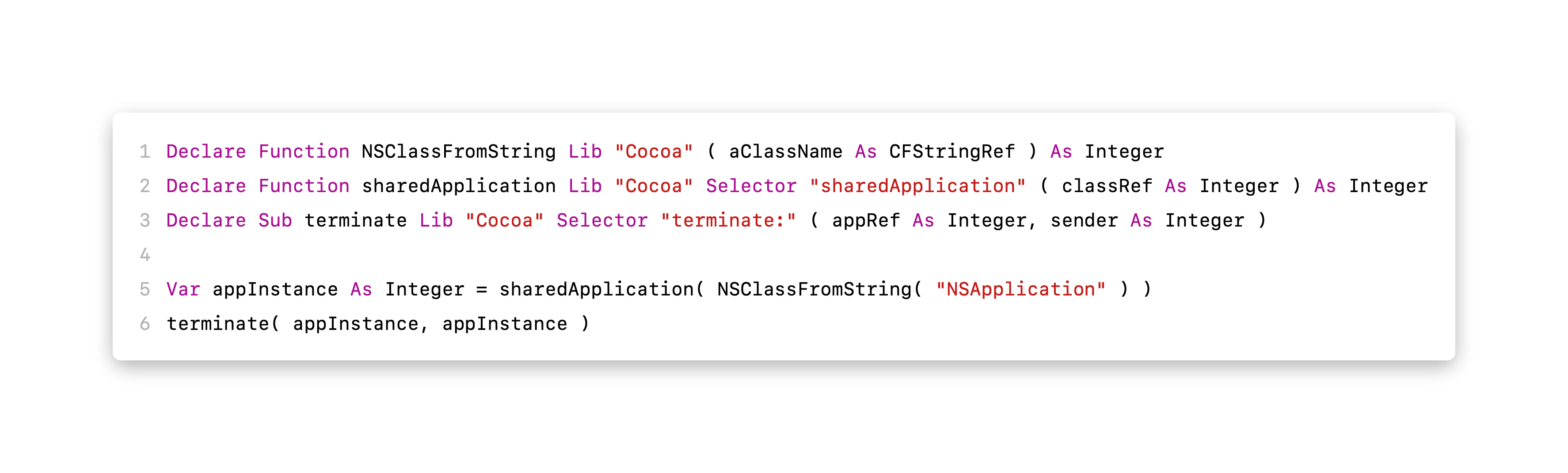
declare function NSClassFromString lib “Cocoa” ( aClassName as CFStringRef ) as integer
declare function sharedApplication lib “Cocoa” selector “sharedApplication” ( classRef as integer ) as integer
declare sub terminate lib “Cocoa” selector “terminate:” ( appRef as integer, sender as integer )

var appInstance as integer = sharedApplication( NSClassFromString( “NSApplication” ) )
terminate( appInstance, appInstance )

I have been using the declare for the last years because the app either wouldn’t quit or would crash. But this here is just closing a window. I had another crash where quitting with the main window and the window from this crash open would also crash but I think this one is solved.

Next I’ll try hiding the window.