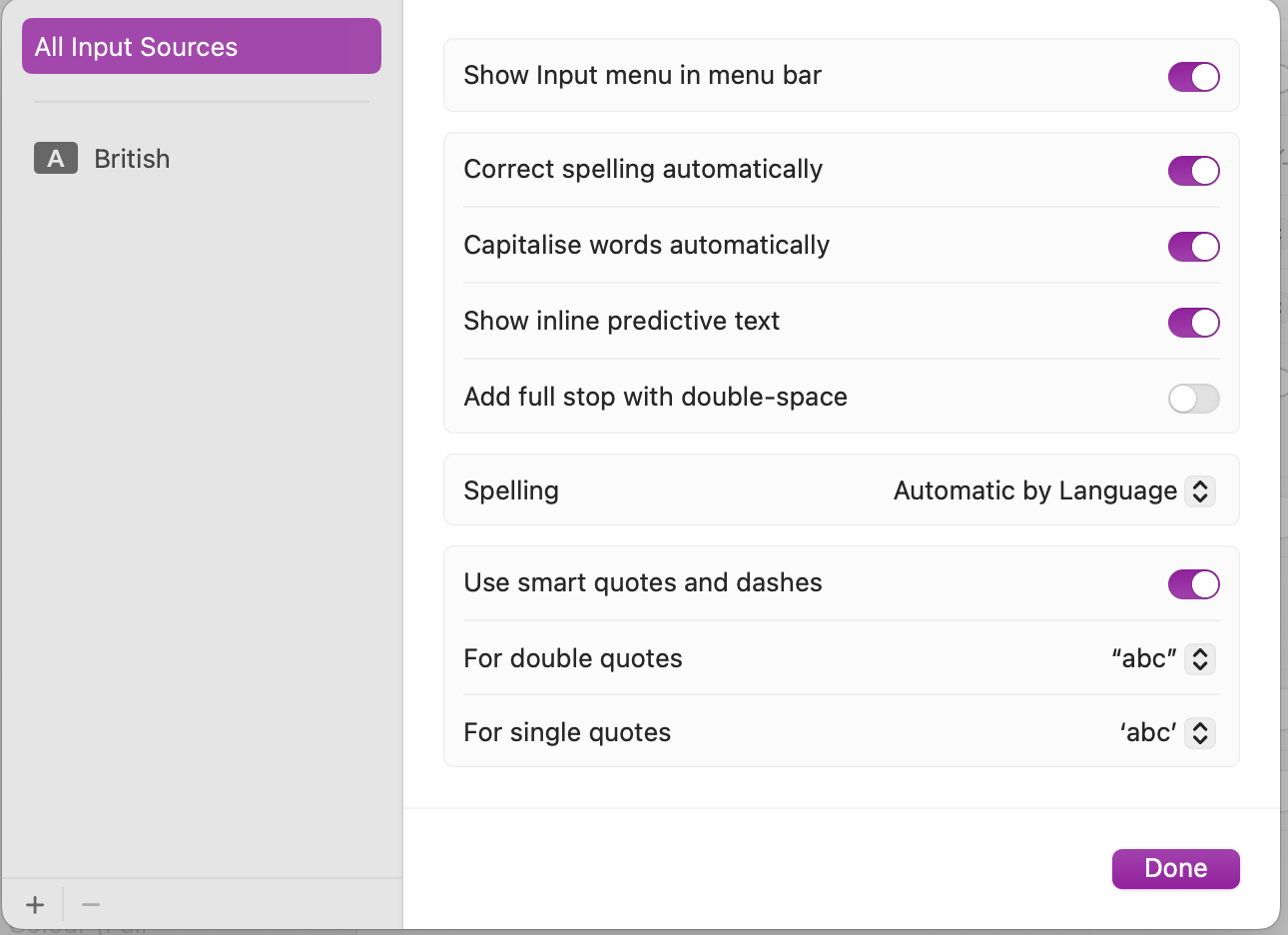
My macOS Tahoe is set to US-en, but it do the replacement and I am in a catch22 situation: I do not want to change the preferences nth times a day and was hopping for a code solution (set to no replacement on Application activate / set it to do replacement on deactivate rather manually.
That is how I learned to change preferences, and I love that.
If no other solution, I will continue to copy/paste the whole html code.
This is the declare for disabling quote replacement, dash replacement, and automatic text replacement for spellcheck.
declare function NSClassFromString lib "Cocoa" (aClassName as CFStringRef) as Ptr

declare function documentView lib "Cocoa" selector "documentView" _
(obj_id as Integer) as Ptr

declare sub setAutomaticQuoteSubstitutionEnabled lib "Cocoa" _
selector "setAutomaticQuoteSubstitutionEnabled:" _
(id as ptr, value as Boolean)

declare sub setAutomaticDashSubstitutionEnabled lib "Cocoa" _
selector "setAutomaticDashSubstitutionEnabled:" _
(id as ptr, value as Boolean)

declare sub setAutomaticTextReplacementEnabled lib "Cocoa" _
selector "setAutomaticTextReplacementEnabled:" _
(id as ptr, value as Boolean)

dim myTextArea as ptr = documentView(me.Handle)

setAutomaticQuoteSubstitutionEnabled(myTextArea, false)
setAutomaticDashSubstitutionEnabled(myTextArea, false)
setAutomaticTextReplacementEnabled(myTextArea, false)
It might need to be modified for API 2 since I pulled this from old code before I started using MBS for stuff like this.
Oh… I only want to set the property as it was on entry.
Maybe I forgot something…
I may have been wrong (I am searching / making a quest against an OutOfBounds Exception in a TextArea since too many hours, failing miserably to find who is the faultive String Array… so my brain is more error prone than usually.
I also make a typo in Substitute (not the only one i’ve done today).