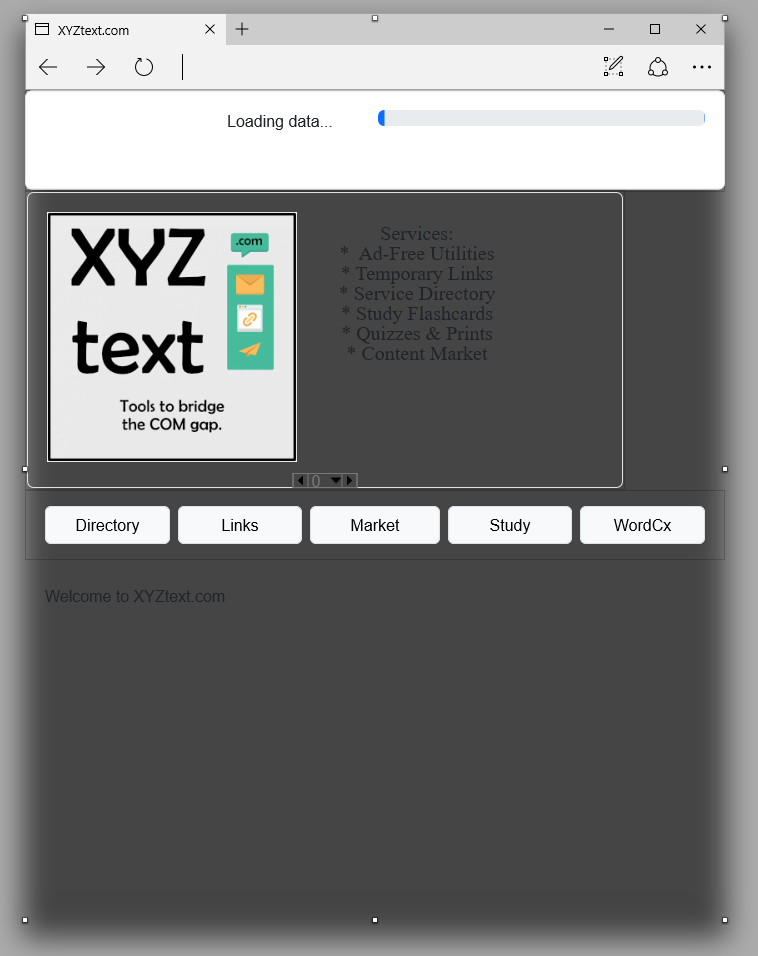
I am guessing that some resource needed is not being included in the file, or the project somehow got corrupted. FUN! I am reverting to an older build in the hopes of gaining clarity regarding the background.
When the file opens, it briefly appears normal before this fuzzy look appears.
Happens to me a lot when opening the IDE and creating web project or opening a web project. Usually resizing page or closing / starting IDE again fixes it.
You said Windows Desktop but the screenshot sure looks like web project , or you meant it is happening on Windows Desktop with a web project?
@Amy_Barnes
ok that is where I primarily see this issue but remember somebody before mention seeing it on either macOS or Linux.
Like I stated usually I only see this in IDE and usually resizing page or closing / starting IDE again fixes it.
Have you searched issues?
I ended up doing SaveAs and using a new naming convention and it appeared to cure the appearance issue.
This was discovered while I was trying to troubleshoot another issue where my project file from my home office laptop can’t be opened on my ATL office desktop after I uninstalled v2026r2 from said office desktop to free up disk drive space.
Apparently the file got corrupted … somehow. I was able to open the project file using the prev version and then save it under a new name, and that file could be opened.
Anyways. Frustrating day.
I think the fuzzy background issue involves some kind of resource.
I did create an issue, but it was for my file not being opened. The IDE shows a loading window and it appears to go BACK a few steps to repeat the handling or processing of database extensions, so this may be a shared resource that was impacted by me uninstalling 2026r2.1