Hi guys, I’m compiling my software for Windows and Linux. On Windows, it works fine. On Linux, when I open the program, the windows seem to be hibernated. What could be the cause? The window folder is set to Document. Could it be due to some Linux setting?
How about a screenshot?
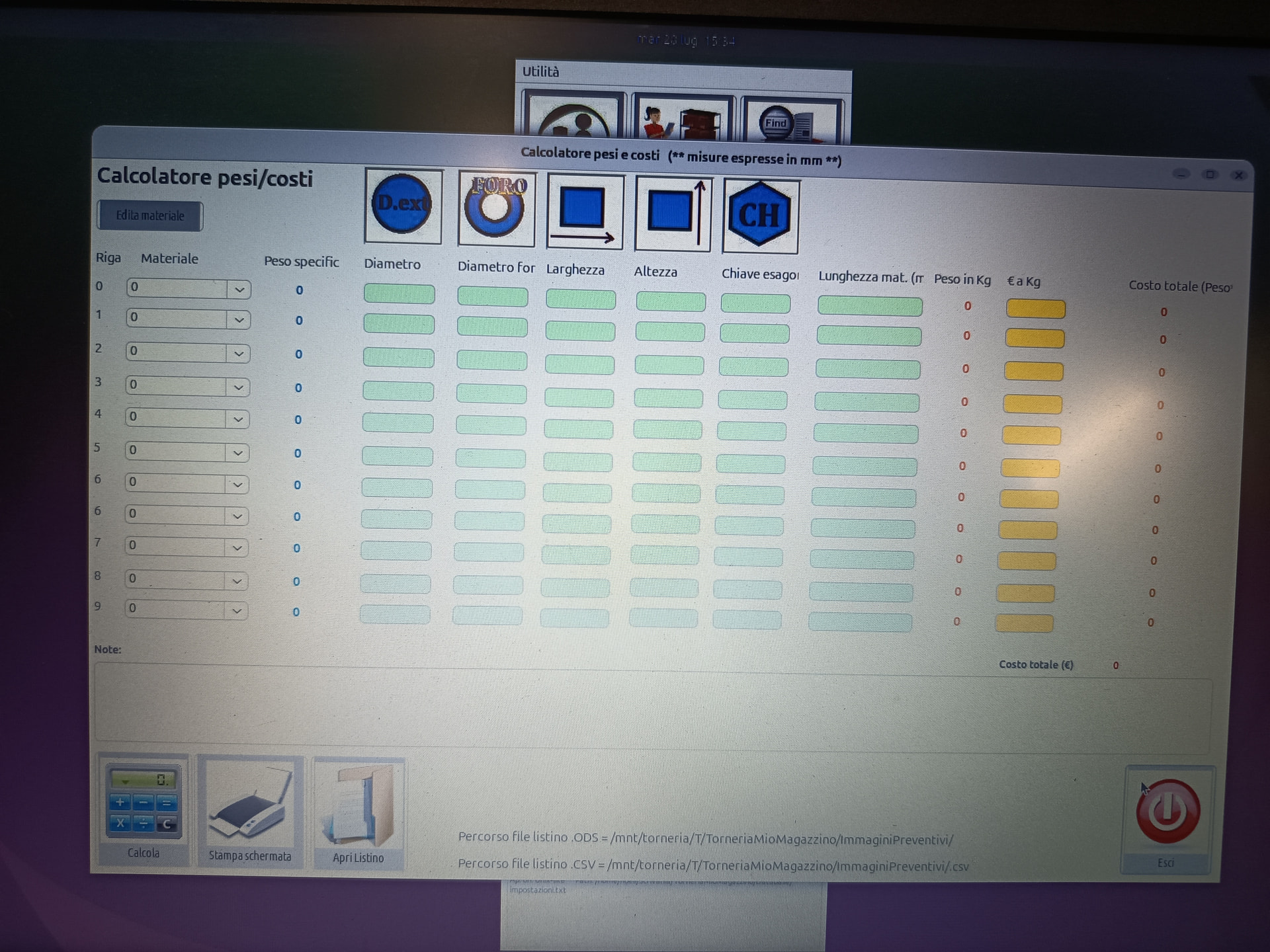
can you move a window?
Is there maybe a dialog behind the window?
Have you tried putting a diagnostic into the “Closing” event handler of the window you are trying to close? That might give you a clue.
There’s nothing there, everything’s frozen. I can’t move it, resize it, or close it.
What flavor Distro of GNULinux? Wayland or x11?
What version of Xojo?
No, because I can’t move anything, the window is completely frozen. I don’t think it’s a problem related to Linux Ubuntu 26.04 LTS that I’m using, which uses the Wayland graphics engine and not X11
Ubuntu 26.04 LTS with Wayland. Xojo 2023 1.1.
Maybe try switching to x11? to see if issues resolve or remain?
Yes, I’m trying… I’m not very familiar with Linux, I’m trying to install X11… following the guides, a cogwheel should appear in the login, which should give me the option to switch between Wayland and X11, but it doesn’t appear. Unfortunately, I only have this PC with Linux, I don’t have any others at the moment.
Sometimes that cogwheel is not in intuitive places
You may want to try with Linux Mint 22.3 (Cinnamon). Mint is based on Ubuntu, but it still uses X11 by default. It would probably be faster and easier than trying to retrofit Ubuntu.
You may want to put in some message boxes or log messages to let you know where it goes.
Also add an UnhandledException handler to your app class.
it may be possible that you get an exception on Linux and the standard dialog doesn’t show up.
a method not end or would run into a timeout? database access?
anything in open/activate/resize events?
I just installed Linux Mint XFCE for testing, since it runs the X11 graphical server. I need to have some time to test if anything changes… otherwise I’ll have to figure out what’s wrong with my project.
Possibly, I will have to check step by step, maybe the logic that works in Windows does not work in Linux, for example I was reading that Linux does not like the MouseEnter, MouseExit event 
Linux is “a bit” more strict with permissions than Windows. The issue could well be a permissions issue with the user running the application. A method trying to read or write information to a location where the user does not have permission to do so could hang the method and consequently the window.
FWIW, I prefer Cinnamon for general use on Mint, but I will use XFCE on low power or older hardware. My workstation uses Cinnamon, but old Celeron mini-PC’s used to stream TV (safer and more private than smart TV’s, especially using Brave Origin) use XFCE.