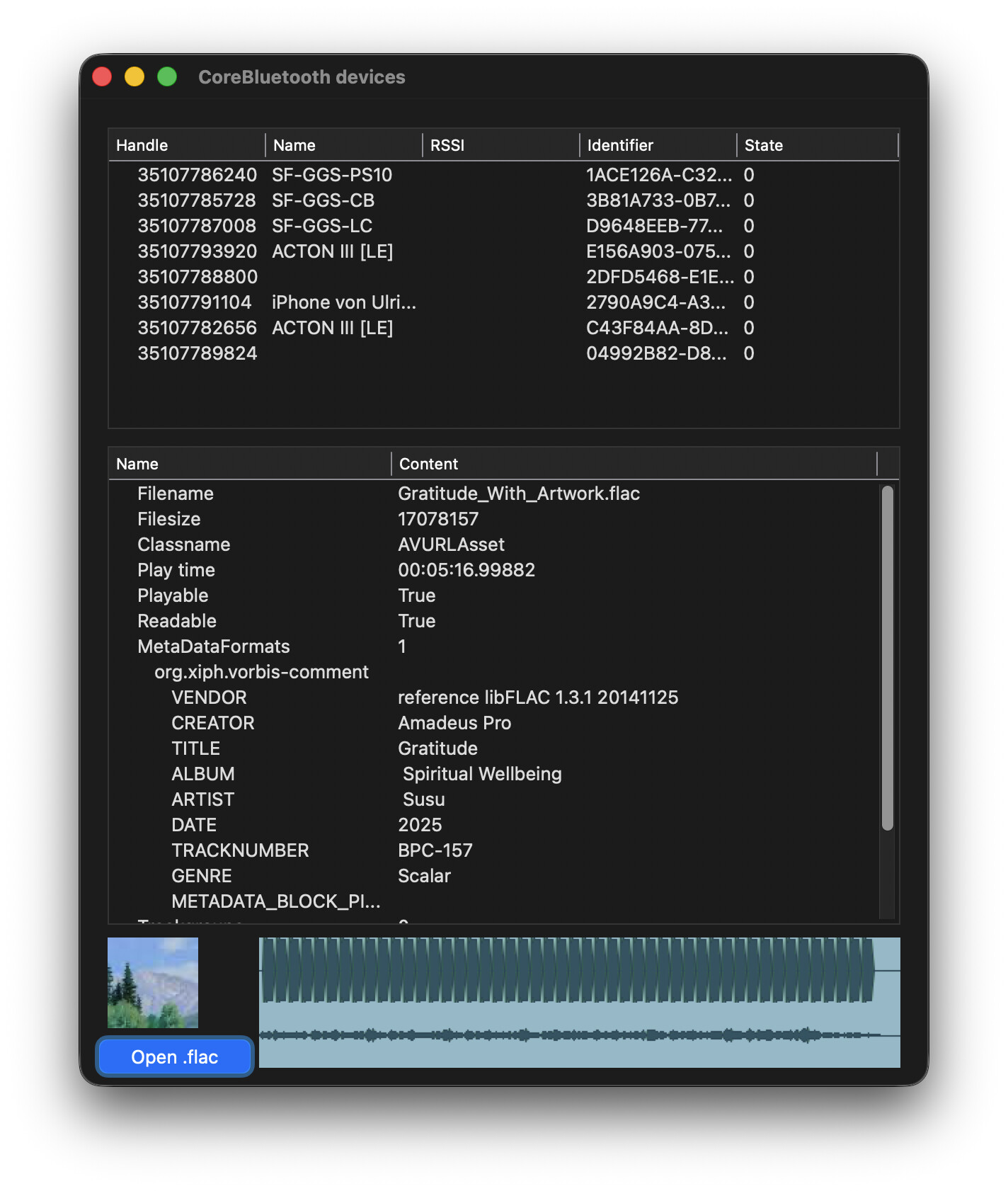
I’ve noticed that AVFoundationMBS is unable to read FLAC metadata and fetch me the title (cc @Christian_Schmitz). Which is weird to me because QuickLook shows the title.
Does anybody know a cross-format solution for reading songfile metadata and fetching the Title?
Apple will never add support for FLAC. It’s the royalty free ALAC. 
FFmpeg can read/write FLAC metadata for sure. So maybe that’s an option.
Easy outweighs every other aspect. This is a small side project and it has to be easy.
You tried the TagLib classes?
They may work for FLAC, if I remember correctly.
1 Like
I did not know there were! They didn’t come up in my searching for solutions. Björn had mentioned the lib, but we didn’t know there was a plugin available for it 
You can compile FFmpeg without the encoders, filter, etc.. and just leave the metadata read/write enabled. FFmpeg size is then maybe 1MB (or even less). And it’s pretty easy to use too.
I had to try around with the classes, but found this to be workable for flacs:
- Where loading the file as a URLAsses, have it load the metadata too:
var asset As AVURLAssetMBS = AVURLAssetMBS.URLAssetWithURL(f.NativePath)
asset.loadValuesAsynchronouslyForKeys(array(“duration”, “metadata”, “commonMetadata”, “trackGroups”), new WeakRef(asset))
- In AVFoundation.AssetLoadValuesAsynchronouslyForKeys, metadata will now be present:
var metaData() As AVMetadataItemMBS = asset.metadata
var formats() as string = asset.availableMetadataFormats
list1.AddRow "MetaDataFormats", formats.count.tostring
For Each m As String In formats
  list1.AddRowAt list1.RowCount, m, 1
  var mdata() As AVMetadataItemMBS = asset.metadataForFormat(m)
  For Each md As AVMetadataItemMBS In mdata
    list1.AddRowAt list1.RowCount, md.key.StringValue, 2
    list1.CellValueAt(list1.LastRowIndex, 1) = md.stringValue
    If md.key.StringValue.BeginsWith("METADATA_BLOCK") Then
      var s1 As String = md.value
      var p As picture = picture.FromData(s1)
      canvas1.Backdrop = p
    End If
  Next
Next
1 Like