From the Color Documentation, I know you can set a pixel color, but I want to read it so I can see what it is.
HSV(h As Double, s As Double, v As Double, alpha As Integer) As Color

Returns a Color from hue, saturation and value. These values are represented by Doubles between 0 and 1.

This method is shared.

The alpha parameter provides the ability to control transparency and is an integer between 0 and 255. Zero is completely opaque and 255 is transparent. If omitted, the default is 0 (no transparency).

Set a Color using hue, saturation and value:
I have set up these variables to hold the value of the cells (Right Now only red, green, and blue)
var thePixelHSV as Color var theRedPixel as Integer var theBluePixel as Integer var theGreenPixel as Integer
and have what should be the pixel (as I check the pixels one at a time) put into the thePixelHSV with
You’re on the right track. Here’s how you might do it:
'Create a color from RGB values
var pixelColor as Color

pixelColor = RGB(100, 50, 200)

'Now read out the HSV equivalents
var pixelHue as Integer
var pixelSaturation as Integer
var pixelValue as integer

pixelHue = pixelColor.Hue
pixelSaturation = pixelColor.Saturation
pixelValue = pixelColor.Value
See how neat that works? This works because HSV is just another way to encode RGB color information – there’s no loss of quality when you convert between them.
However, this is not (really) true if you use the CMY values. CMY stands for Cyan, Magenta, and Yellow, the three primary colors used in printing, and you cannot safely convert between an emissive color space (such as RGB, where you are perceiving light emitted by a light source such as a computer monitor) and a reflective color space (you are perceiving light that is bouncing off the surface of, say, a magazine page). It may be tempting to do this, but you will be doomed to a miserable existance of really, really terrible printed colors if you try. The reasons why are fairly technical and beyond the scope of this command and probably anyone’s level of interest. Suffice to say that substantial fortunes have been made fine-tuning the process of turning RGB into printed matter.
You read the pixel from the RGBSurface. What you get is the Color. The Color has properties Hue, Saturation, Value. Just read these properties (Just as Eric showed). No need to do any converting actions. But note, As you quoted the documentation for the method Color.HSV, the parameters for Hue, Saturation, Value are doubles in the range 0 to 1. And so are the properties.
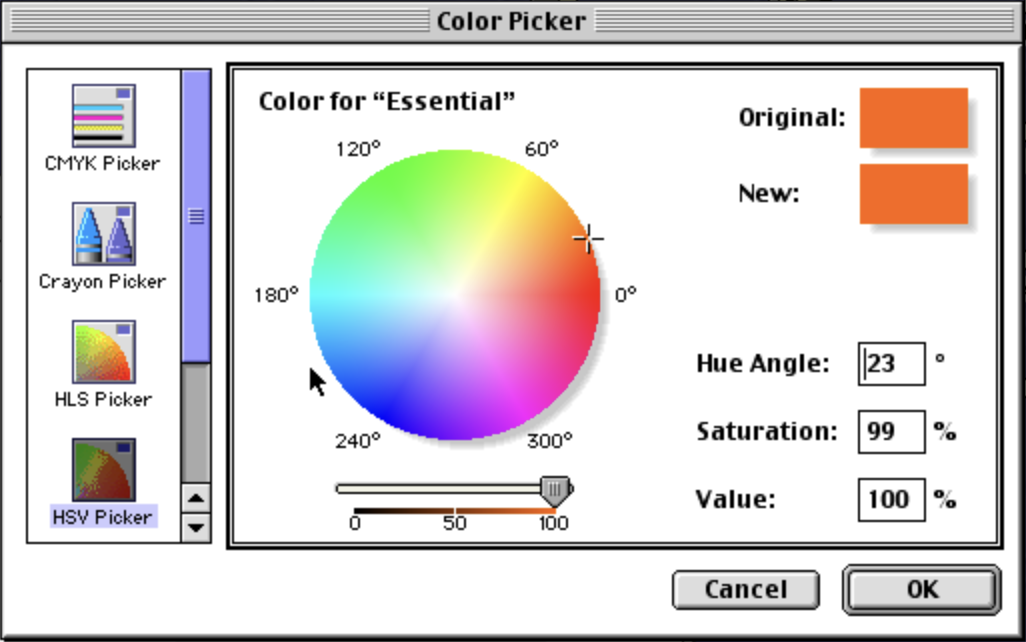
You may want to convert the value for Hue to an angle, and the other two to % for presentation, as is customary outside programming.
“Angle” is just a traditional way to model HSV in a user interface. When you see a disc with a spectrum of colors inside it, the angle refers to where your color is relative to the center of the disc. See the attached color picker circa Mac OS 9.
 This works because HSV is just another way to encode RGB color information – there’s no loss of quality when you convert between them.