[quote=179987:@Michel Bujardet]Unfortunately, Windows is vastly inferior in terms of such things.
If your control does not require resizing, you could design the effect in Photoshop or other graphic program a picture. That could be vastly simpler.
Your example is not quite explicit about what you want to obtain, though. What I see is a gradient. Is that what you mean by “drop shadow” ? Typically, a drop shadow is observed under a Mac OS X window or sometimes Windows, looking like the window is separated from the background by about 1/4 inch, therefore projecting a blurred shadow. Such shadow inside a control does not make very much sense. Would you have another example than your small program ? Maybe a screen shot from a commercial app ?[/quote]
Hi Michel,
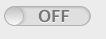
Basically, I’ve programmed a switch control like in Xojo (see picture) - works great and behaves correctly with animation and all that stuff + offers 3 sizes and variable width so fixed mask won’t work.
I am no drawing expert but I’ve done the shadow by just drawoval+offsetting a bit. The result is
acceptable but I thought there is a better way to archive that.
The picture is taken from on old version. The shadow to the right of the knob is fixed.