So….
Twice in the past few days
I have been taking modules from one text format project and putting into other text format project. And when I say modules then Its Modules with many classes inside of them.
So method has been:
- Copy module, folder and files in the folder to location inside the new project.
- Drag in the module.
- Run the new application → It runs and all is good at this point.
Now the bad part……
- I hit save and close the project.
- I open the project…….
And now i get loads of error messages that “..\…\…\…\…\” is missing.
At this point project is all sort of off, the first time it happened I was able to fix it but 2nd time project was all somehow bad and I had to revert everything through Git.
You can also get the same issue if attempting to Move Image sets from one text project to another, then all is good until you save and close and open again then you will get loads of the weird “..\…\…\…\…\” error.s
Yeah, this is an old bug that I think is logged somewhere (and I referenced recently in another forum post). When doing this, you should always open the source project in the IDE, copy the objects, open the destination project, then paste. Xojo really mangles the file paths otherwise.
3 Likes
Yea I ended up doing that.
Its a really nasty bug.
2 Likes
It is. I’ve run into that one, too.
More text project - modules chaos….
This project I have never imported from other project
It now opens totally “Flat”
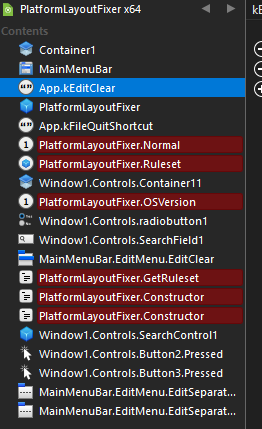
as in all modules are gone and even methods and events are listing as separate files.
What is going on with the Text format ?
The project bellow is totally destroyed.
I can tell you the way I’m doing it and that works !
- right click on the module in the IDE and choose export, you can choose where to export it
- drag exported module into any project
I do that all the time with my common code ( libraries ), BUT I have all the code in a folders. I drag folder after folder into a project, if it runs, I save the project, otherwise I have to fix problems first !
if it des not work with the module, put your module in a folder.
The only way I’ve found to reliably move complex modules between projects is to let the IDE do the heavy-lifting with Copy/Paste. Always copy the module in one project’s navigator and paste it in to the other project’s navigator. I’ve been using this workflow for…well…who knows how long at this point.
I’ve never seen the project flattening, and I’ve never had anything but trouble with using filesystem drag/drop for adding these items to projects. The text project format just isn’t great and going to and from filesystem objects due to the way that modules with child objects are rendered to folders.
1 Like