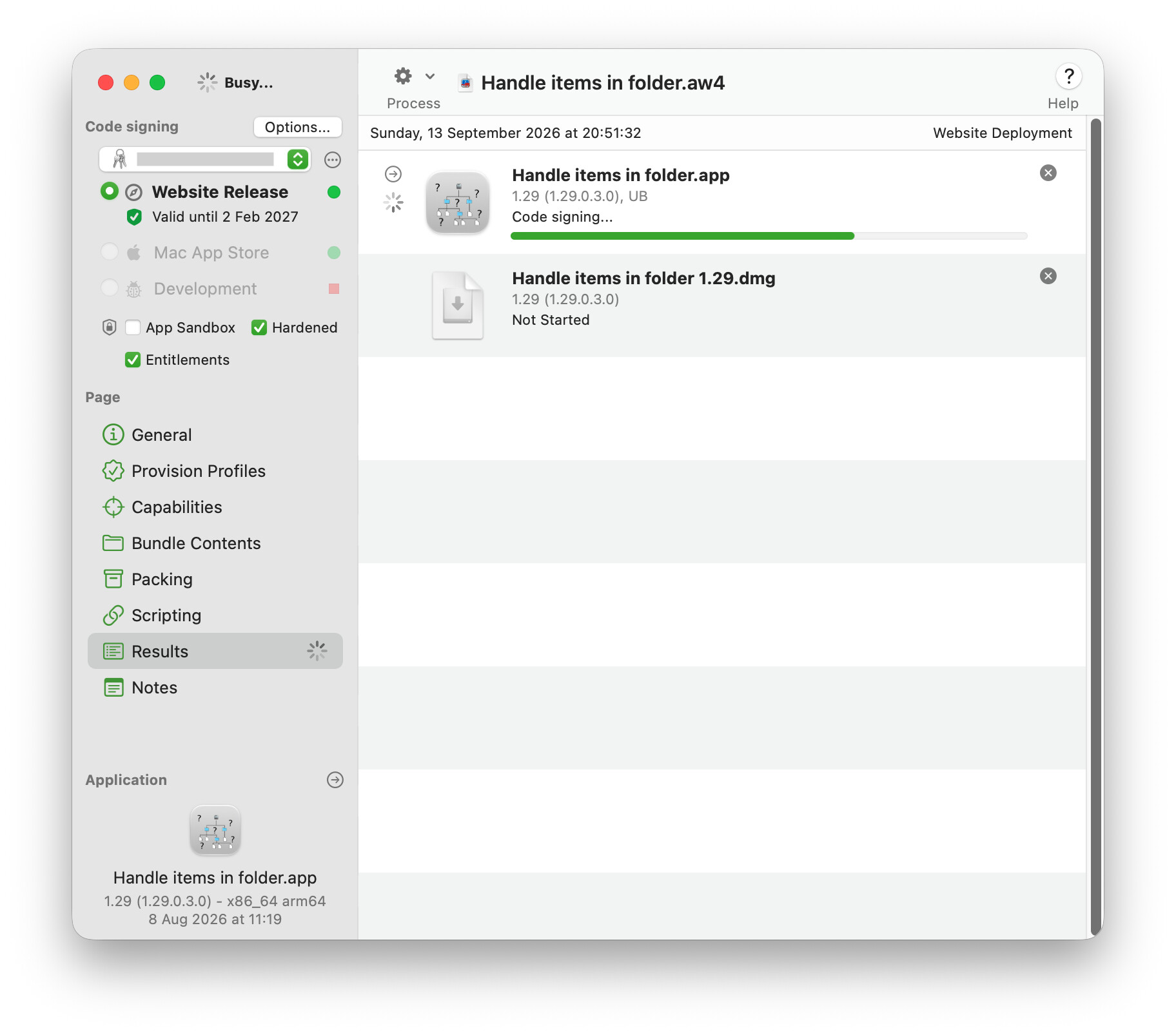
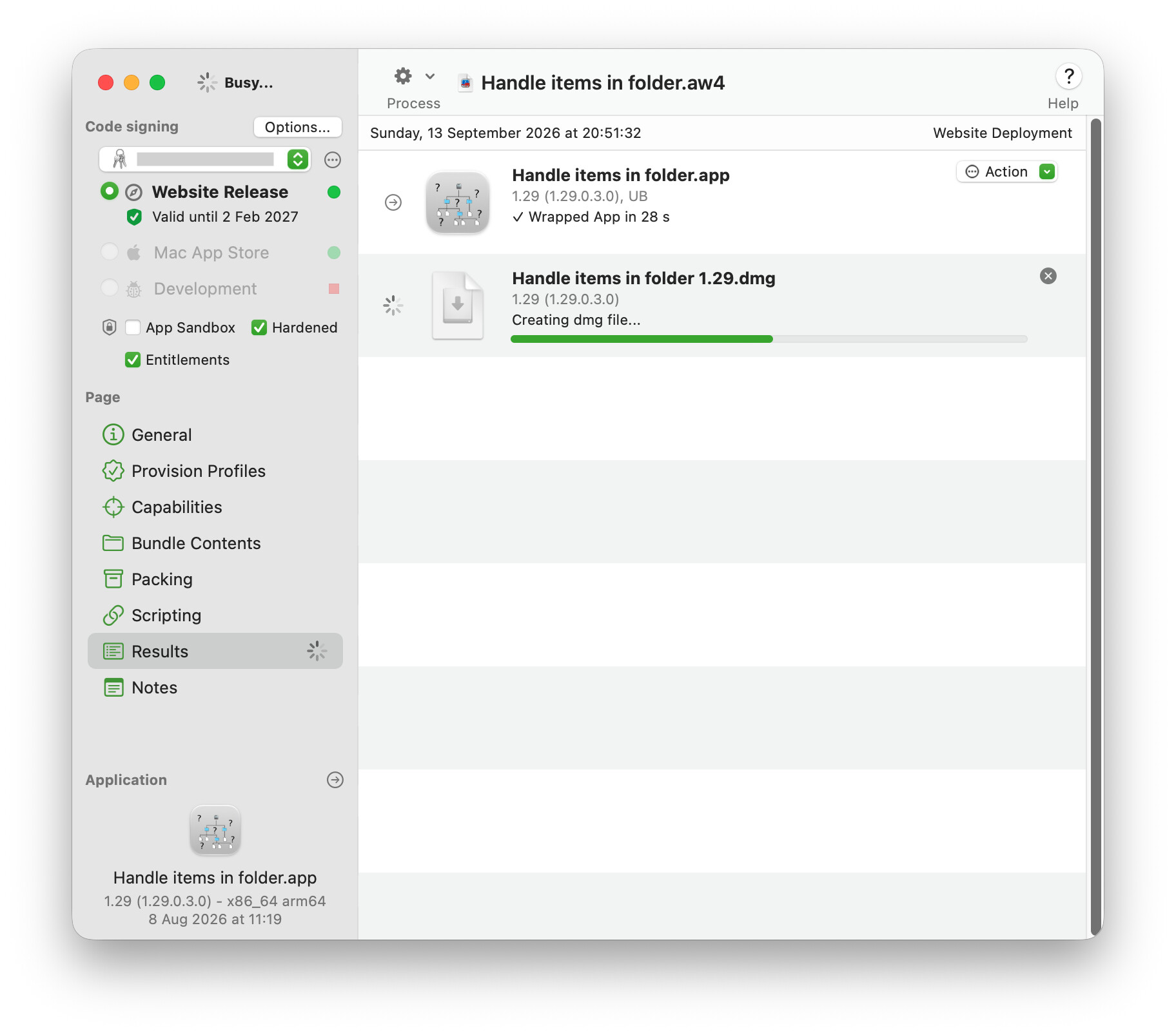
The exact same behaviour. I don’t remember well, but I think notarisation is done after the dmg is created, because it must be notarised as well (and since the file vanishes, I believe the notarisation hasn’t taken place yet).
This happens on the 3 apps I tested, and none have a build script.
I was unaware AppWrapper could notarise dmg files alone.
So I would have to process the app bundle as usual (so AppWrapper makes the necessary changes and notarise the bundle), let it fail at the dmg step, create the dmg file manually and notarise it as an extra step.
I did not think of it deeply until now, because it’ll take time for every build, but since you mention it, I’ll try that this week.
Sadly, no. All seems fine there.
In AppWrapper, I can only see a small problem:
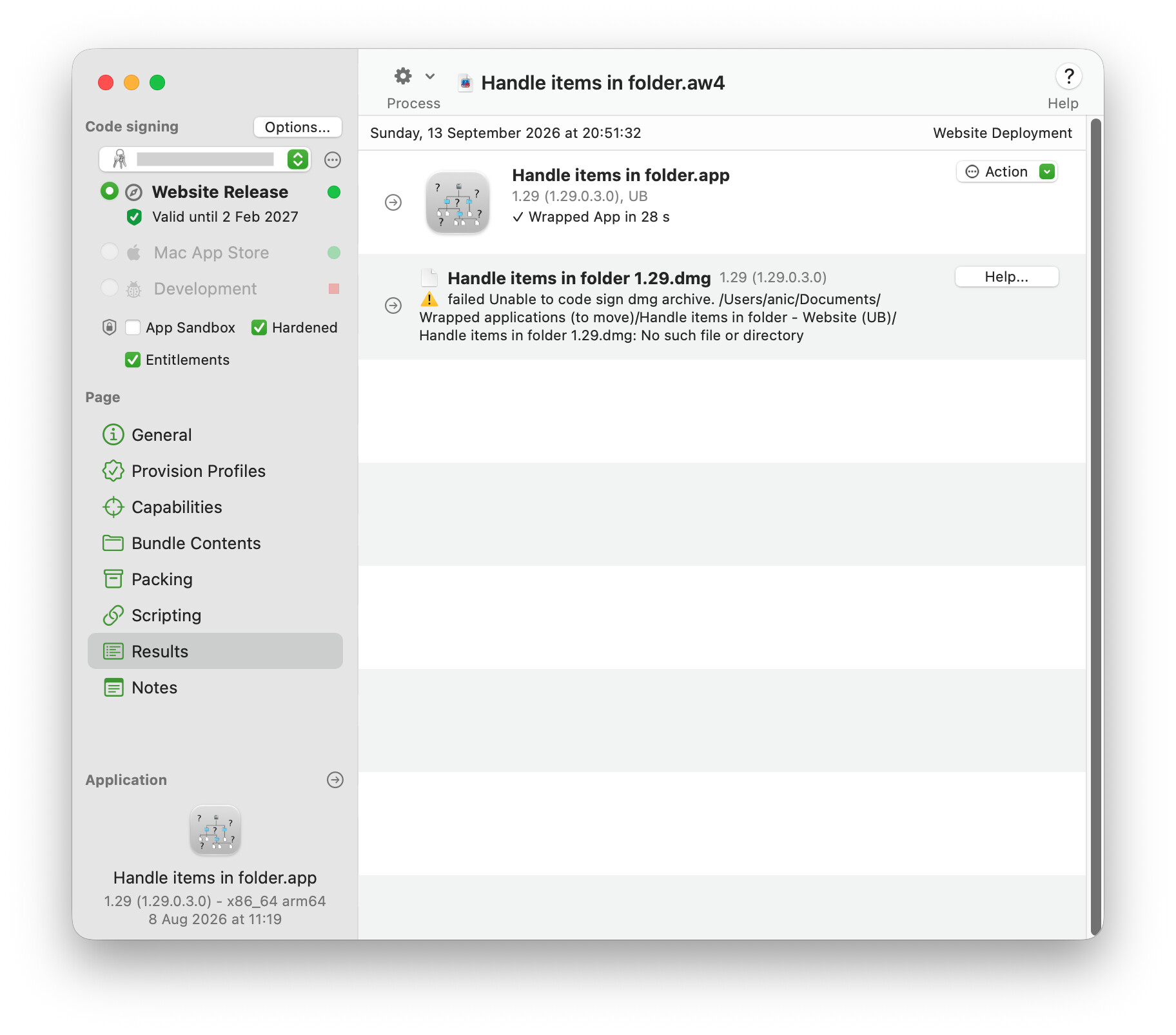
1'999	in folder 1.29.dmg: 	"Handle items in folder 1.29.dmg" created, and moved to "~/Documents/Wrapped applications (to move)/Handle items in folder - Website (UB)/Handle items in folder 1.29.dmg".
2'004	in folder 1.29.dmg: 	hdiutil: WARNING: 'hdiutil imageinfo ...' is deprecated. Please use 'diskutil image info ...' instead.
hdiutil: imageinfo failed - File or directory doesn’t exist.
2’004 in folder 1.29.dmg: Checking DMG code signature
(I’m talking about the deprecation warning, but I doubt it has something to do with my issue)
No, I never use these synced folders. And the same behaviour happens when I try on an external drive, too (formatted as APFS, etc.).
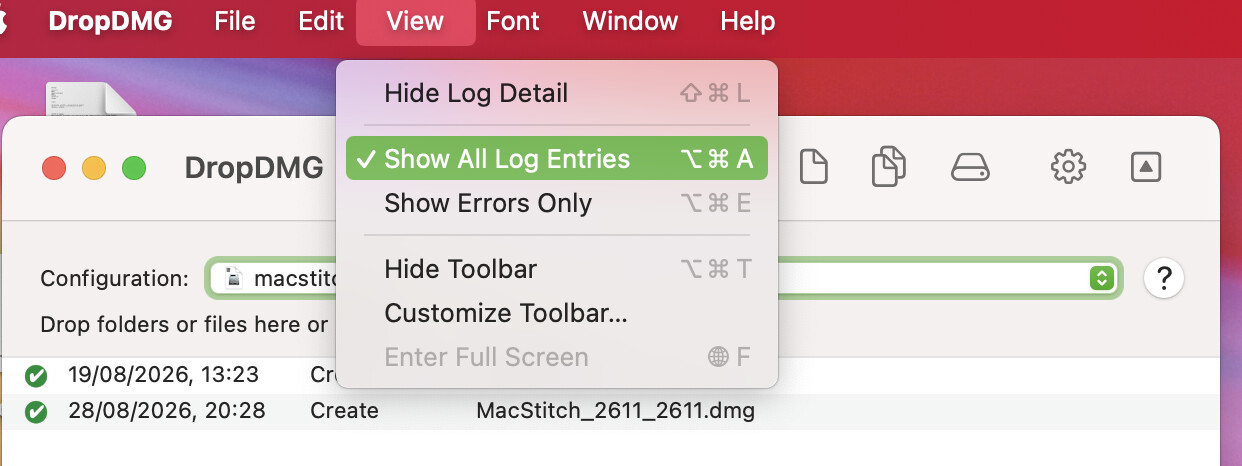
I use DMGCanvas with AppWrapper, not DropDMG. But do you also have code-signing turned on in DropDMG? In my experience, this and notarization should be left to AppWrapper. In my case, though, the consequence was just having the process take twice as long, not having the .dmg disappear.
Code-signing is off in DropDMG. I’d like to point out that I’ve not changed anything in the configurations of DropDMG, AppWrapper, Xojo nor the OS (beyond upgrading to MacOS 27; I’m talking about settings only, here) since it started to fail. It’s still possible a setting may have changed in the transition (e.g. updated OS settings).
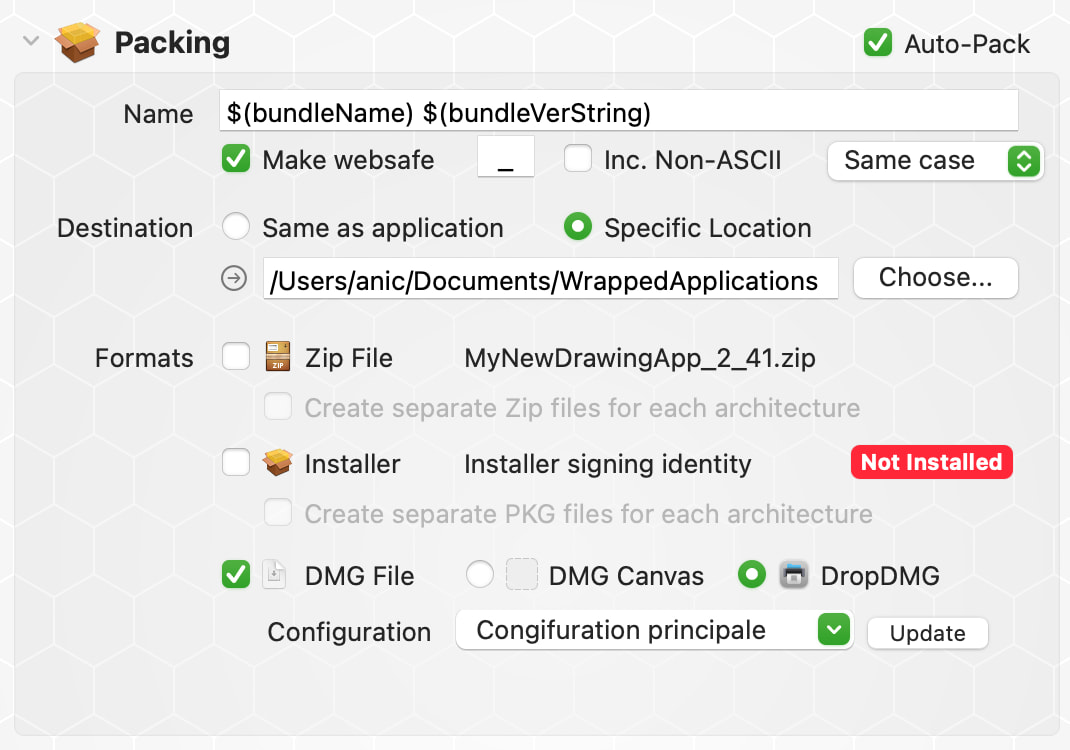
Good observations as well (albeit it was also the case when it worked, but who knows). So I tried another folder: /Users/anic/Documents/WrappedApplications (no space, punctuation, whatever), unchecked “Use subfolder” (in “General”→“Destination”), checked “Make websafe” and set the destination at “Packaging” like in “General. Same outcome.
I even tried packaging to a fixed name (“test.dmg”) and it also vanished.
I’m starting to think I’ll try with a folder with special permissions: every permission except deleting files (that exists on Synology NAS devices, but I believe I have to choose an APFS volume for AppWrapper; I’ll check whether MacOS supports this attribute).
While it’s true I discovered the “Make websafe” unchecked after reading your answer, I’ve probably tried to uncheck it in my various attempts and forgot to check it back (I always use this, normally). Checking for the sake of trying, same result.
Here’s my current setup:
So, I asked ChatGPT (it took between 1 and 2 hour(s) to get a diagnostic from it) and it finally opted for a “race condition” that could occur on my two Macs because of “something” that would be common on them. Needless to say, it was nonsense.
Not having other choices, I’m currently signing the app alone in AppWrapper and then doing the dmg using DropDMG. I think it’s not worth putting more energy into this issue.
But I’m still sort of tired of having weird issues no one else has, so many times.
I consulted ChatGPT (it required between 1 and 2 hours for a diagnosis) and it ultimately suggested a “race condition” on my two Macs due to “something” shared between them. Needless to say, this was nonsense.
With no other options, I am signing the app alone in AppWrapper and creating the dmg with DropDMG; I don’t want to waste more energy here.
Yet I remain somewhat weary of encountering peculiar problems that no one else have, so frequently.
Diagnostics from ChatGPT need to be taken with a grain of salt. I explicitly have a rule in agents.md not to have ChatGPT do that:
Treat macOS signing, Gatekeeper, Keychain and TCC results obtained inside the Codex sandbox as non-authoritative. Before changing a signing or notarization pipeline, reproduce the failure in the user’s normal Terminal or obtain an Apple notarization failure for the exact artifact. For admin/non-admin differences, inspect POSIX permissions and ACLs first.
Doing the dmg is a simple script. I replaced AppWrapper in 30 minutes with a build script based on the open source Jo tools.
My open source Beacon project has a script that will build the dmg, sign, and notarize, all with zero input. You could always use that for inspiration.
It does throw hdiutil deprecation warnings on Golden Gate, but it still works fine. I expect it’ll be simple to update for the new commands, so I just haven’t done it yet.
You just need to setup the template DMG once. You put a folder in it that acts as a placeholder for the built app. The script just dumps the contents of your app’s bundle into the template folder to retain all the view attributes. Backgrounds, shortcuts, it all works fine.
Well famous last words. I’ve updated my script, but I’ve spent hours fighting a bug with diskutil.
In my script I clone the template image with hdiutil convert then mount it. The new command is diskutil image create from. It’s a generally easier command, but it doesn’t like sparsebundles referenced by absolute path. If you use an absolute path, it’ll copy the contents of the bundle into the new image, rather than the contents of the image. If you use a relative path, it correctly copies the image contents. So just a heads up with that.
I switched my script to use relative paths instead, as I just could not find a way to make absolute paths work correctly here.
As noted in the latest version of my script, the template image could be an ASIF format instead of sparse bundle if you really want to use absolute paths. The downside is that ASIF is a single file, so any minor change requires a completely new version in version control. Sparse bundles are friendlier with version control, but not by much, so I wouldn’t stress the difference.
The latest version also makes the script a bit more reusable. All you need to do is change the APPNAME and DEVID values at the top of the script, and it should work for you. If your app has additional executables, such as helper apps, you’ll need to tweak the permissions after the files are copied.
Thanks for all your replies and solutions. It now seems the problem has vanished (like the dmg files did ), probably due to updating to MacOS 27.2 . Still a weird thing.
That’s why I avoid being early adopter. When Jobs was alive even a beta was stable enough to risk an install, now even the fist releases may present something causing breaks.


 ), probably due to updating to MacOS 27.2
  . Still a weird thing.