Now that 2026r3 is out, I am happy to share some of the code I’ve built in the new DesktopTable control during the beta.
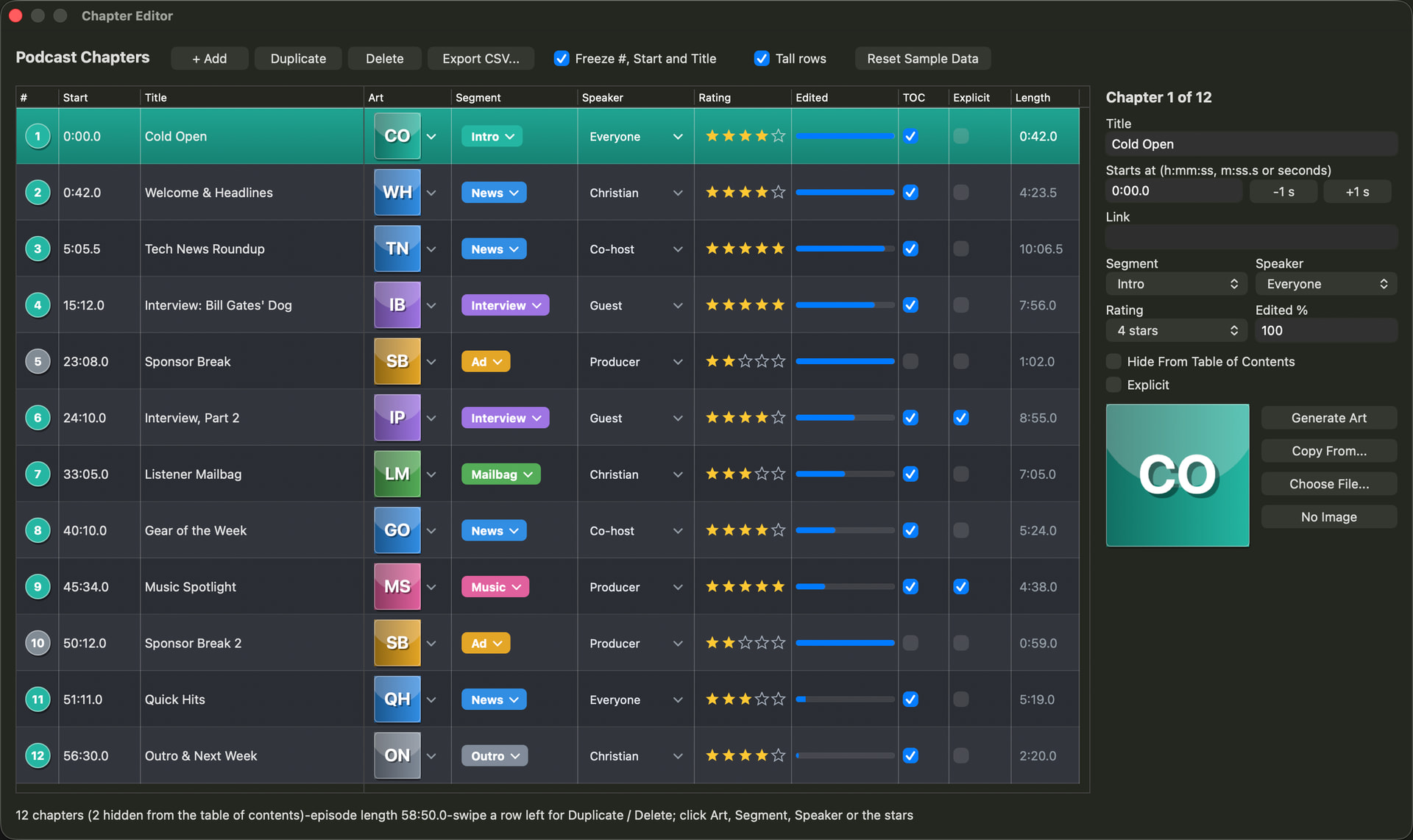
First is a sample that illustrates a lot of the features including locking columns, some custom drawing, and shows some ways you can decorate a DesktopTable to look like a fully custom control. This project is a sample Chapter Editor for Podcast software.
ChapterEditor.zip (813.5 KB)
The next is something that I have always missed in Xojo - A FileBrowser Control for Desktop. I’ve built one into a Container that you can just drop into your Window and set a few properties. It is like having a mini-Finder or Explorer built into your Window. You can navigate the filesystem, drag-and-drop, filter, sort, change views, etc. It is built in a DesktopTable!
It is downloadable from my website, and there is also reference documentation there. Please let me know if you encounter any issues!
Hopefully these projects illustrate some of the possibilities with the new Table control.