Sometimes when I pretend to start a project, I obtain this:
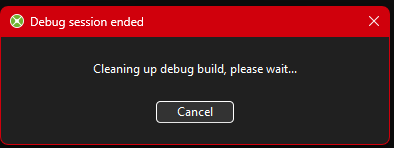
Is it possible to avoid it?
I’ve never seen that, but do you have your project on a network share? I’ve seen that cause Xojo to fail to remove the debug build before.
I see this since 2026 1.2 (Windows) everytime i stop the debugger. But just for a brief moment…
See this only on Windows in newer versions. Little annoying, i see no way to stop it.
It’s only on Windows and it was always happening before, we just didn’t have the dialog.
Personally I like it. Sometimes I would have an issue where a debug executable would hang after the UI closed but before the app terminated. This would cause subsequent debugs to fail because the compiler couldn’t overwrite the old still-running executable, but there was no visual indication of why your build was failing.
At least now the presence of this dialog is an indication that your debug build has not yet been purged for some reason.