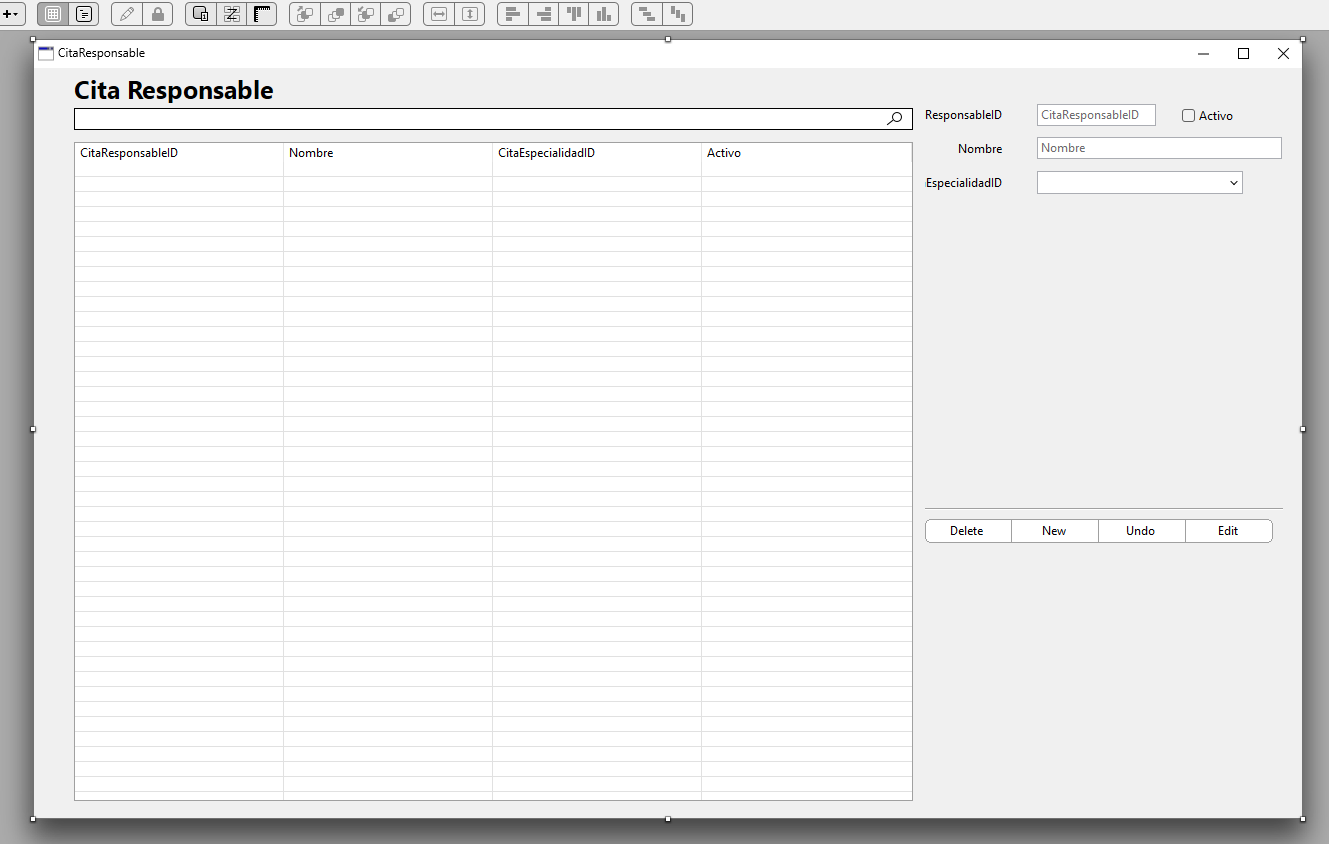
I have a project using DBKit. The database is SQLite. One of the database tables contains a list of Specialties, and each record has an alphanumeric ID and an Activity Name. Another table contains a list of employees, and one of its fields is the code for the specialty they work in. I want to create a form to edit employee data, and for the specialty field, I want to display a combo box with the specialty names so that when a value is selected, the new specialty code is saved in the employee’s record.
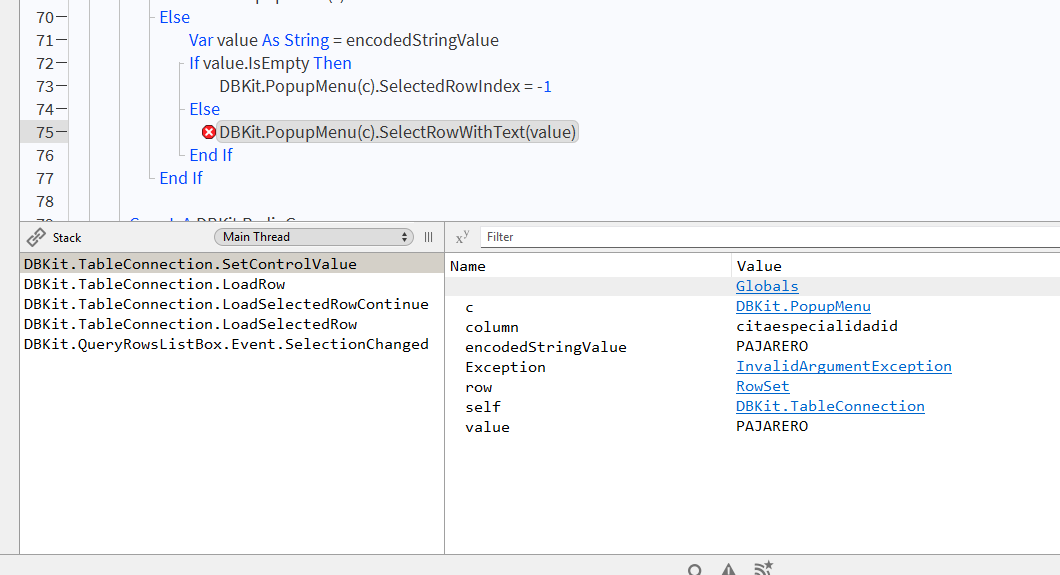
In the tests I’ve run with DBKit to create this form, if I tell DBKit to autopopulate the combo box using the specialty ID, there’s no problem—it displays correctly and allows the value to be changed if necessary. However, if instead of using the ID I use the name in the drop-down list, an exception occurs during execution stating that the value does not exist, and it does not allow the specialty to be changed.
In DBKit’s “official” example, the State/Region drop-down lists also use the code instead of the option’s name, and in that case, it works. If I change the field to display the name instead of the code and test the example, it returns the same error as in my form.
What is the correct way to use the combo box without errors?
Thank you.
Rubén
You mean to access a ComboBox Row Index to read its Text ?
Who said / where do you read it is allowed to use the Text contents to access to a Row (to its Row Index ?)
desktopcombobox
Your description is not clear.
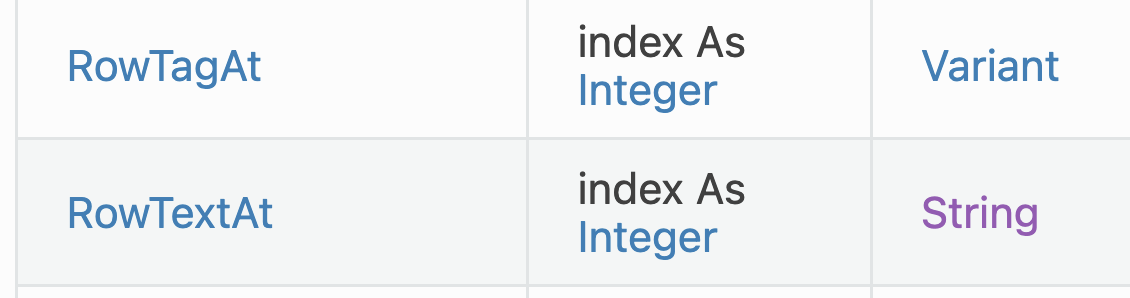
NB: if you need your own identification WITH the Text show in screen, store it in a RowTag.
The above comes from the Documentation (link above).
When you populate the ComboBox, fill also the RowTag with the needed information.
Else: try with a better explanation:
code used in DBKit to do what you want, code you write to achieve the same purpose in your project.
Have you located the code to do that in DBKit ?
Understand: 39 views in 6 hours and no answer…
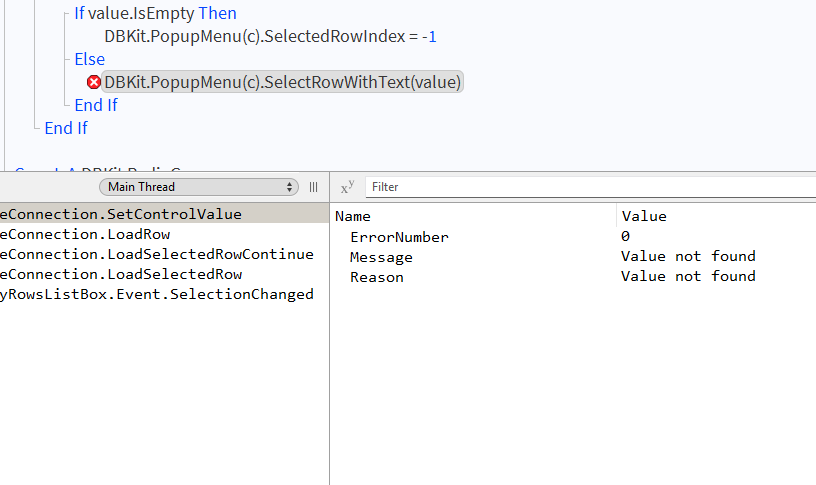
Hello. I want to create a form to enter an employee’s information. One of the fields is the employee’s job specialty (editor, developer, etc.), and it’s a ComboBox (DBKit.PopupMenu) listing the different specialties so the user can select one. If I set that ComboBox to display the specialty ID, everything works fine: that value appears in the drop-down list, and I can edit the form, change the value in the ComboBox, and save it. Everything is fine. However, if I set it to display the name of the specialty, the name does appear in the ComboBox, but when I try to edit it and change its value to another option from the list, an exception occurs stating “value not found,” even though the debug output shows the ID of the current specialty.
Among the tests I’ve run is manually populating the combo box. My question is: once a row is selected from the drop-down list, how can I assign the specialty ID to the specialty field so that it’s saved to the database?
SelectRowWithText(targetValue As String)
Selects the first row whose value matches the provided targetValue.
If targetValue is not found, an InvalidArgumentException is raised.
so it’s normal the text you’re trying to set does not exist, so the exception is thrown
you must surround it with try…catch
Try
  Var a(5) As Integer
  a(6) = 45 ' Raises an OutOfBoundsException
Catch e As OutOfBoundsException
  ' The above exception is caught here for you to handle
  ErrorLabel.Text = "Exceeded size of array"
End Try
Hi. The code I showed isn’t mine. It’s part of the DBKit code, which is what I’ve been testing (DBKit.PopupMenu). Is DBKit worth using, or is it just another waste of time? Using a combo box in a form is very common, and I think it should be very easy to implement.
It is.
That said, I still do not understand (must be me), sorry.
Have-you implemented Jean-Yves advice ?
dbkit is still a beta version after a few years . I would not use it for a project, just test some code with it
and there is a new v2 announced at the last mbs conference, that is completely different from v1
so the efforts you put here are useless if you can’t modify dbkit yourself to fit your needs.
oh and it is not sure if next dbkit will still be free, and it will certainly not be open source.
Hello. I’ll say it again: the code causing the error isn’t mine—it’s from DBKit. And the error occurs both in my project and in the DBKit-Desktop sample project if I change the drop-down menu displaying the states in the Simple window. In the original, an abbreviation of the state name is displayed. I’ve changed it to show the full state name instead of the abbreviation. The error is the same as the one that occurs in my project. In the example, what needs to be changed so that it displays the full state names instead of the abbreviations and the error doesn’t occur?
DBKit is created and maintained by @Geoff_Perlman and as others have stated it is still in Beta.
I would suggest any errors you encounter be submitted to https://www.xojo.com/issues/
It’s beta but it’s been out so long now that it effectively is not. We have lots of users using it for their projects.
Hi Ruben,
I think you’d have to make the popupmenu a regular popupmenu rather than a DBKit popupmenu and then via code assign the speciality ID.
That said, v2 of DBKit should handle this perfectly without you writing any code. If the specialities are stored in a table int the database, in v2 of DBKit you can tell the popupmenu to display the values (speciality names in your case) in the popup and have it assign the primary key of the specialty to the column in the employee’s record. That sounds like what you want. All of this can be done without writing any code.
v2 should be available with the next release of Xojo. I’m just working on updating the documentation for it now. It’s considerably more powerful than the DBKit v1.
What I meant is that as you’re working on v2 you will certainly not fix v1 anymore.
Thanks, Geoff. I’m very new to Xojo. I’ve only been working with it for a month. I’ve been working with Windev for over 20 years. Creating windows to manage database data with DBKit was really quick and easy. The problem arose when I tried to use fields in them that contained foreign keys from another table. Using the foreign keys themselves in the combo box worked great, but not being able to use other fields from the related table due to errors has been driving me a little crazy.
I’ll try to do the “external” loading of those combo boxes as you recommended.
A very silly question: once an option is selected in the combo box, how do I associate that new value with the data from the database connection managed by DBKit? How do I update the record in the database?
Thanks.