Copying the selected Row Text to another ListBox

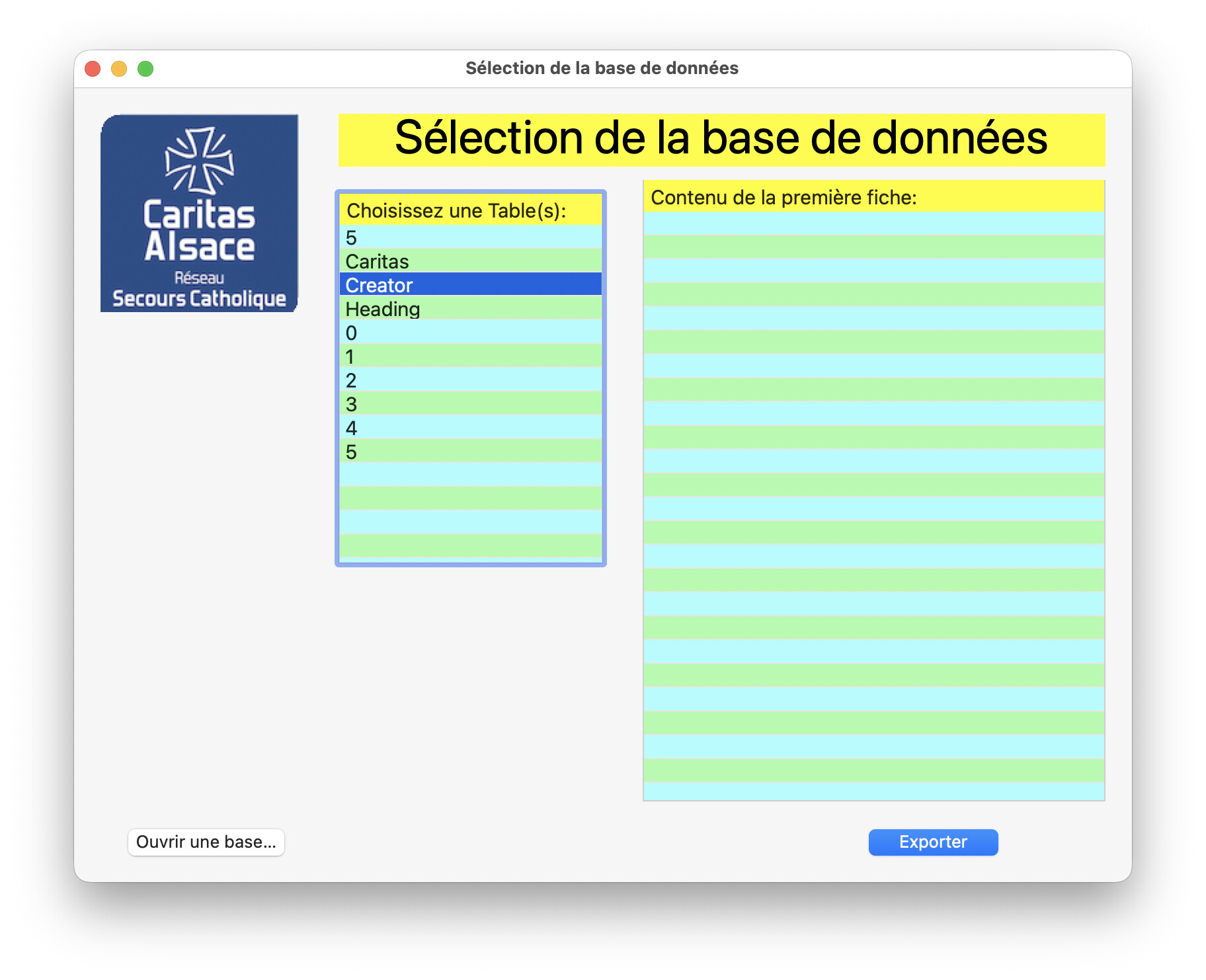
The ListBox contents is a list of the available TABLEs in the selected SQLite Database.

Once selected, I want to populate the ListBox on the iright with the first Record.

Problem: I failed to discover how to read API2 DesktopListBox selected Row.

OK, I was at the hospital, but I was not even able to find the code of ListBox examples to do that not found in the Documentation.

I wasted an hour on that and stopped since I failed.

What is the syntax to do that ?

The project is an API2 project with a DesktopWindow and two DesktopListBoxes…
I checked that even if I knew it was the case.

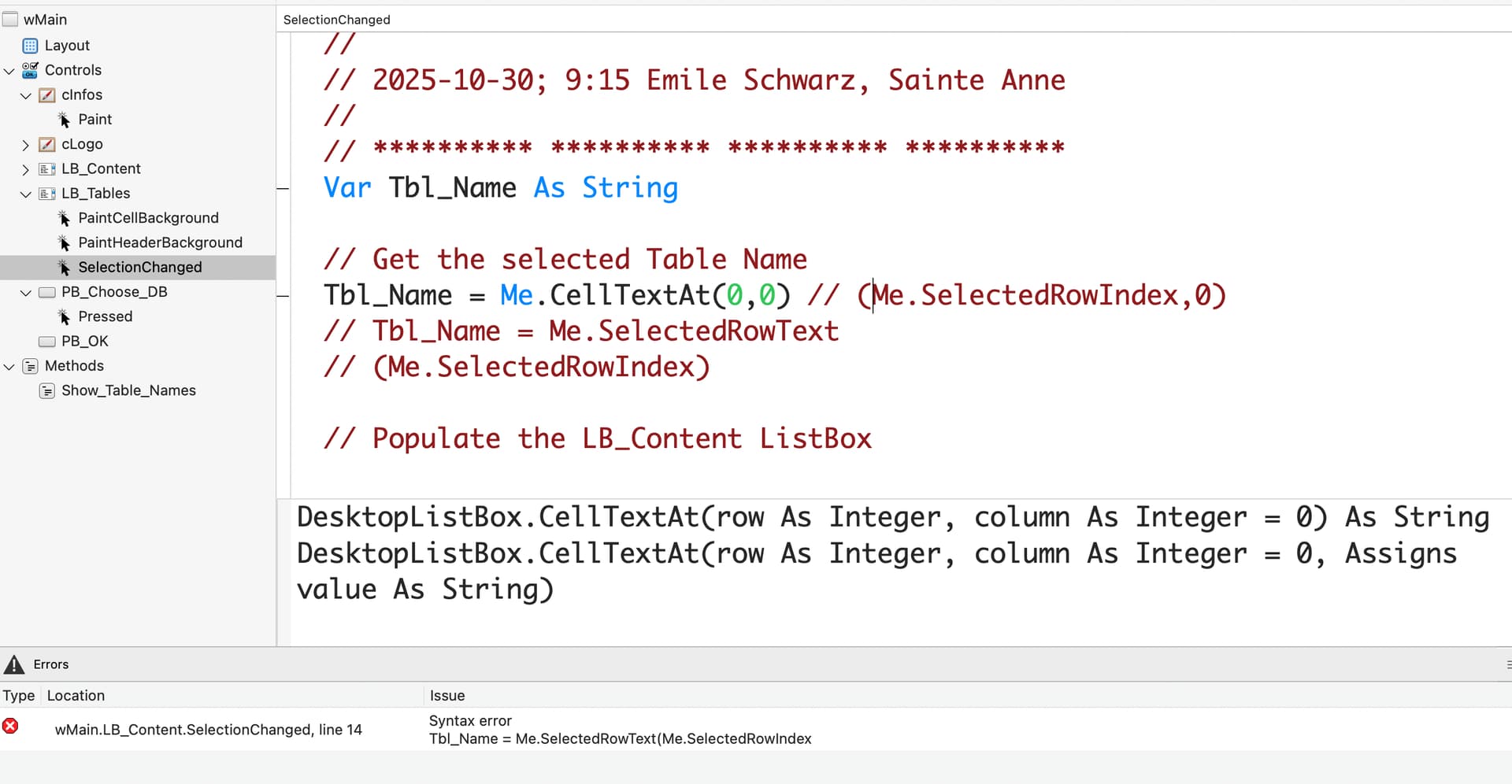
The code in the screen shot is <> vs the reported error. How can that be ?
I changed nothing, run the project and get that error…

You can see my attempts to get a TABLE name (Caritas, Creator or Heading), so I can read the first Record in that TABLE and display it in the second DesktopListBox.

I spent the last hour (or so) in my bed waiting for better time. My brain may be at 10%, not 70%.

I tried CellTextAt, .SelectedRowText, but that failed.

4 hours and I only was able to fill the above window. I really was not on top.

PS: a simple hint will (probably) be enough. TIA.

You are showing the LB_Tables.SelectionChanged code while the error mentions LB_Content.SelectionChanged

My French is a bit rusty, but as I understand you want one selected item in the small box having copied into the second listbox? Isn’t is the easiest way to do:

The the small listbox add doublePressed
In doublePressed put:

Lb2.addrow me.selectedRowText

I use this in all my apps where I use such selections
In the LB_Tables SelectionChanged, you should be using

TBL_name = me.selectedrowtext

The error is from the LB_Contents listbox, where there is a missing end ) character

Since it is trying to fill TBL_Name, I would expect that line to say

TBL_Name = LB_Table.selectedrowtext