Hi, since 2026r1 I can run my project (in Debug), I can build them. I’m under Mac Sequoia 15.7.5 (24G624).
I tried to run the Xojo sample and it works. I run some of my test (sample) projects and they run. But none of my main projects run.
All my projects (main and sample) are on a 2nd partition of my hard drive, I moved one to my home folder (on startup drive, and this is not a Cloud folder) but I have the same error.
If some of you would be kind to launch one of my projects:
CodesSrc_Xojo
Please download “NbreConvert“, one of my first project, it convert number in letters and calculate prime numbers. You have to download “Zx_External“. Once unzip, the two folders “NbreConvert_src” and “Zx_External_src” have to be in the same parent folder. “Zx_External_src” is common to all my projects.
Thank you for your help.
Note: I launched Onyx yesterday to make a cleanup.
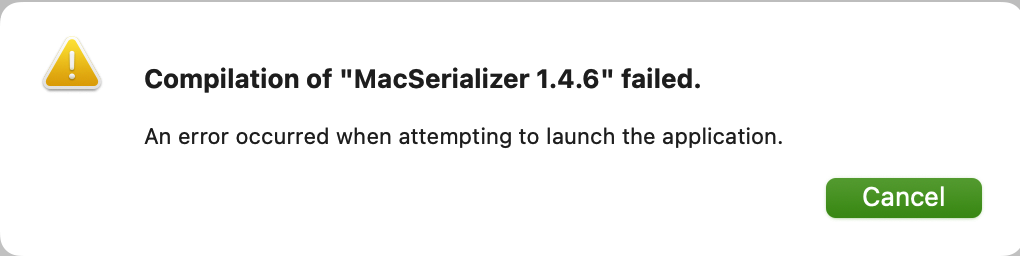
The error is:
I went in macOS, Sign and I set “Developer ID” to “None” (instead of “Thomas ROBISSON”) and now I can run in Debug!???
I selected “inspect” in the PopupMenu “Developer ID” and it seems I have a missing Teams Certificate, I have to stop now but I will go to my account developper and see if I have a certificate to download. It’s strange I can build but not run.
No, it is just you do not discovery why, yet 
Oui, c’est rageant !
This happens sometimes if your project is on a network or icloud synced drive or folder.
Sometimes when you run on a network drive the debug app fails to be deleted at the end of the session. MyApp.debug is left behind. New versions fail to overwrite it. If that’s the problem you can try deleting manually, if that fails rename it and try again.
+1 It’s this.
No, I’m not on a network drive, I’m on a 2nd partition of my hard-drive. And if I select the menu “Project“ - “Run Paused” I see my app appears in my folder, and I have the error message that the app can not be openned when I double click → The app is created.
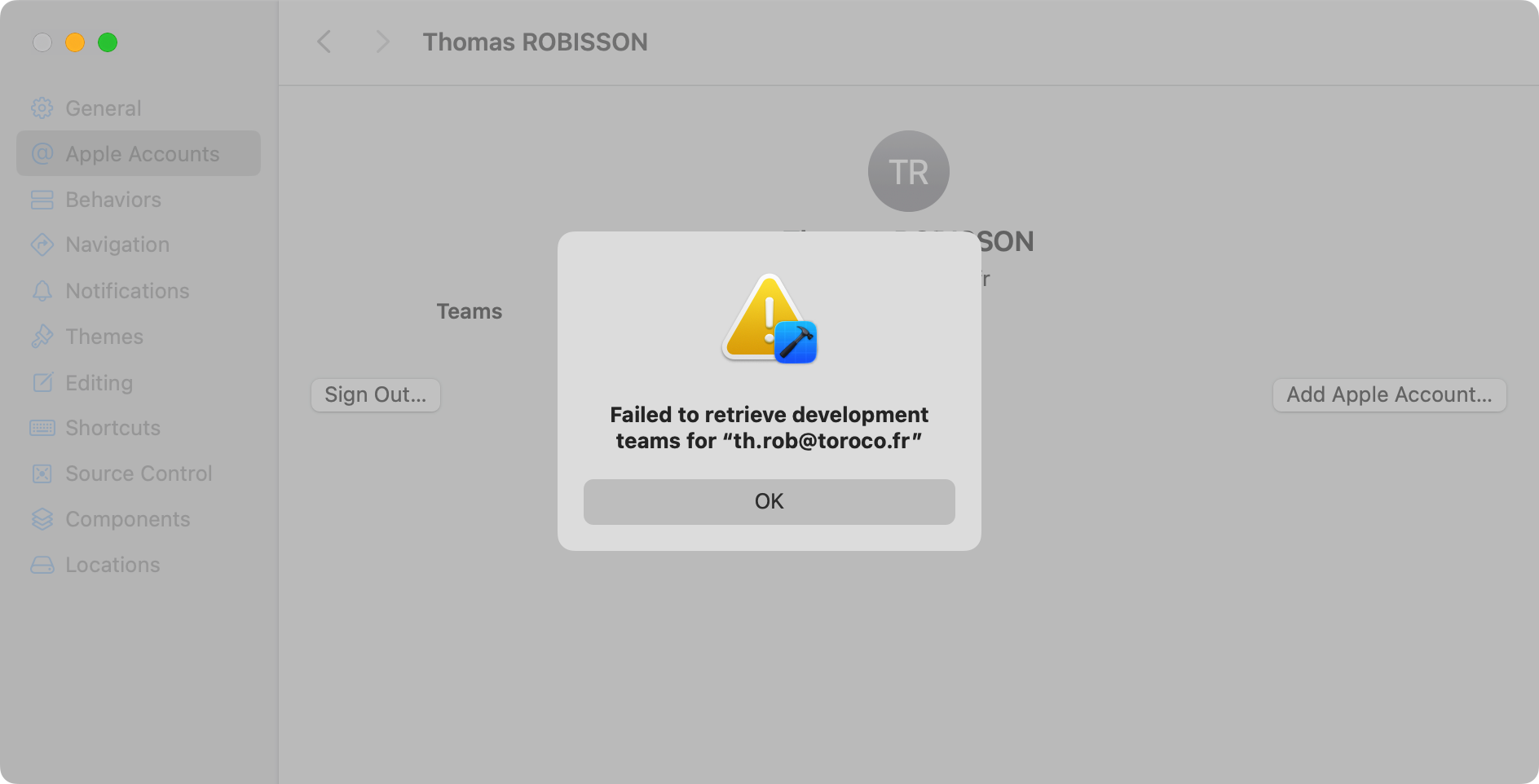
I just update Xcode (I thought I updated it some weeks ago) and when I open my account it tell me “Failed to retrieve development teams for “th.rob@toroco.fr”. I continue to think it’s a team problem. And in the 2026r1 releases note, Xojo wroute they updated something with the development team.
I did not have a “Apple Development certificate”. I read in the helpbox “: Used to run and debug apps on macOS during development.“
I never add one and I never encountered before to run my project in Debug, it is require since 2026r1.
My problem is solved.
Note: I have 2 certificats “ACCVCA-120“, I don’t know if it has something to do with Xojo Apple sign certificate. I don’t remember if they were here before?
So, you are not on your boot drive.
Yes I’m not on my boot drive, I’m on a partition of my boot drive, and not on a cloud folder.
I thought it works but I quit Xojo and shut suspend my Mac and it doesn’t work anymore.
My certificat “Apple Development: Thomas ROBISSON (9V65GH7ZLM)” has not the same number as all the other certificat?! Is it normal?
The number for all other is “Developer ID Application: Thomas ROBISSON (73MA2MM9F6)“
If you do not found from where the trouble is, try to move the project folder into your boot disk (or boot from your external disk and see what happens.
I had troubles using an external SSD, so I stopped to do that some years ago.
BTW: sometimes it was the data folder that I have to move… 
Yes. That’s normal. Will download and try your project (the one linked in this thread) tomorrow to see what the problem may be… I’m quite sure it is not related with your certificates. I mean, if you can choose “Direct Distribution” and build the app with it, is because everything is fine. If you can debug selecting “None”, that’s fine… so the real problem here is when you are trying to debug the app using “Direct Distribution”
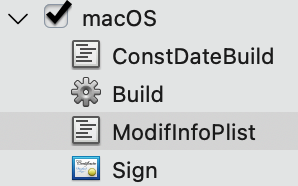
Ok, so the issue is found in the ModifInfoPlist script messing with the info.plist… commenting all the code in that script (applied to macOS, including the signing) makes the project work.
Maybe you can move that entries using the Property List Editor included in the IDE? Otherwise, you should use “None” for debugging purposes, and just enable Direct Distribution / App Store when doing the final Build.
Thank you very much Javier, I’m nearly sure I thought about delete my 2 IDE scripts (the one before the build and the one after) but BEFORE add my certificat “Apple Development”. And I think they were still deleted when I added this certificate and it worked → I wrote “My problem is solved” yesterday. After quit Xojo and relaunch it, my 2 IDE scripts were there as I didn’t save my project after delete them and the problem was back.
Should I fill a bug report ? If I well understand, Xojo execute the IDE script “ConstDateBuild” then build the App then execute the IDE script “ModifInfoPlist” then sign the App. It should work?!
You found the solution and I thank you very much.
By now… best not to messing with the info.plist because other factors need to be take into account when signing (possible entitlements plus provisioning profiles). Anyway, I’m looking more in depth about this to see if it is a real bug under the hood. But, still, the final line should be:
• Avoid messing with the Info.plist via IDE script.
• If you really need to do it… make sure to select “None” when debugging (running from the IDE). Then change to any distribution you intend to do before building.
Thank you @Thomas_ROBISSON
Ok… so I think we can handle this so even when the info.plist is modified after the build… it works no matter the “Build For” option is selected. Tested with:
• None
• Development
• Direct Distribution
• App Store
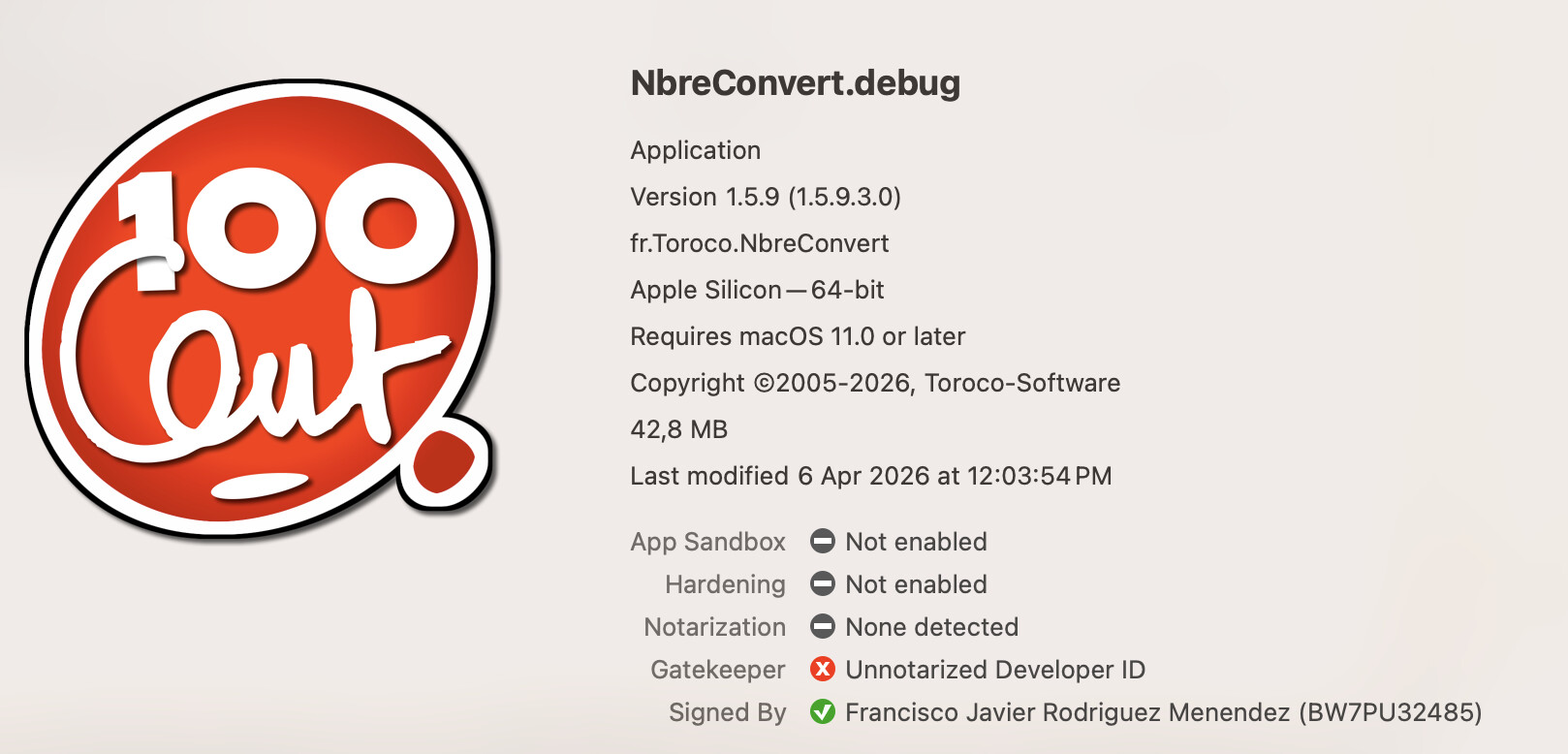
As you can see in the screenshot above, the app is now running from the IDE, and signed using Direct Distribution option (equivalent to the “Developer ID Certificate:”
The problem behind was that, in fact, the plist file was modified after the app was signed… and not re-signing was happening after running the IDE scripts… so it made the app / signing bad when debugging.
Still, best to disable / comment your IDE scripts until the fix comes into place for a next release.
So I don’t need to fill a bug report.
I think I reached to use Property List Editor with this post Property List Editor, Integrated in the IDE and the doc.
My IDE script also write in the Plist the Build date, but I don’t need to write it in Debug so I apply my IDE script only for build.
And I’m dump, I knew there was a checkbox in Hardened Runtime to access AddressBook but I didn’t see the one to Apple event. Then I didn’t need to use Property List Editor, I just have to check the checkbox.
It’s fine you already correct the bug, I see “Milestone Xojo 2026r1.1”, then we’ll have a new version soon.
While we are speaking about this, one of my application: MemoDate (you can download source code here , it use too Zx_External. It read the AddressBook, I checked the checkbox in Hardened Runtime but in Debug my app doesn’t read AddressBook (it works if the app is built).
Yes. Hardened Runtime is not applied for debugged apps… because, if not, they couldn’t be debugged from the IDE. That setting only applies to Built apps.
And I’m dump, I knew there was a checkbox in Hardened Runtime to access AddressBook but I didn’t see the one to Apple event. Then I didn’t need to use Property List Editor, I just have to check the checkbox.
If you’re going to attend the MBS Conference 2026… you’ll learn that and many other things 
Anyway, if you’re interested in all this maybe you will find useful the serie of blog posts about Certificates and code-signing on macOS: Code Signing on macOS: What Developers Need to Know, Part 1 – Xojo Programming Blog