I’m attempting to add checkmarks to items in a PopupMenu, in order to represent states on a few items. Seeing that the current PopupMenu only has rows in it I can’t get at the underlying MenuItems to use checked. Any pointers would be helpful.
I’ve tried using Cocoa calls to get the menu item and set the state but I still don’t get check marks.
Const CocoaLib = "AppKit"

Declare Function itemAtIndex Lib CocoaLib selector "itemAtIndex:" ( id As ptr, idx As Integer ) As ptr
Declare Sub setState Lib CocoaLib selector "setState:" ( id As ptr, idx As Integer )
Declare Function menu Lib CocoaLib selector "menu" ( id As Integer ) As ptr

Dim ctrlHandle As Integer = Me.Handle
Dim mi As ptr = itemAtIndex( menu( ctrlHandle ), 0 )
setState( mi, 1 )
Here’s an extension method to use this in a nice controlled way:
Public Enum RowStates
Unchecked = 0
Checked = 1
Mixed = 2
End Enum

Public Function RowStateAt(extends Popup as PopupMenu, Index as Integer) as RowStates
  Declare Function itemAtIndex Lib CocoaLib selector "itemAtIndex:" ( id As ptr, idx As Integer ) As ptr
  Declare Function state Lib CocoaLib selector "state" ( id As ptr ) As Integer
  Declare Function menu Lib CocoaLib selector "menu" ( id As Integer ) As ptr

  Dim ctrlHandle As Integer = Popup.Handle
  If Index >= 0 And Index <= popup.LastRowIndex Then
    Dim mi As ptr = itemAtIndex( menu( ctrlHandle ), Index )
    Return CType( state( mi ), RowStates )
  Else
    Return CType( 0, RowStates )
  End If

End Function

Public Sub RowStateAt(Extends Popup as PopupMenu, Index as Integer, Assigns Value as RowStates)
  Declare Function itemAtIndex Lib CocoaLib selector "itemAtIndex:" ( id As ptr, idx As Integer ) As ptr
  Declare Sub setState Lib CocoaLib selector "setState:" ( id As ptr, idx As Integer )
  Declare Function menu Lib CocoaLib selector "menu" ( id As Integer ) As ptr

  Dim ctrlHandle As Integer = Popup.Handle
  If Index >= 0 And Index <= popup.LastRowIndex Then
    Dim mi As ptr = itemAtIndex( menu( ctrlHandle ), Index )
    setState( mi, Integer( Value ) )
  End If

End Sub
Put it in a module.
Set the state:
PopupMenu1.RowStateAt( Index ) = RowStates.Checked
or read the state:
if PopupMenu1.RowStateAt( Index ) = RowStates.Checked then
  // Do Something
end if
Not exactly drag and drop on the window interface through. This allows you to build the interface as you normally would and then use checkmarks as you wish.
OK I guess you’re right. In fact mine is actually a ContextMenu. I do the same for a couple of menubar menus - create them empty and populate at runtime and rebuild them according to user actions.
A thought:
I just whipped up this code and got myself a nice emoji based popup from a constructcontextual menu
Dim m As New menuitem

//U+2705  is the code of the tick I used here

m.Text =  "✅"+"I am ticked"
base.AddMenu m

m = New menuitem
m.Text = "     I am not ticked "
base.AddMenu m

Return True
@Emile_Schwarz
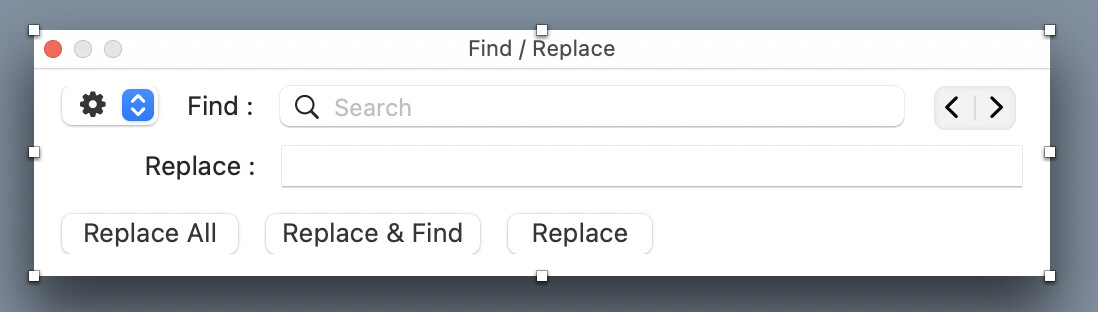
If you look at this image you can see what I mean. You can choose only one item at a time but in doing so you are toggling an option on and off, for example Whole words or Match Case.