Remote debugging from a Silicon Mac to a Mac in Parallels was working previously and has suddenly stopped.
Trying a Hello World app.
Debug to Windows in Parallels works
Debug to both Sequoia and Tahoe started failing
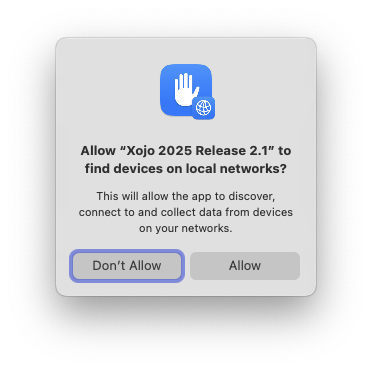
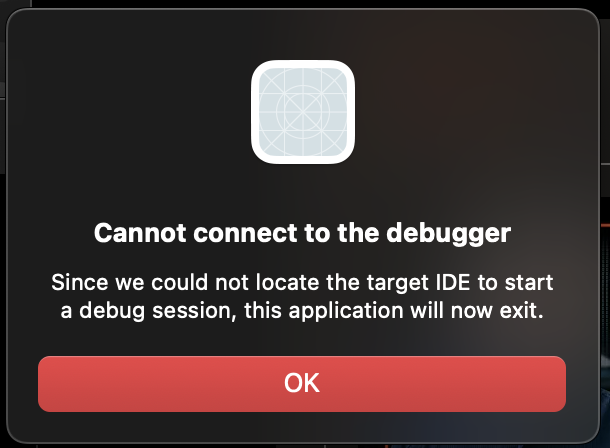
App gets transferred over successfully but can’t connect back
Tried all the usual: Firewalls off, updated remote debugger, gave permissions to remote app, Shared Networking setting in Parallels, changed built app location, restarted everything, etc.
Yes, i’m seeing this, too. Tried Remote Debugging from a Linux real PC to macOS Sequoia (Desktop-License). Same error, no chance. Thought it has may to do with my network settings, but now i think it is more likely a Xojo-bug or something changed security-wise again in macOS (very likely).
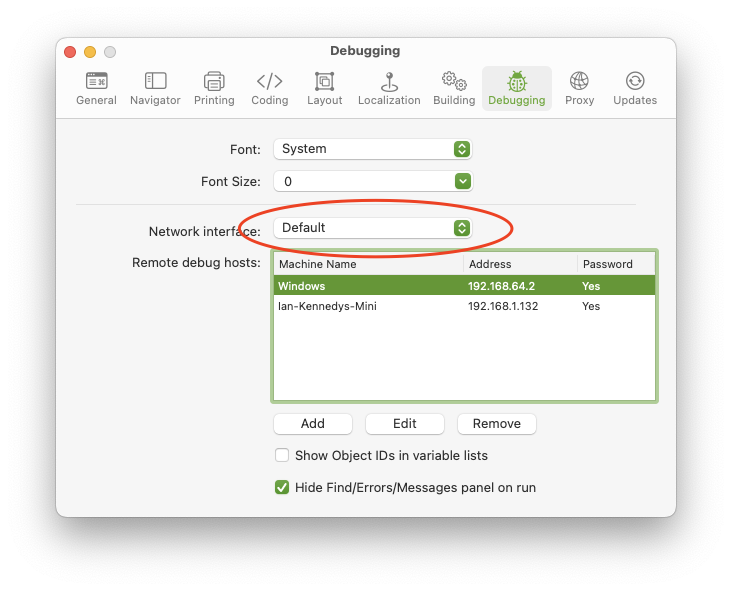
It is possibly to do with your network settings. There is an option in the debug configuration dialog for which interface to use. If that is not correct you get a problem. Here:
Have you tried making yourself two test apps (which you’d build, of course, not debug), to transfer data from the host mac to the guest, so you can see whether the network goes through? Just add a TCPSocket in both apps, one listening and the other connecting to the host, providing its IP address, and send arbitrary data.
Looks like the Remote Debugger application is no longer fully hardend. Get this in console on launchg of a freshly downloaded (and moved to Applications) copy of the remote debugger.
error 10:38:18.451865+0000 tccd Prompting policy for hardened runtime; service: kTCCServiceAppleEvents requires entitlement com.apple.security.automation.apple-events but it is missing for accessing={TCCDProcess: identifier=com.xojo.remotedebuggerstub, pid=1270, auid=501, euid=501, binary_path=/Applications/Remote Debugger Desktop.app/Contents/MacOS/Remote Debugger Desktop}, requesting={TCCDProcess: identifier=com.apple.appleeventsd, pid=474, auid=55, euid=55, binary_path=/System/Library/CoreServices/appleeventsd},
error 10:38:18.478279+0000 kernel Sandbox: WindowManager(565) deny(1) mach-task-name others [Remote Debugger Desktop(1270)]
The Remote Debugger Stub is of course built with Xojo. The Xojo framework for a desktop app automatically registers for the Document Open Apple event even if you don’t use it in your code.
That error is telling you that the app is missing the entitlement to use those Apple events, which in turn means that they won’t work… but again, RDS doesn’t need them.