Greetings All.
How might I add a popupMenu that will appear on each row within a WebListBox in a particular column?
When the user clicks any of the popupMenus, it will display a list of values and when the user selects one of those value, I want to be able to capture that value.
Hi @Keith_Keller,
While we’d like to support embedding a WebContainer, using a cell renderer is the only option at the moment. There are
Since I’m testing the upcoming 2026r3’s Agentic Mode, I’ve asked Claude to prepare a cell renderer for you:
PopupMenuCellRenderer.xojo_binary_project.zip (10.5 KB)
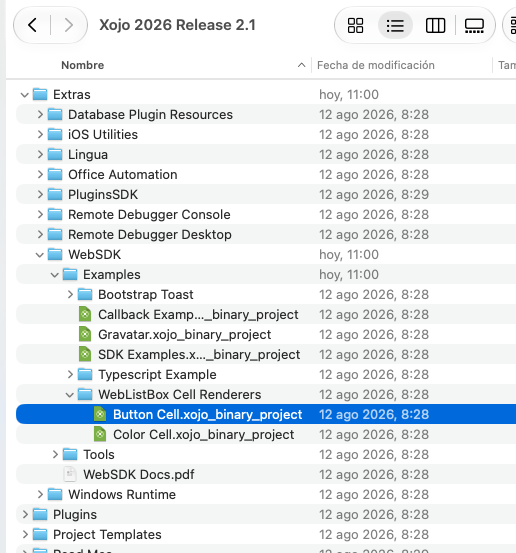
You can find more information about the Web SDK and some Cell Renderer examples inside the Extras folder:
Thanks @Ricardo_Cruz
I have a quick follow-up to this. I would also like to right-align text in one of the columns of the weblistbox (not the header).
Thoughts?
That one is easier!
ColumnAlignmentAt
Try with this:
ListBox1.ColumnAlignmentAt(1) = WebListBox.Alignments.Right
For additional styling, then the WebListBoxStyleRenderer can help. For example, changing the background color, font color, …