I was getting an Access Violation hard crash in my large, complex app on Windows. It worked fine on MacOS, and it previously worked fine on Windows.
I spent nearly a week trying everything I could think of, including reverting to previous versions of Xojo, previous plugin versions, even an old version of my project that I knew to be working… They all crashed with an Access Violation after my Window.Opening event, somewhere the debugger couldn’t show.
After much hair-ripping, I finally figured out it was a single instance of a DesktopHTMLViewer.
I removed all events from that DesktopHTMLViewer and the Access Violation still happened, it’s mere presence on the window was enough to crash the app.
I removed it, placed a new DesktopHTMLViewer and gave it the same name, then pasted the old object’s events into it, and now the app works without issue.
Now I just want to know what happened. What on earth could corrupt an instance of a DesktopHTMLViewer that would cause an Access Violation crash on Windows but be fine on MacOS?
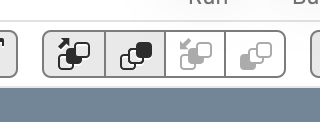
After a couple more hours of poking around, I think I have my answer. It has something to do with z-order.
The DesktopHTMLViewer in this project causes an Access Violation if it is not above some other Control in my list of over 100 controls on the window. If I just bring it to the top in z-order the crash goes away. If I send it to the back, it comes back.
Truly weird.
Edit: Fixing this also fixed a freezing issue I was having on a completely different window. Mind is blown right now!
I did indeed try changing tab order and that made no difference. It’s the Z-Order where one control is drawn before or later than another that makes the difference.
Given that this began happening recently and that @Patrick_Salo has also experienced it under very similar conditions to mine, I have a hunch it’s similar to this thread I made about two years ago.
On windows with both DesktopHTMLViewer and WebView2ControlMBS, the order the controls are processed can cause a crash due to a Microsoft bug with the Edge/WebView2 engine. That also explains why this suddenly appeared out of nowhere: it showed up with a Microsoft Edge update.