Hi,
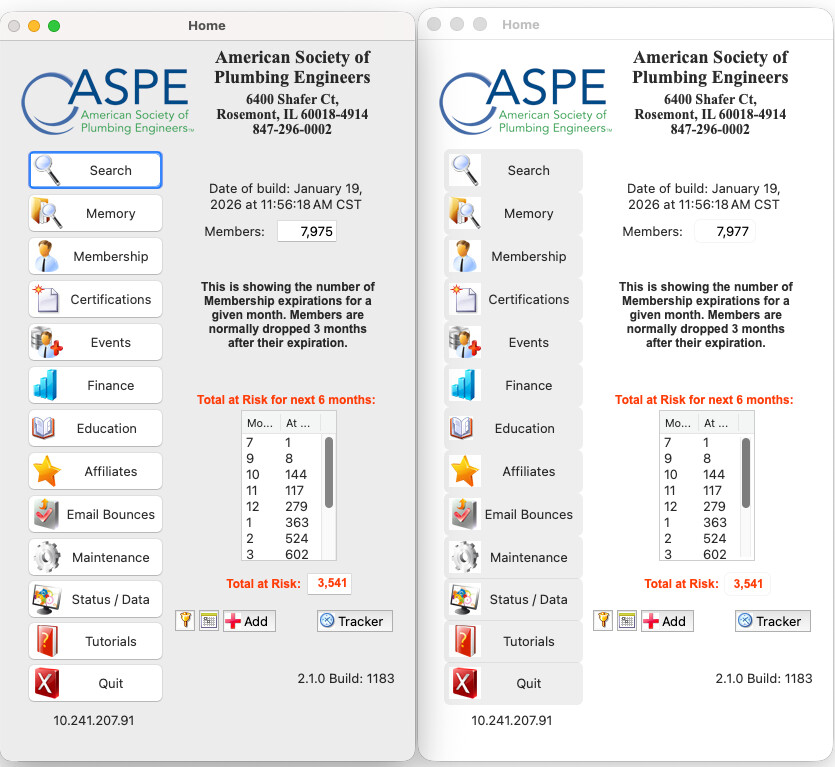
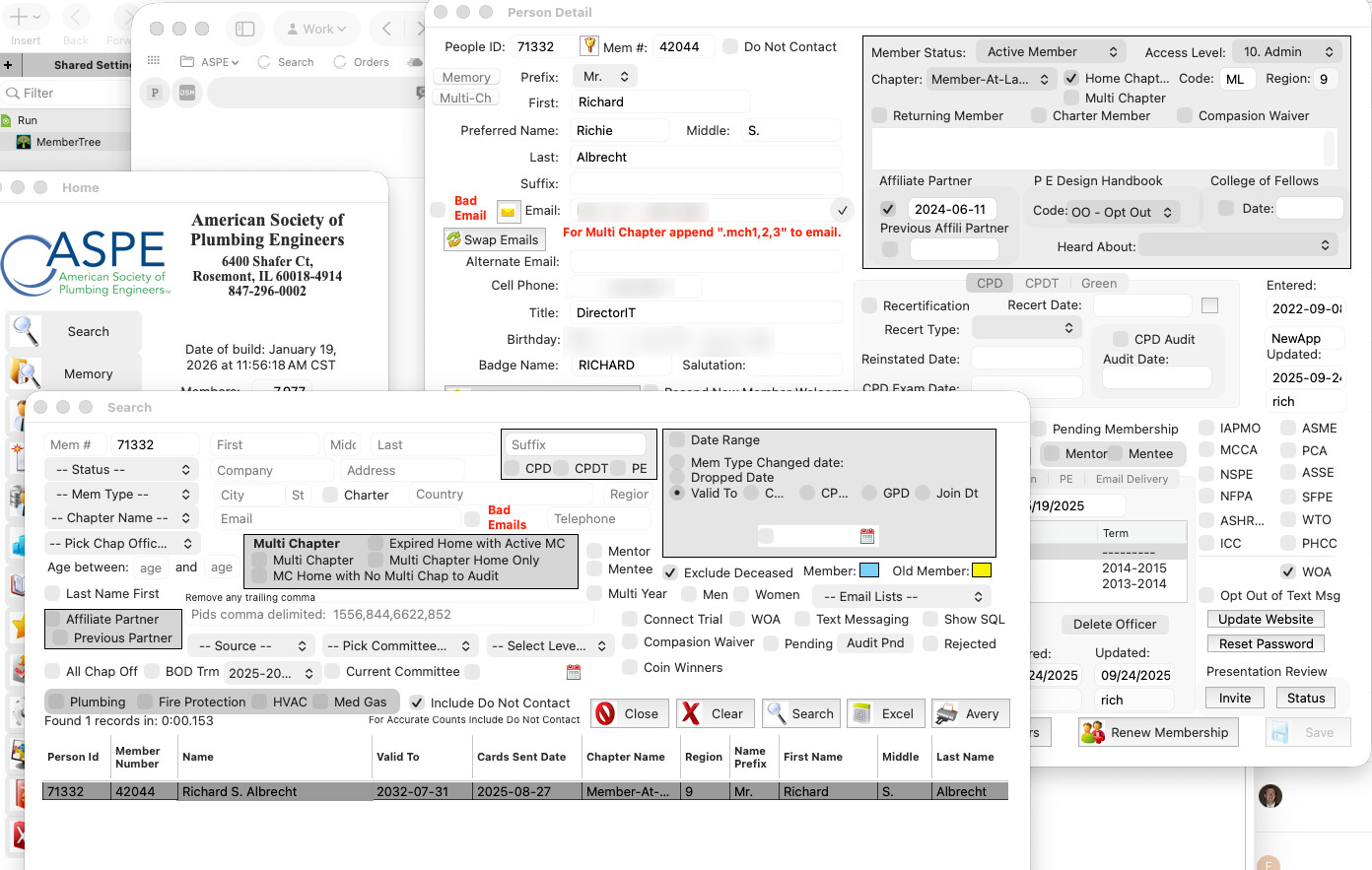
Just tried running our app and are screens are all screwed up. There are 2 screenshots, One the home screen and the other more screens in the app.
Home Screen: Dropbox
And More examples: Dropbox
Does anybody have any ideas?
Thanks
Hi,
Just tried running our app and are screens are all screwed up. There are 2 screenshots, One the home screen and the other more screens in the app.
Home Screen: Dropbox
And More examples: Dropbox
Does anybody have any ideas?
Thanks
1st you can post images here just by dropping the pictures on your post. You don’t need dropbox for it.
2nd Xojo2025r3 (and 3.1) upgraded the API used for macOS to the latest, which in turn has changed a few things with layout. These changes are caused by Apple updates to macOS, especially in Tahoe. You can enable compatibility mode by clicking on macOS build tab and selecting “UI Compatibility Mode”, which may solve your problem for now. This flag is dependant on Apple maintaining the facility in future versions. `Given their direction it seems likely that they will remove the option sooner rather than later.
You can add back color to the background by adding a canvas behind your controls and moving the controls to use it as a parent. You can then either paint the background your self or add a backdrop.
Hope this helps.