About which known issues do you talk? Until now I didn‘t receive any bug or crash report from my customers related to one of my apps running under Ventura….
Exactly. Ventura is awful but not because of a dylib problem.
1 Like
So you guys are saying that only the IDE crashes loading libraries and not our Intel AND M1 apps produced using the same routines our IDE uses, that’s a relief. So the random crashing bug maybe is on the IDE, maybe located somewhere near pluginBridge + FolderItem where the crash usually seems reported. I’ll let more people experimenting producing apps with the current unstable state of affairs but wait for Xojo declaring that they reached stability before jumping in.
I use minimal plugins. Only those built into Xojo it’s self, not even the stock db plugins. I’ve never seen a single crash in either Xojo or my application.
It may need some configuration to trigger some bugs. I do remember for example, during the Ventura betas, a crashing bug affecting some people with more than one monitor, but not those with only one, for example. That one was fixed, Apple side.
@ChristopheDV Your instabilities are gone with the latest Xojo beta?
Sadly not. I still cannot run Xojo whatsoever. Most say it does run after several launches. Not the case here.
Please give the latest Ventura 13.1 Beta a try - I can now start Xojo with my full set of plugins (59 plugins incl. the Xojo ones) without problems - tried 5 times…
Looks like Apple did changes something in the dylib loading process…
1 Like
I already tried this. And it’s still crashing here.
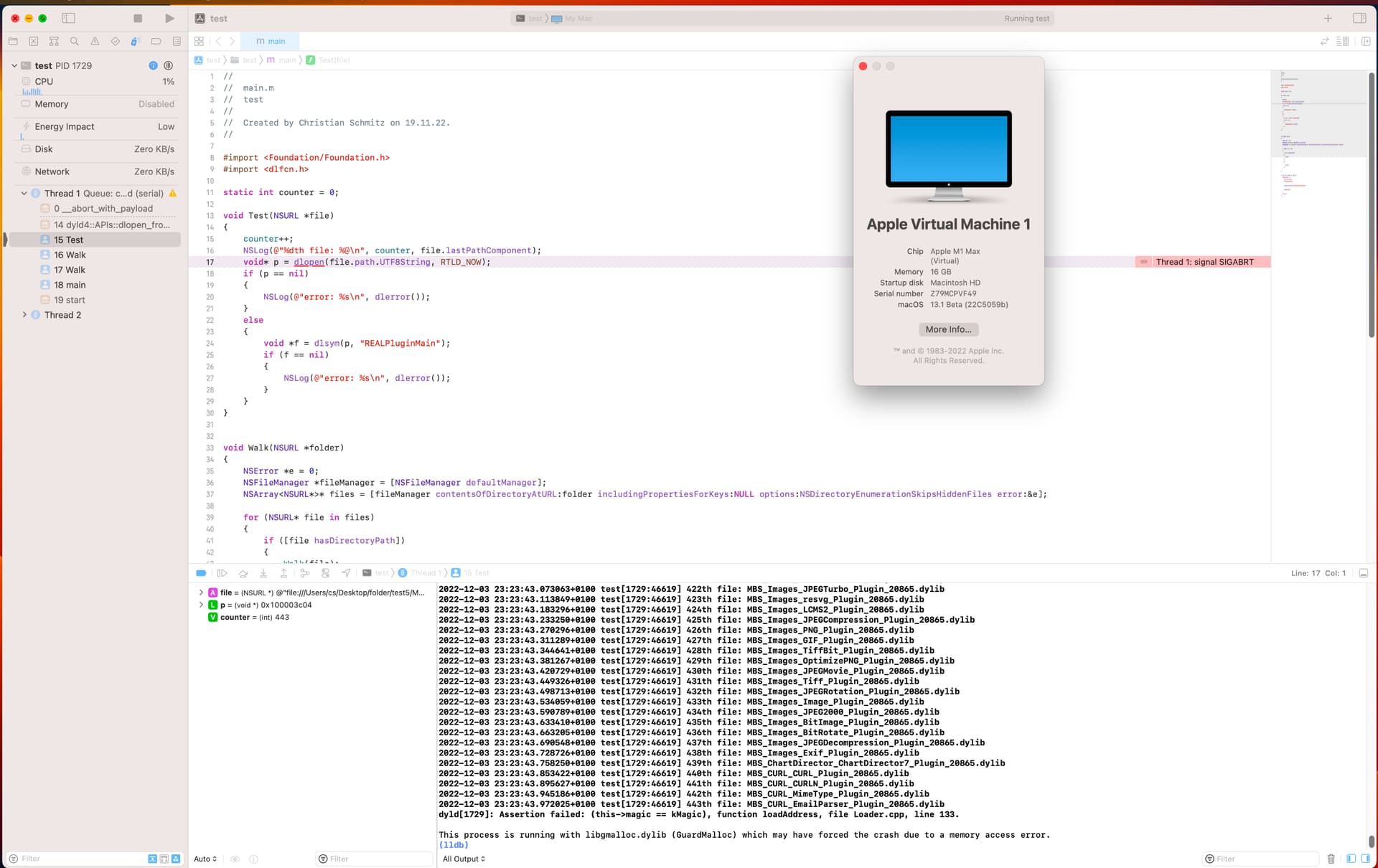
Have they (at apple) commented on your bug ticket in any way ?
Sorry, no.
So I got my Developer Technical Support incident back.
There is no workaround DTS can provide for Feedback ID #FB11721327; it is still under investigation. Please continue to track the problem via the bug report.
And back to waiting for something to happen on the bug report.
1 Like
It probably has no high priority.
FWW the latest beta still crashes.
FWW: it still happens with macOS 13.2 beta. 
If you have lots of these, just reboot the system without the auto reopen apps. It should help by alot. Clearing xojo cashes before you do this could be more helful.
Note my xojo ide is also stopping/crashing on resource shortage due to plug-in loading somehow. I’m on the latest mac release version with the latest 2022R4 and 2022R4.1 xojo releases. (Mbs225 and others)
Trust me.. I have tried everything.
1 Like
FWW … I still cannot get Xojo run on macOS 13
With the latest macOS 13.3, it’s still crashing. Time after time …
Extremely frustrating to say the least.
Maybe Xojo Inc should change the way it loads plugins? It’s clear Apple isn’t doing anything about this.
1 Like
Whta’s the Issue number?
Don’t know but there are several feedback cases for this.
https://tracker.xojo.com/xojoinc/xojo/-/issues/69894
Xojo still crashy when starting on Ventura