as a 78 year retired for 18 years who has used xojo and inno little for 5+ years, this is a bit too much for me.
below is from the inno script for my installer
Source: “C:\Users\carlm\OneDrive\Desktop\a for builds\build for WC\Builds - tigerWC 38 1 2025 version\Windows\My Application\{#MyAppExeName}”; DestDir: “{app}”; Flags: ignoreversion
Source: “C:\Users\carlm\OneDrive\Desktop\a for builds\build for WC\Builds - tigerWC 38 1 2025 version\Windows\My Application\My Application Libs\*”; DestDir: “{app}”; Flags: ignoreversion recursesubdirs createallsubdirs
i tried to adapt your comments to my code but was very unsure. so i decided to ask for help directly. would you please change my code to your code. i have tried to install the program at least a dozen times with various nuances as suggested but have not succeeded. i would greatly appreciate your help
The “nuclear option” is fairly benign: use InnoSetup’s wizard to create a new script from scratch.
Edit: in the wizard, select both the Libs and the Resources folders, allowing recursion for each. Then, select each and every DLL that are in the root folder with the .exe, along with the .exe itself. If what you have shared is even close to the whole thing, there is a ton of stuff missing.
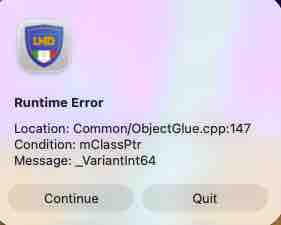
That is something else.
You need to go through you code and find where this happens.
Like how you make a Variant for an Int64, that has no class pointer!?