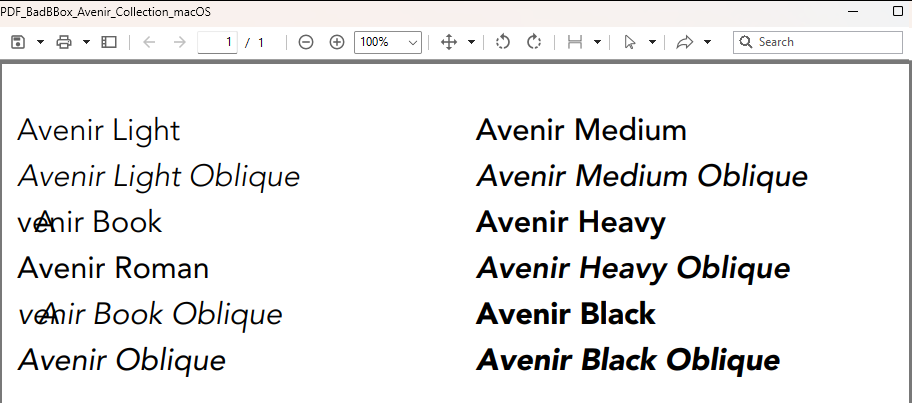
Couldn’t replicate an Adobe warning and boxes seemed ok on my readers.
This example:
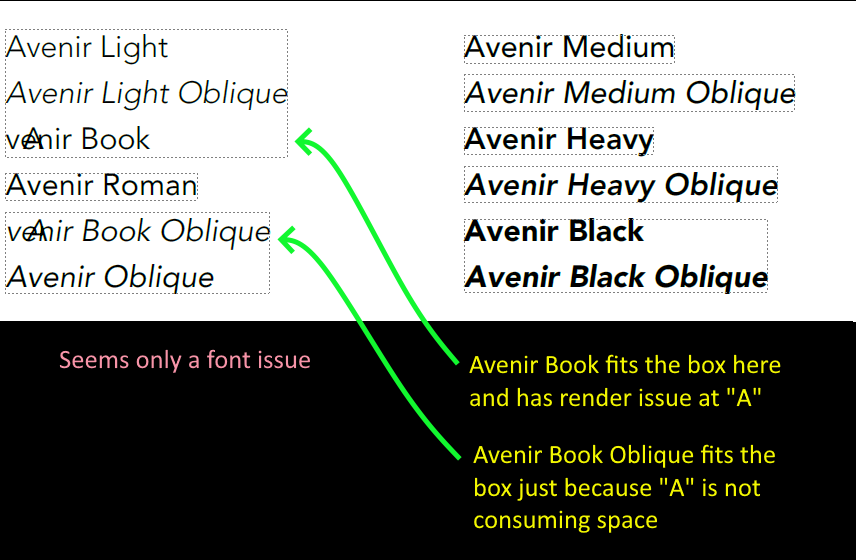
With bounding boxes visible:
Have in mind that Xojo has some limits that other PDF apps don’t feel. Most of them encode Unicode and Xojo is ANSI only, I suppose that some glitches may arise just because of that.
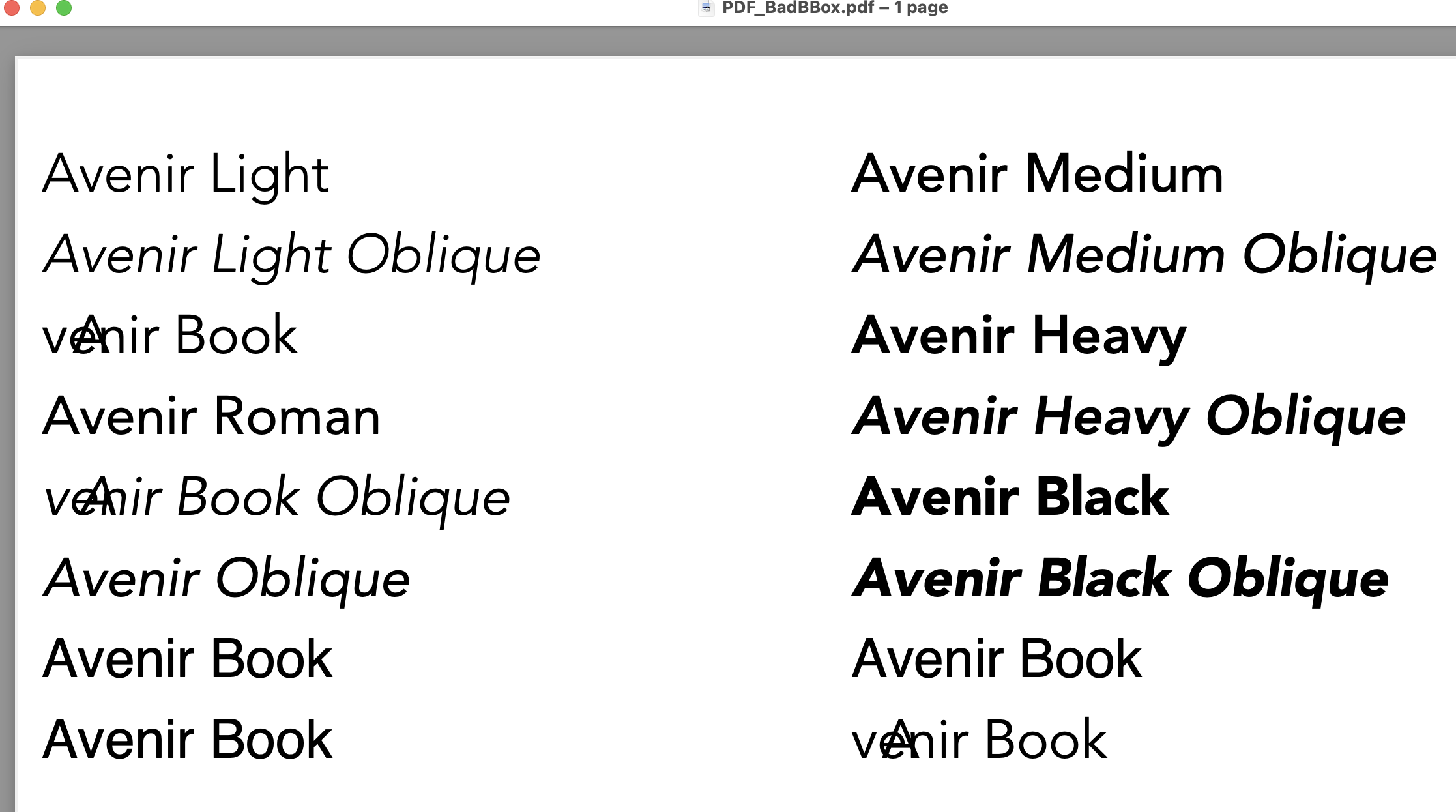
It is worse; I had the crazy idea to add some lines with lowercases a but with diacriticals. Here’s the added lines:
g.FontName = "âvenir Book"
g.DrawText("Avenir Book", 10, 230)

g.FontName = "ávenir Book"
g.DrawText("Avenir Book", 310, 230)

g.FontName = "àvenir Book"
g.DrawText("Avenir Book", 10, 260)

g.FontName = "avenir Book"
g.DrawText("Avenir Book", 310, 260)
Remember: Sequoia / 2024r2 / MBP m1 2020.
“L’avenir semble sombre…”
Emile Schwarz:
g.FontName = "âvenir Book"
g.DrawText("Avenir Book", 10, 230)

g.FontName = "ávenir Book"
g.DrawText("Avenir Book", 310, 230)

g.FontName = "àvenir Book"
g.DrawText("Avenir Book", 10, 260)
Those certainly were ignored and the system used a substitute font.
And this one it recognized, used the font, and made a mess:
I guess your original intention was the opposed, keeping the font as “Avenir Book” and messing around drawing texts with diacritics.
Yes, I’ve one that with 3 different diacriticals and the simple lowercase a.
Demonstration of a problem was done before, but while doing something boring (not related), I asked myself, What if ? Now I know.