Does not works here.
That is not working because you are probably using an azerty keyboard. The layout is totally different from the qwerty keyboard. Maybe that using Command+Shift+: does work.
(On the azerty keyboard the : is at the position where the . is on a qwerty keyboard.)
I tried some other keyboard shortcuts (yes, I do not feared to consequences…) but I failed.
I’ve made a Google search and find videos (beurk) and wrong solutions, so I left that behind me.
I even asked Tahoe’s Help, that failed too (wrong answer).
QWERTY <> AZERTY: sometimes the AZERTY shortcuts have no sense cmd-- = enlarge the image in the Finder, and cmd-) decrease the image size !
I even found how to display a Command window (with buttons) by error and I do not know where this window is meant to be used (Found in the Finder)…
It might be worthwhile to use the MacOS terminal version of zip with the -9 switch to give the the highest compression and see if the zip file is smaller?
zip -r -9 archive1.zip foldername
And
zip -r archive2.zip foldername
Here are the sizes I got from a general folder with: ls -l archive1.zip
archive1.zip 194518901 Compared to archive2.zip 362360141
1 Like
It’s looking like there were custom icons in many of the files, causing the resource forks to get big.
Windows doesn’t need or use that data.
1 Like
They use Thumbs.db to cache icons for images. Windows will use that file to display a preview of the images files contents.
I deleted my previously send data because Tahoe situation regarding invisibles is… dark (is it still using them and hide to everyone ? I wasn’t able to see them using an AppleScript (choose file with invisibles does not returns .DS_Store, only the Folder Custom Icon - I do not tested a file with a custom icon, so I do not know the icon file name in that case .
Tested with a folder i am working in nearly everyday in the last 3 months (Folder with a Custom Icon located at 0,0).
Using:
Var f As FolderItem = FolderItem.ShowSelectFolderDialog()

If f <> Nil Then
  Var child_FI As FolderItem
  Var file_Idx As Integer

  For file_Idx = 0 To f.Count - 1
    child_FI = f.ChildAt(file_Idx)
    TA.AddText child_FI.Name + EndOfLine

    If UserCancelled Then Exit
  Next
End If
in a Button, sending results in a TextArea (TA), I was able to confirm that Tahoe hides from AppleScript the .DS_Store file.
The only invisibles items in the tested folder with a custom icon are:
.DS_Store
Icon
There is an invisible character after Icon in the TextArea, it is removed by the Forum software.
HTH.
It’s great that Jeff has a solution that he’s happy with. For others looking for a more robust zipping solution on the Mac, I second Tim and others’ endorsement of Keka. It’s got just about everything one could want in a simple and inexpensive package. Here’s a screen shot of the settings screen:
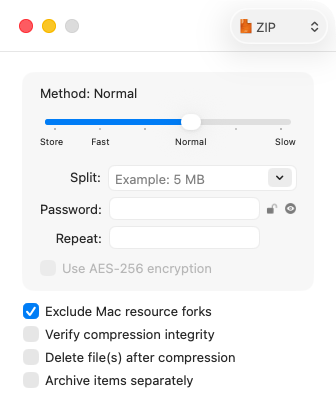
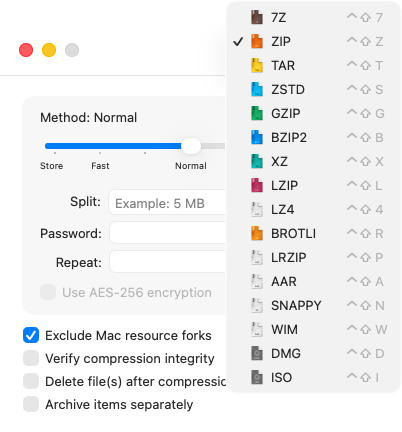
Inexpensive being free of all charge if you download it from the website.
Just throwing this out there
PeaZip has been around for 20 years, may or may not do what you need but it is also free
True, but the dev does request a tip if one likes the program. It’s all of $4 on the Mac App Store; a one time cost equivalent to a single of a coffee,. I’ve gotten my money’s worth many times over. I think we can all agree that a developer deserves to be paid for a well written and useful program 