\
**Category:** Bugs and Feature Requests\
**Created:** [March 18, 2022, 10:52am UTC](https://forum.xojo.com/t/using-htmlviewer-in-desktoptabpanel-api2-shows-no-webpages/69135 "2022-03-18T10:52:33Z")\
**Posts on this page:** 9\
**Page:** 1
**Author:**  [@PaulS](https://forum.xojo.com/u/PaulS)\
**Post date:** [March 18, 2022, 10:52am UTC](https://forum.xojo.com/t/using-htmlviewer-in-desktoptabpanel-api2-shows-no-webpages/69135/1 "2022-03-18T10:52:33Z")
With the program I’m creating, it is possible to show various webpages in a TabPanel.
Works fine with API1.

But after I converted the program to API2 showing webpages in a TabPanel no longer works.
The whole TabPanel is invisible.
This problem is in macOS and in Windows.
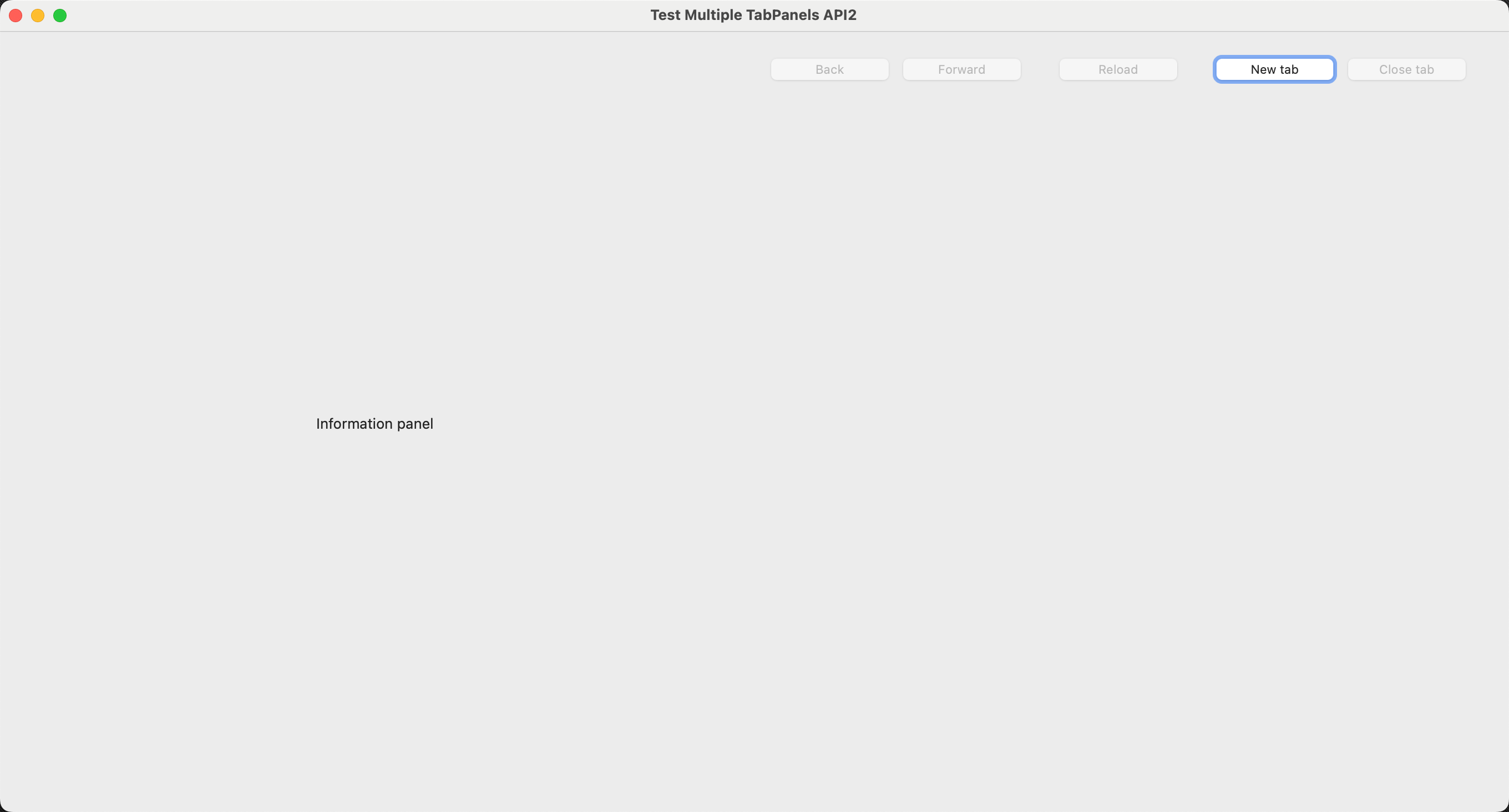
\<[https://xojo.com/issue/68039](https://xojo.com/issue/68039)\>
I hope that Xojo will look into this case and solve it asap because this will prevent me moving to API2.
---
**Author:**  [@Emile\_Schwarz](https://forum.xojo.com/u/Emile_Schwarz)\
**Post date:** [March 18, 2022, 11:13am UTC](https://forum.xojo.com/t/using-htmlviewer-in-desktoptabpanel-api2-shows-no-webpages/69135/2 "2022-03-18T11:13:03Z")
Apparently, there is a bug in the TabPanel with recent Xojo versions. Read the Feedback here:
> [@Tab titles disappear on macOS 12.x](https://forum.xojo.com/t/tab-titles-disappear-on-macos-12-x/69084/5):
>
> They’re green because Xojo uses a declare to change the local accent color. If you select one in system preferences apps can’t override your accent color.
The title is a bit misleading (IMHO/No offense), the bug seems to be the one you reach.
---
**Author:**  [@Beatrix\_Willius](https://forum.xojo.com/u/Beatrix_Willius)\
**Post date:** [March 18, 2022, 11:19am UTC](https://forum.xojo.com/t/using-htmlviewer-in-desktoptabpanel-api2-shows-no-webpages/69135/3 "2022-03-18T11:19:59Z")
Looks fine. You might want to try the tester channel.
---
**Author:**  [@TimStreater](https://forum.xojo.com/u/TimStreater)\
**Post date:** [March 18, 2022, 6:36pm UTC](https://forum.xojo.com/t/using-htmlviewer-in-desktoptabpanel-api2-shows-no-webpages/69135/4 "2022-03-18T18:36:22Z")
A workaround might be to make a DesktopContainer to fill the PagePanel page. Put the HTMLViewer on the Container.
I already had this problem some time ago, before the API2 controls.
---
**Author:**  [@AlbertoD](https://forum.xojo.com/u/AlbertoD)\
**Post date:** [March 18, 2022, 6:47pm UTC](https://forum.xojo.com/t/using-htmlviewer-in-desktoptabpanel-api2-shows-no-webpages/69135/5 "2022-03-18T18:47:53Z")
If you click ‘New Tab’ and then ‘Close Tab’ do you see something?
---
**Author:**  [@PaulS](https://forum.xojo.com/u/PaulS)\
**Post date:** [March 18, 2022, 7:01pm UTC](https://forum.xojo.com/t/using-htmlviewer-in-desktoptabpanel-api2-shows-no-webpages/69135/6 "2022-03-18T19:01:34Z")
@TimStreater
The HTMLViewer is already on a container.
@AlbertoD
When I click New tab nothing happens, but when I click close tab all of a sudden the TabPanel (with the webpages) is shown.
---
**Author:**  [@AlbertoD](https://forum.xojo.com/u/AlbertoD)\
**Post date:** [March 18, 2022, 8:13pm UTC](https://forum.xojo.com/t/using-htmlviewer-in-desktoptabpanel-api2-shows-no-webpages/69135/7 "2022-03-18T20:13:27Z")
In AddNewTab change your code:
```auto
//BrowserTabPanel.PanelIndex = page
BrowserTabPanel.SelectedPanelIndex = page
```
in CloseTab comment this line
```auto
//BrowserTabPanel.PanelIndex = BrowserTabPanel.SelectedPanelIndex - 1
```
at least this works on mac.
Note: you will need to add the Windows specific code for CloseTab (I think)
---
**Author:**  [@PaulS](https://forum.xojo.com/u/PaulS)\
**Post date:** [March 18, 2022, 9:06pm UTC](https://forum.xojo.com/t/using-htmlviewer-in-desktoptabpanel-api2-shows-no-webpages/69135/8 "2022-03-18T21:06:15Z")
@AlbertoD
Thank you!
You have found what the problem was.
I used 2 times PanelIndex instead of SelectedPanelIndex
After I had replaced both occurrences of PanelIndex with SelectedPanelIndex, the webpages are shown correctly.
---
**Author:**  [@DerkJ](https://forum.xojo.com/u/DerkJ)\
**Post date:** [March 18, 2022, 9:23pm UTC](https://forum.xojo.com/t/using-htmlviewer-in-desktoptabpanel-api2-shows-no-webpages/69135/9 "2022-03-18T21:23:50Z")
The naming is a bit misleading, PanelIndex could have been named some thing like ParentPanelIndex.